Yes, you can view the survey email sent to the supplier after the survey is sent.
How to view the survey email:
- Go to Surveys in the left side menu and click on the relevant survey
- Search or scroll to find the relevant supplier
- Click on the arrow next to the supplier on the right side
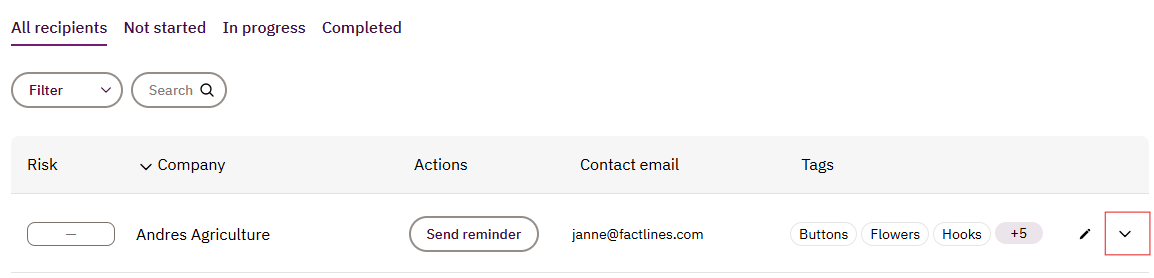
- Click on View invitation email
If you need more help, please send our support team a message here and we will help you.
Was this article helpful?
That’s Great!
Thank you for your feedback
Sorry! We couldn't be helpful
Thank you for your feedback
Feedback sent
We appreciate your effort and will try to fix the article