To be deleted, a measure needs to be disconnected from all org units:
1. Go to "Company setup" > "Measures".
2. Click the pin icon for the measure.
3. Untick all org units.
4. Choose what should happen to existing registrations, then click "Save".
5. Follow the steps below to delete the measure.
After this, the measure can be deleted by:
1. In "Company setup" > "Measures", hover over the measure.
2. Click the bin icon.
3. Confirm the deletion.
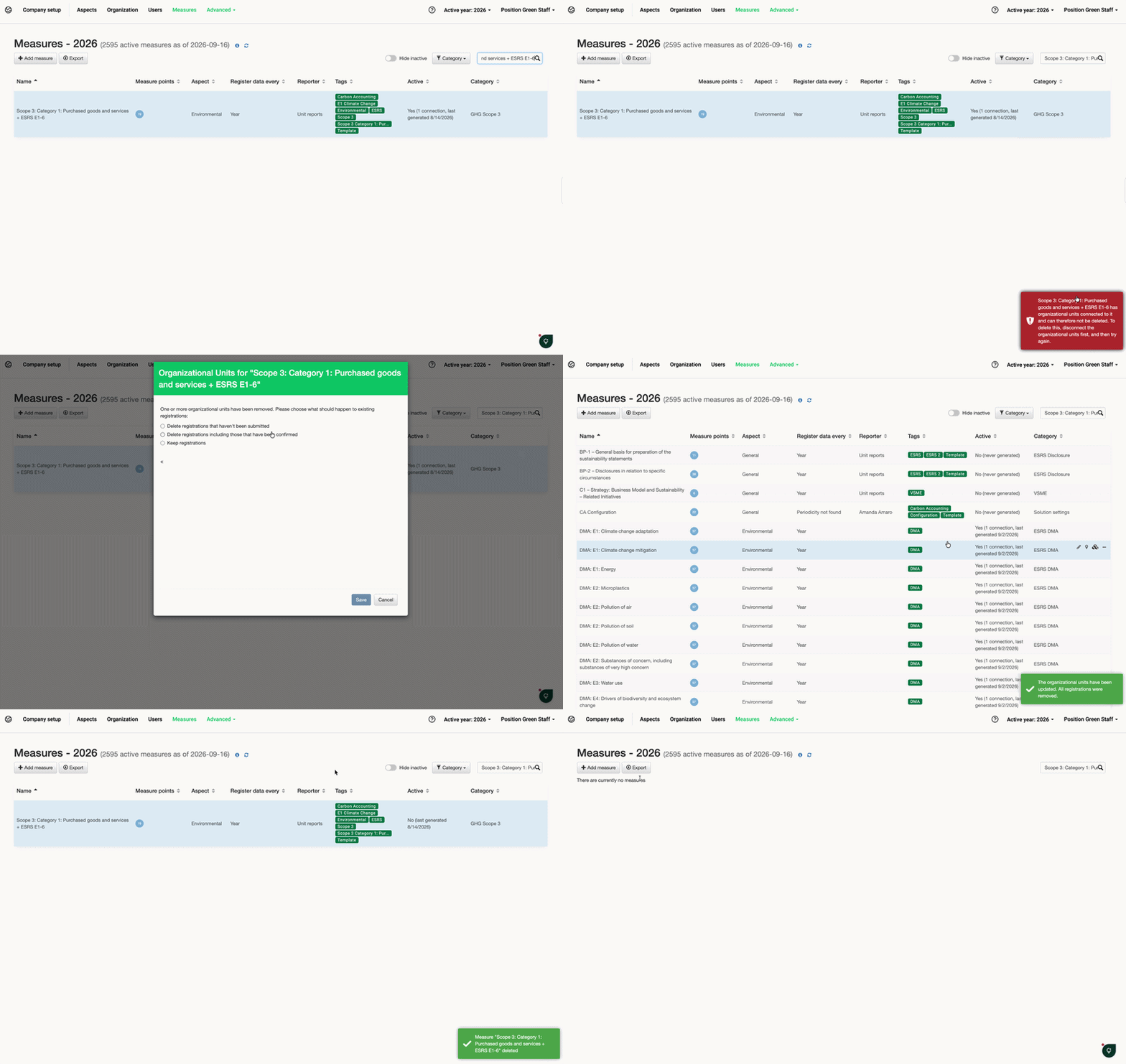
Deleting a measure in the measure builder, linked and not linked to org.units
Was this article helpful?
That’s Great!
Thank you for your feedback
Sorry! We couldn't be helpful
Thank you for your feedback
Feedback sent
We appreciate your effort and will try to fix the article