Jump-start the plan.
AI-generated suggestions provide starter ideas for the Decarbonization Strategy. Use them to consider options, then review and tailor them before adopting.
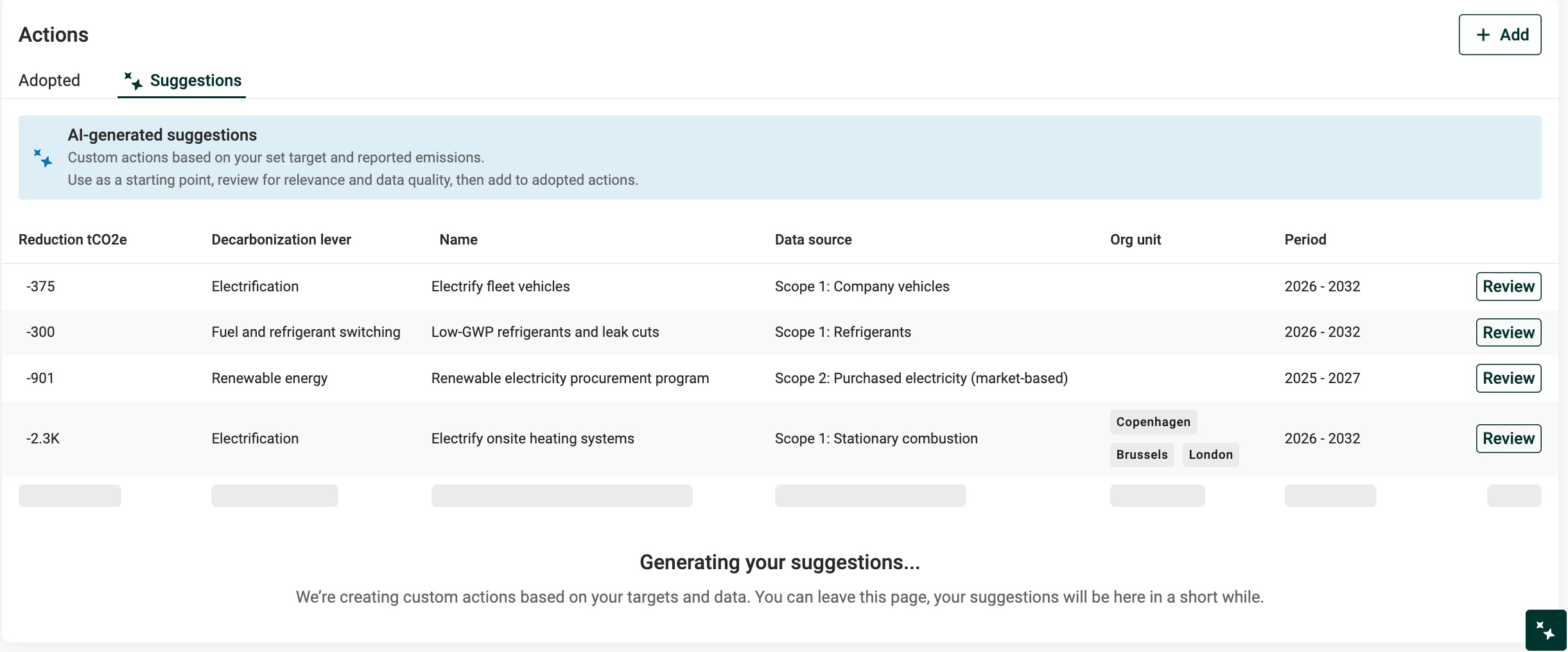
AI-generated suggestions in Decarbonization Strategy
What the suggestions include
- Starter action ideas tuned to the organization’s data and main drivers
- An estimate of impact and when/where it could apply
- A short rationale to verify and edit in Assumptions
How suggestions are generated
The AI uses the same inputs as the scenario, so results stay consistent. It reviews the scenario settings (targets, timeframe, growth) and the distribution of reported emissions at the scope and category level across the entire organizational footprint.
It then identifies the most relevant hotspots in the footprint and generates 10 tailored actions designed to support progress toward the target. Where applicable, the AI automatically selects the org.units driving the hotspot in the generated action, to help focus efforts.
The system always returns 10 actions, but these are not distributed evenly across scopes, categories, or org.units. Instead, the AI focuses on the areas with the greatest potential impact based on the data.
This means:
Multiple suggestions may focus on a single hotspot if that is where meaningful reduction potential lies.
Some scopes or categories may have no suggestions. This is expected and reflects the prioritization logic.
The list is designed to be a focused, high-impact starting point rather than an exhaustive catalogue. This approach helps teams act quickly, avoid overwhelm, and focus on the most material reduction opportunities.
Want different or additional ideas? Use “Regenerate suggestions.”
Generate a new set of 10 suggestions at any time. This is useful if:
Some of the original suggestions have already been acted on
Alternative options or perspectives are needed
Scenario settings (e.g. scopes included) have changed and the suggestions need refreshing
Each regeneration provides a fresh set of 10 ideas based on the same underlying data.
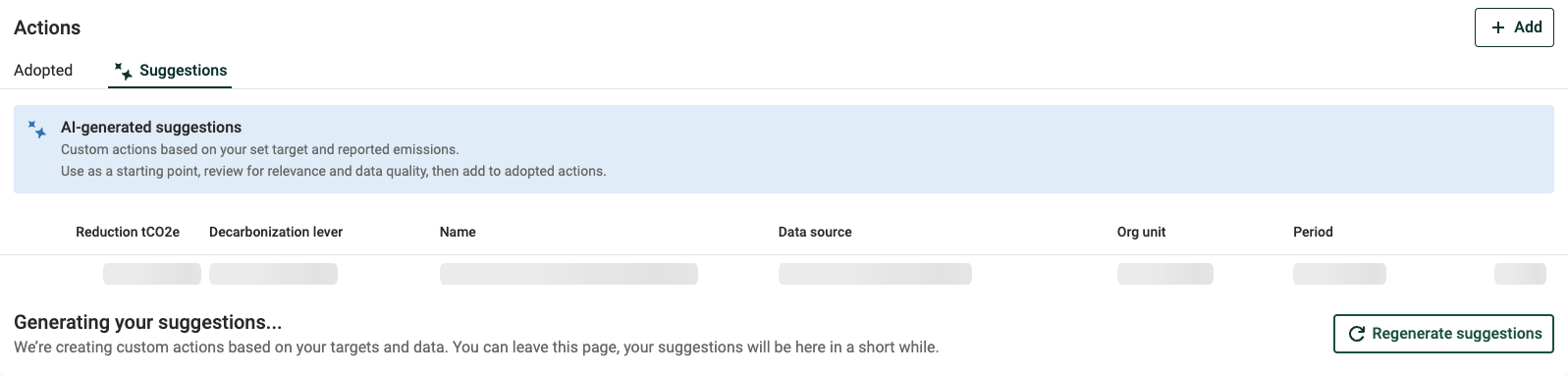
Regenerate suggestions option
How to use suggestions
When suggestions are generated, they appear in the Suggestions tab under Actions.
Review each suggestion: Click “Review” to open the action details.
Check the assumptions: Read the Assumptions field for context, verify any sources, and make sure the logic fits the organization’s situation.
Adjust as needed: Edit any field—such as reduction potential, timing, or coverage—to reflect the organization’s data and priorities. See the Actions page for definitions of each field.
Adopt when ready: Click “Adopt” to add the action to the Decarbonization Strategy.
Adopted actions move to the Adopted tab and can be edited later like any other action.
How quality is ensured
AI-suggested actions are built by a cross-functional Position Green team of carbon management experts and AI engineers.
- Expert-owned prompt: Position Green carbon experts design, maintain, and iterate the prompt that drives suggestions.
- Human-in-the-loop: The team continuously tests across different datasets and refines the prompt to keep outputs credible and useful.
- Transparent by design: The AI is instructed to explain its assumptions and include source references (verify these before relying on them).
User’s role: Use these as well-informed starting points. Review the impact, adjust timing, and add costs where needed so the action fits the organization’s reality.
Access
AI-suggested actions are available if the organization has signed Position Green’s AI addendum. If the option is not visible, contact the Customer Success Manager to enable it.
Was this article helpful?
That’s Great!
Thank you for your feedback
Sorry! We couldn't be helpful
Thank you for your feedback
Feedback sent
We appreciate your effort and will try to fix the article