Table of contents
1. Go to Companies in the left menu and click the company to edit.
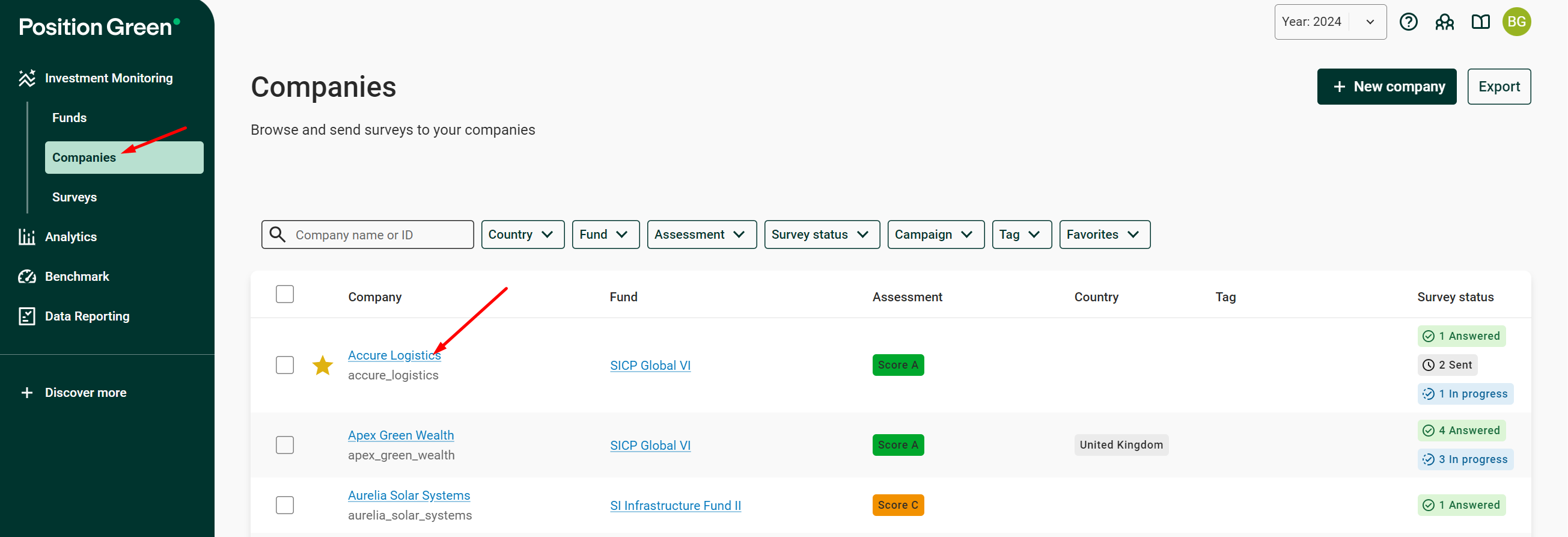
Companies in the left menu
2. To edit general company information, find the overview widget, click the additional menu icon (...) and click “Edit”.
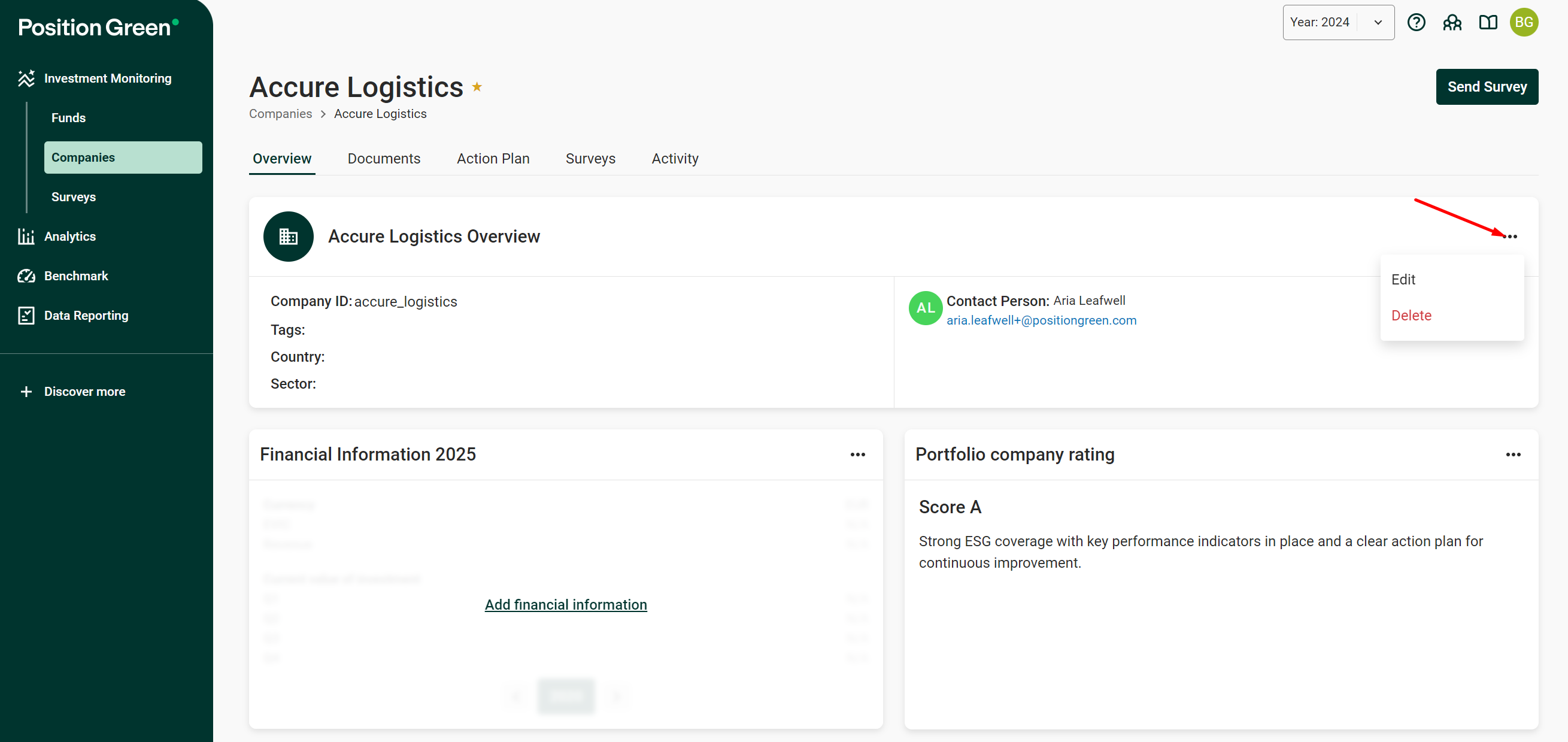
Edit option in the overview widget menu
3. Make the adjustments, then click “Next”.
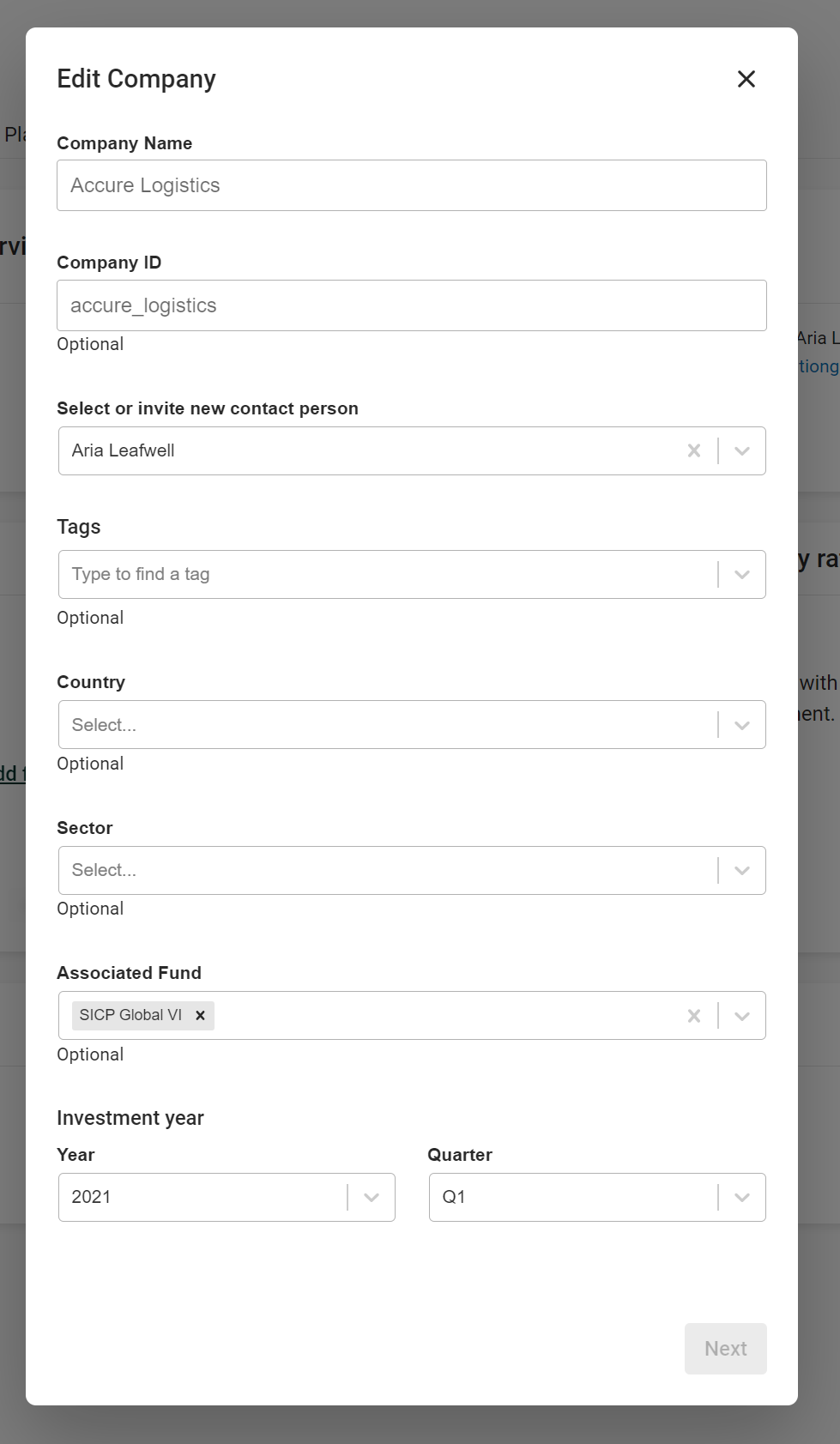
Edit the company information
4. Confirm the changes by clicking “Yes, edit”.
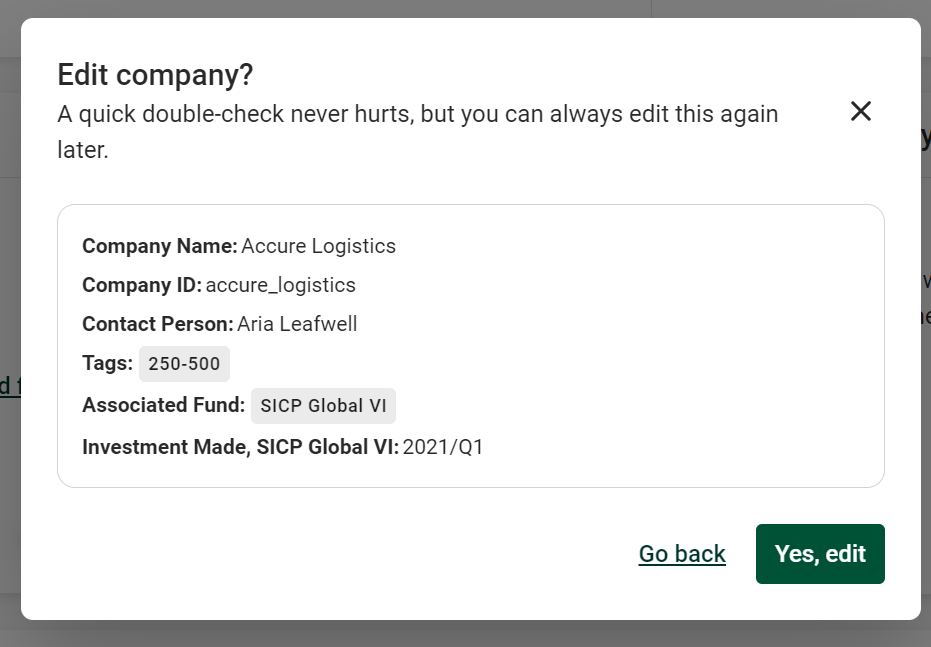
Confirm the changes with “Yes, edit”
Updating portfolio company rating
Follow step 1 above and then find the Portfolio company rating widget, click the additional menu icon (...) and click “Update”.
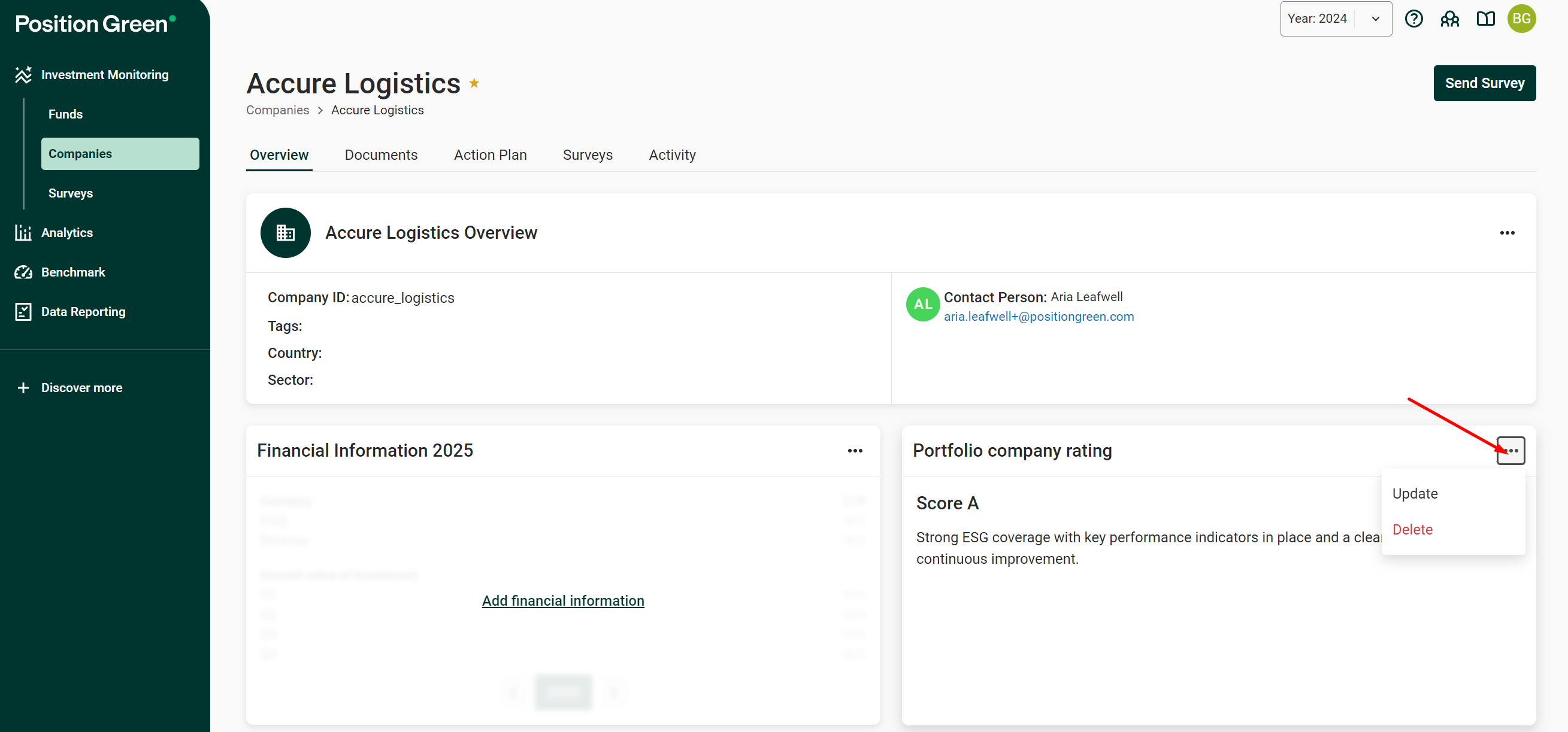
Update option in the Portfolio company rating widget
Adjust the rating and click “Confirm”.
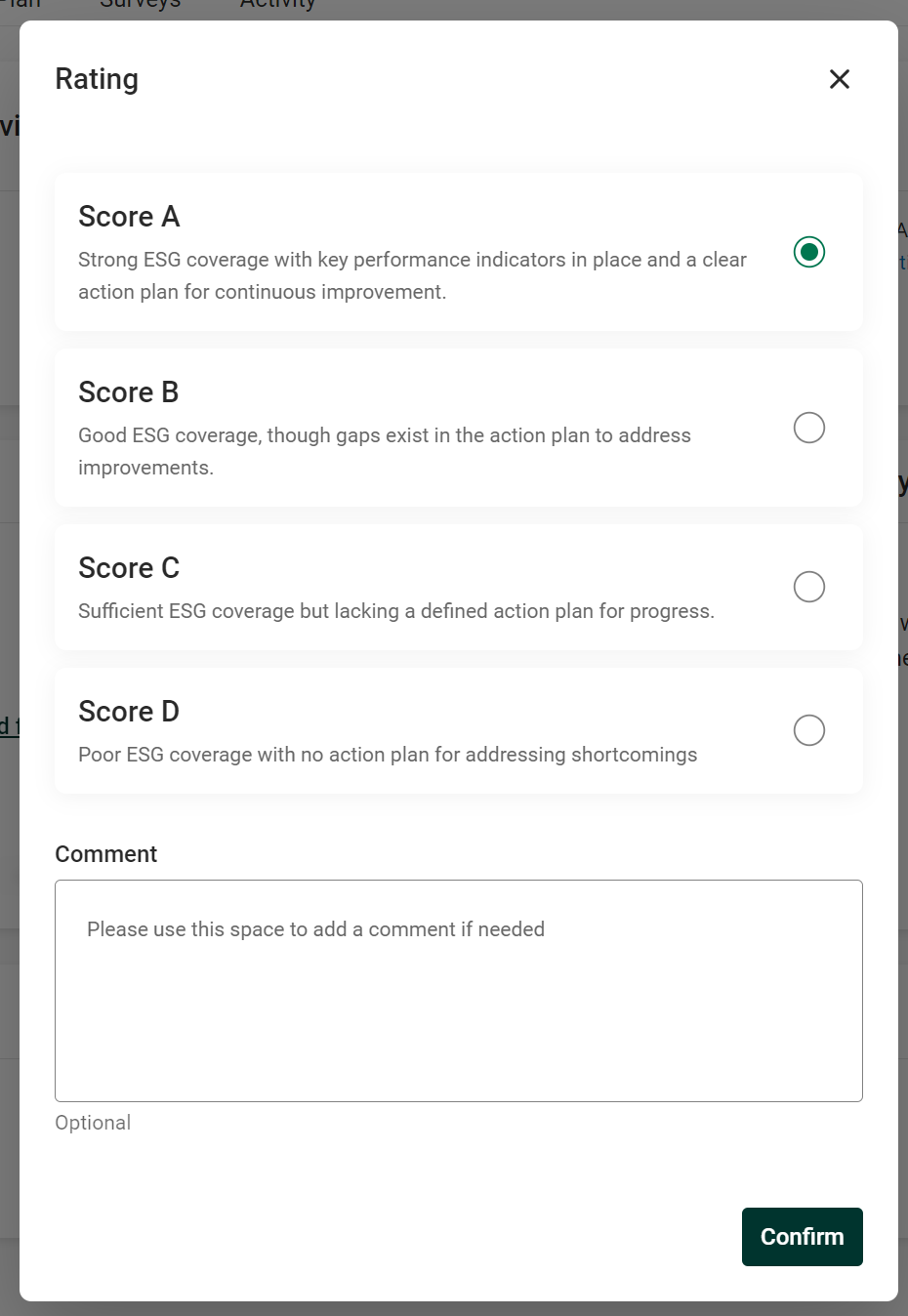
Adjust the portfolio company rating
Edit financial information
Follow step 1 above and then find the Financial Information widget, click the additional menu icon (...) and click “Edit”.
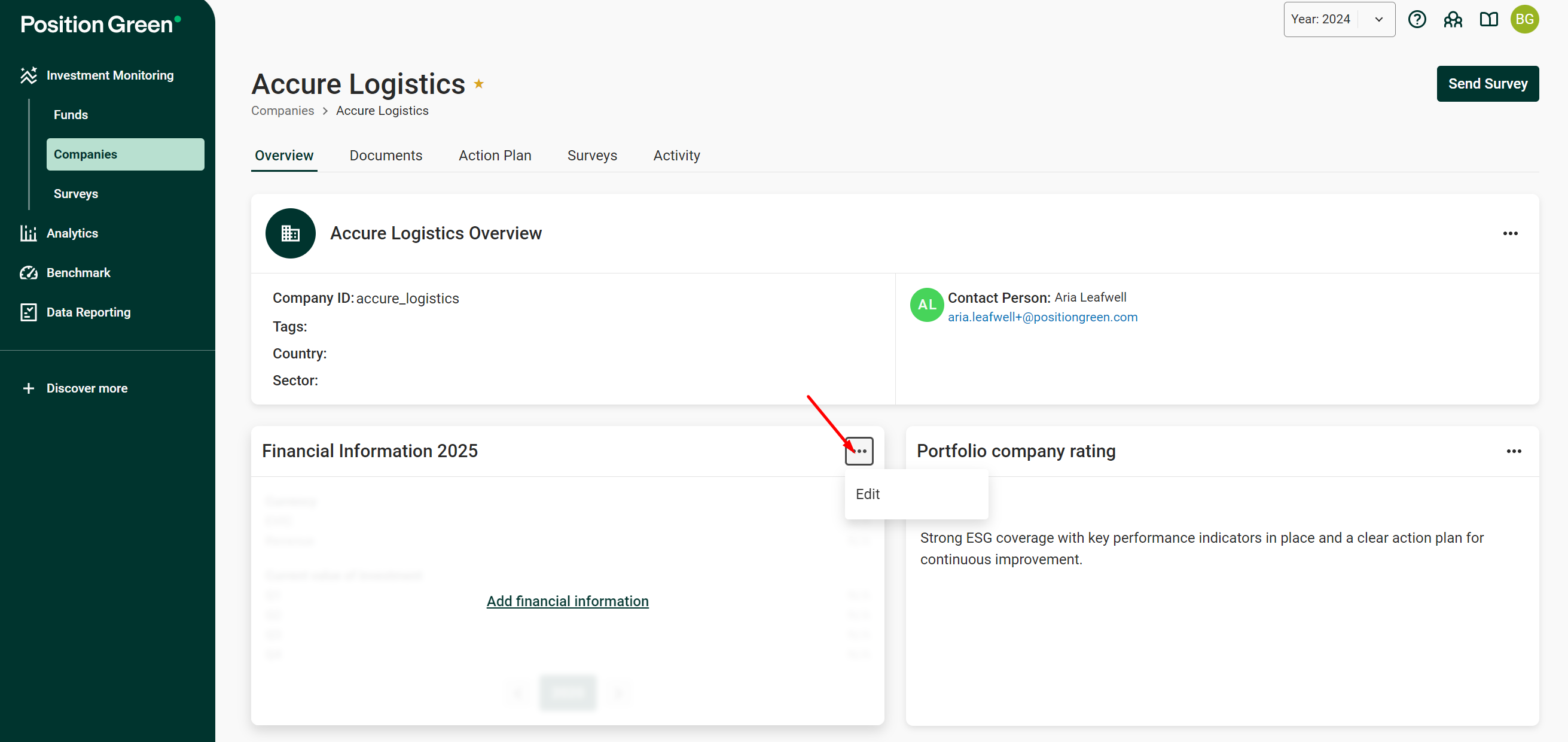
Edit option in the Financial Information widget
Make the necessary adjustments and click “Done”.
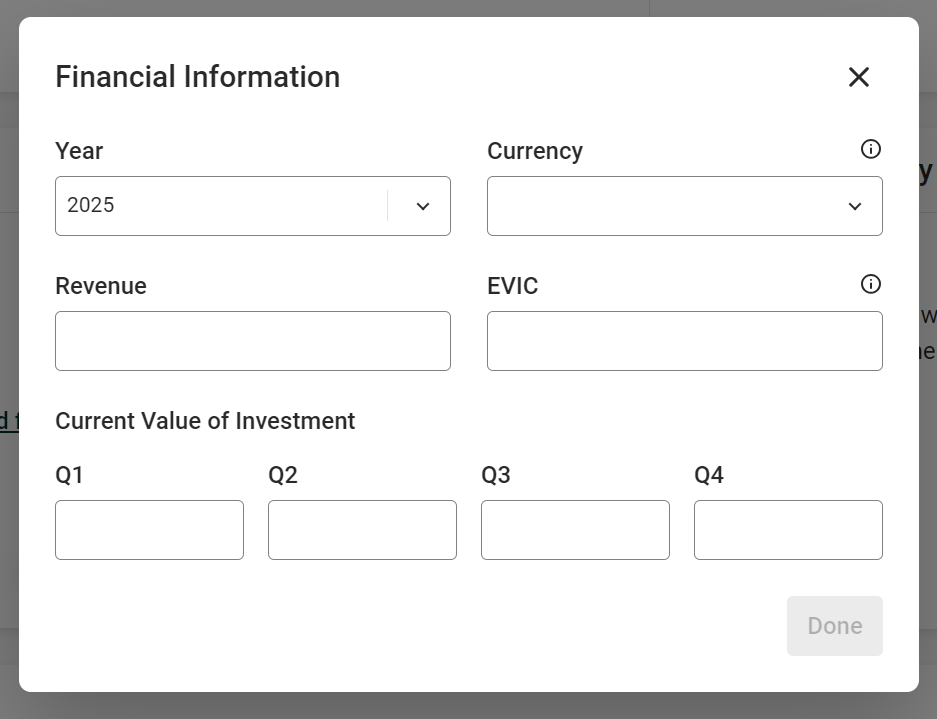
Edit the financial information
Was this article helpful?
That’s Great!
Thank you for your feedback
Sorry! We couldn't be helpful
Thank you for your feedback
Feedback sent
We appreciate your effort and will try to fix the article