Follow these steps to delete a supplier:
1. In the menu, click Suppliers.
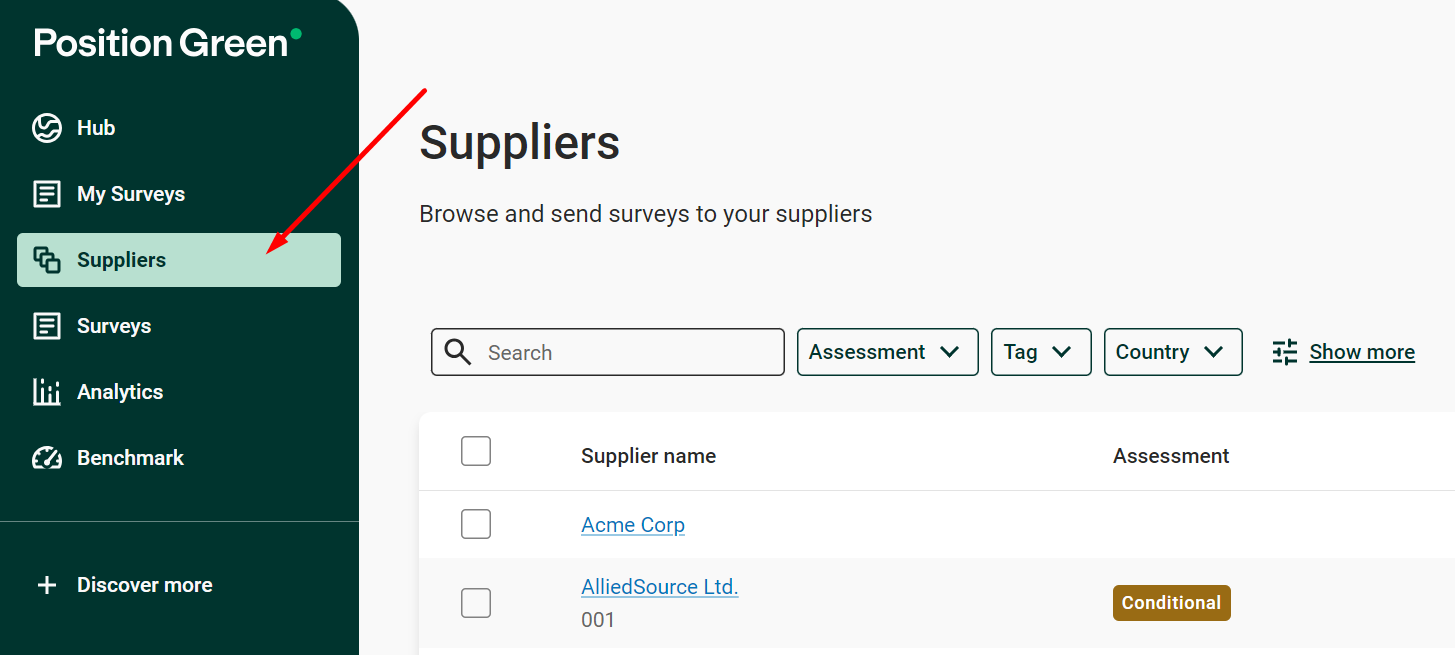
Suppliers in the menu
2. Click the supplier.
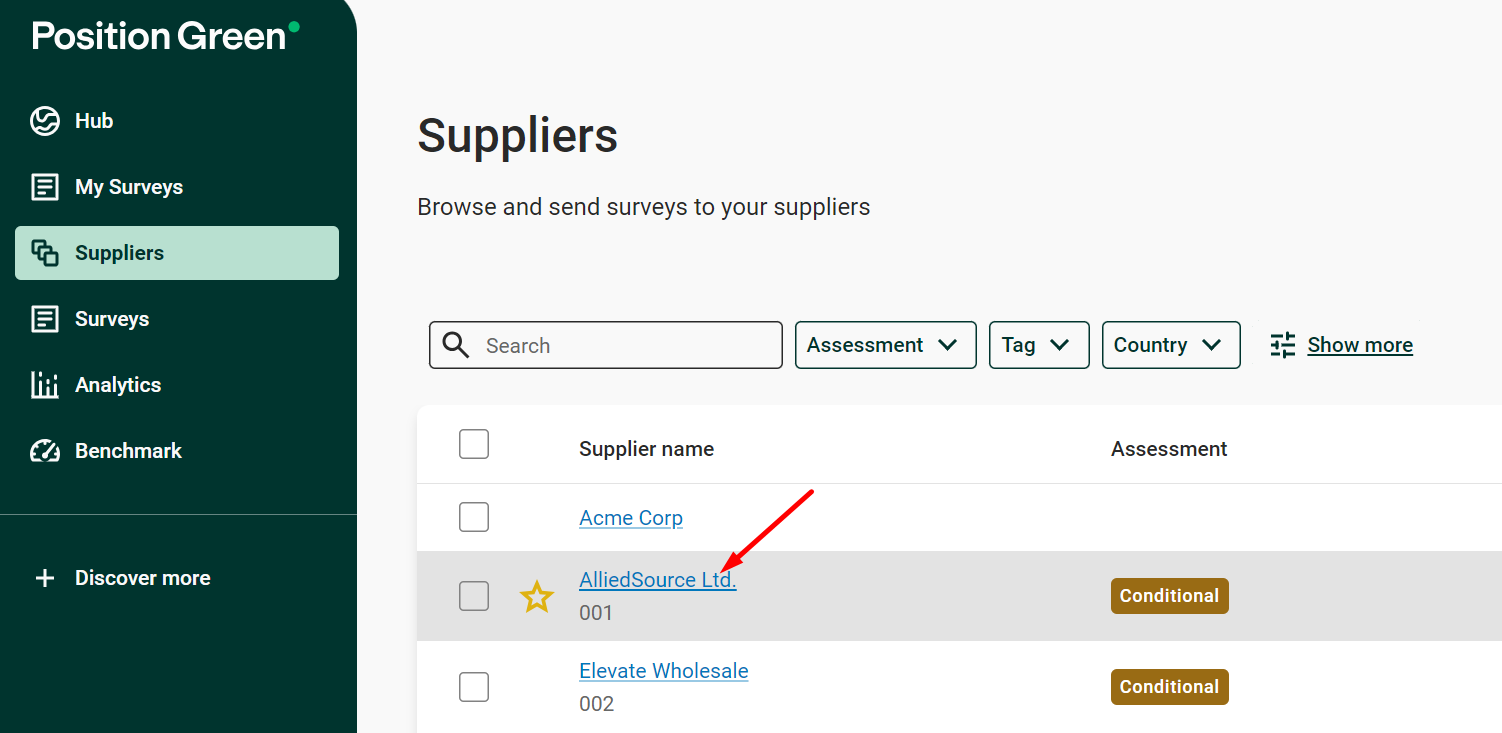
Select a supplier
3. Click “Manage” and select Delete in the dropdown menu.
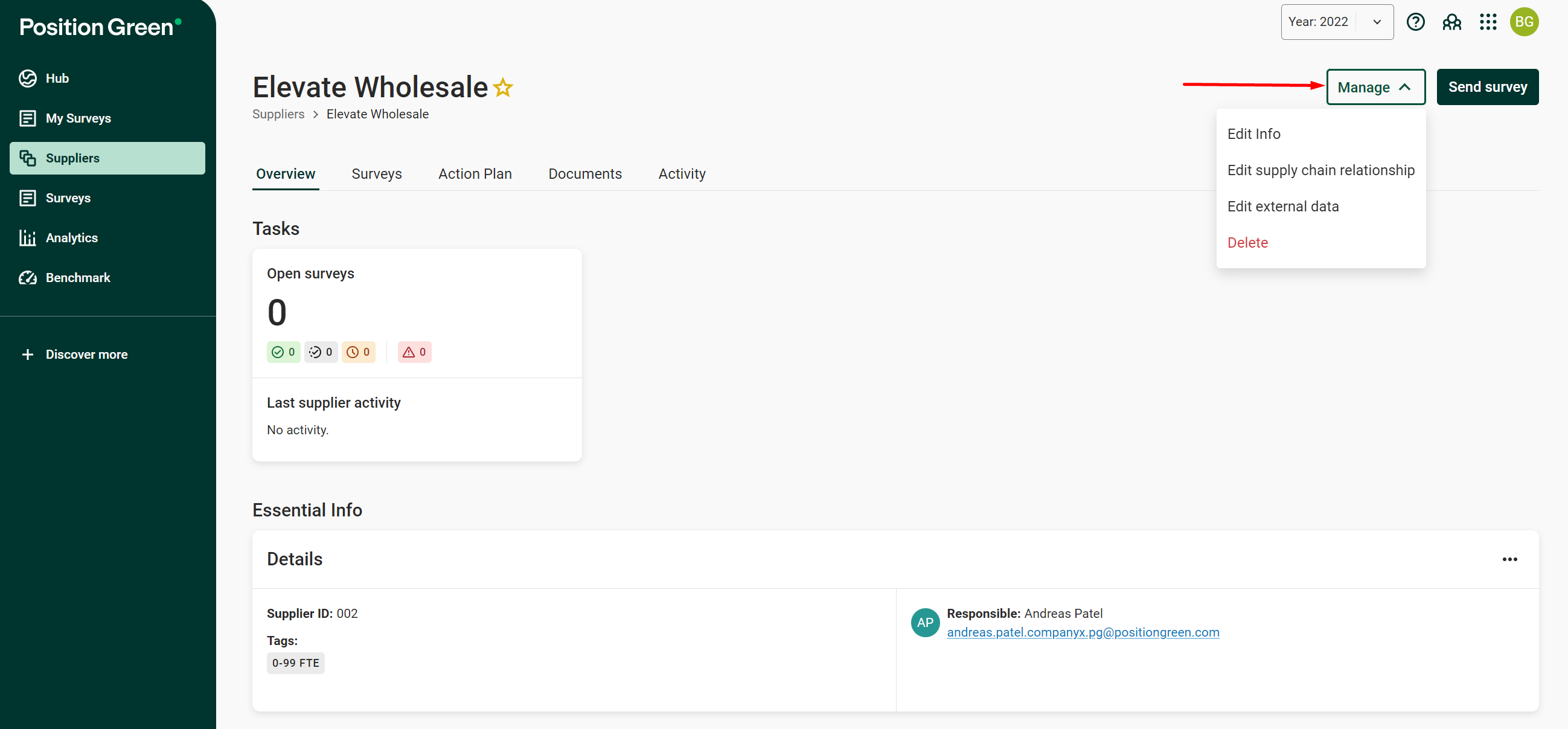
Manage menu on the supplier page
4. Confirm to permanently delete the supplier. All associated data is deleted as well.
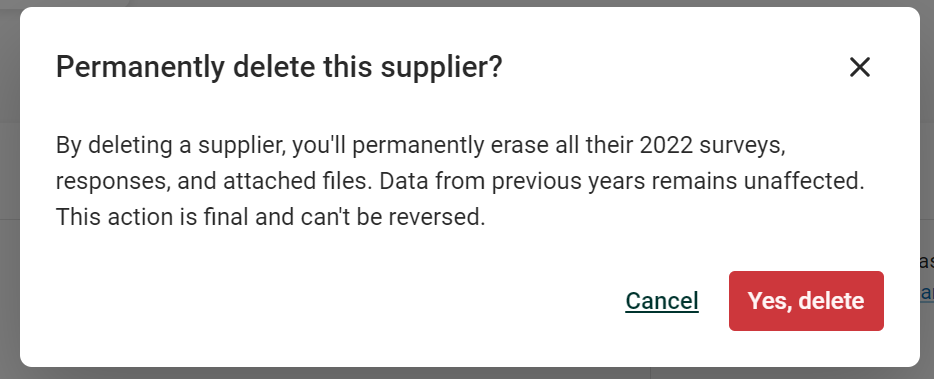
Confirm permanent deletion of the supplier
Was this article helpful?
That’s Great!
Thank you for your feedback
Sorry! We couldn't be helpful
Thank you for your feedback
Feedback sent
We appreciate your effort and will try to fix the article