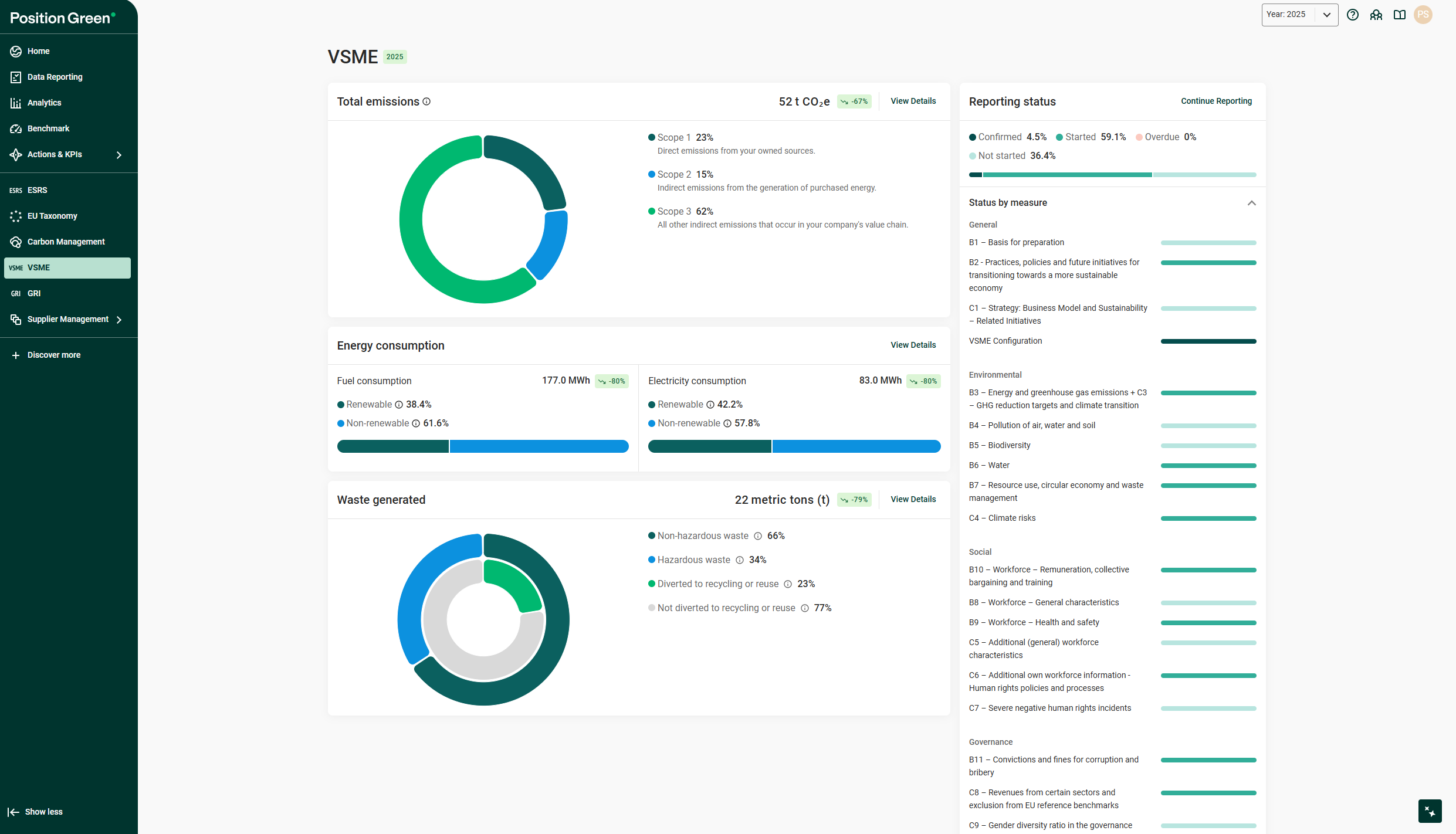
The VSME Hub is the central dashboard in Position Green for VSME reporting. It displays a real-time snapshot of the organization’s environmental, social, and governance (ESG) performance. The Hub consolidates key sustainability metrics and reporting progress into a single, easy-to-read interface.
If the VSME module is included in the platform, the VSME Hub is in the left menu.
The VSME Hub
Total emissions widget
This widget displays the organization’s total carbon emissions, measured in tons of CO₂e, and breaks them down by scope:
- Scope 1 (Direct emissions): Emissions from own operations (e.g., fuel combustion).
- Scope 2 (Indirect emissions): Emissions from purchased electricity.
- Scope 3 (Value chain emissions): All other indirect emissions (e.g., suppliers, distribution).
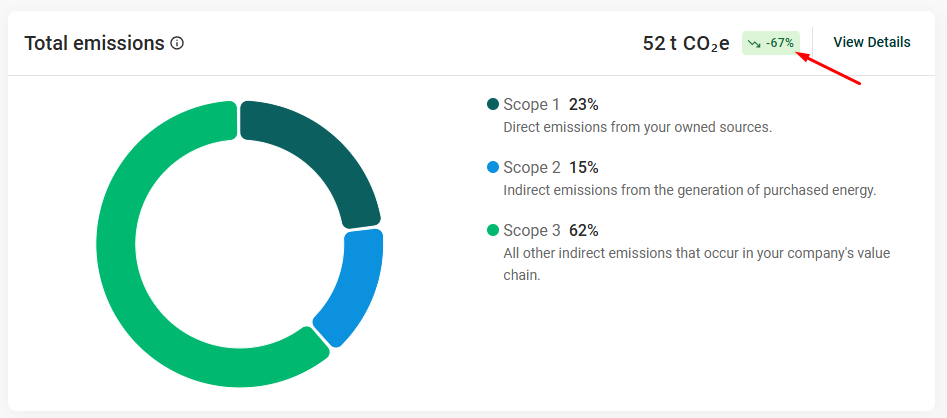
Trend label showing how emissions have changed over time
Energy consumption widget
Track the company’s energy usage in two categories:
- Fuel Consumption (MWh): Divided into renewable and non-renewable sources.
- Electricity Consumption (MWh): Also categorized by renewable and non-renewable energy.
Progress indicators show the percentage of renewable usage and the overall change in consumption, helping assess potential decarbonization progress. Trend indicators show whether the values have increased or decreased compared to the last reporting period.
Waste generated widget
This widget displays the total waste generation (in metric tons) and provides a breakdown into:
- Non-hazardous vs. Hazardous waste
- Waste diverted to recycling or reuse vs. waste not diverted
Color-coded donut charts help visualize waste management performance and identify opportunities for improvement. A trend indicator shows whether the values have increased or decreased compared to the last reporting period.
Reporting status widget
Monitor ESG reporting progress at a glance. This widget shows the percentage of measures that are:
- Confirmed
- Started
- Not started
- Overdue
The right-hand side shows a Status by Measure list, organized into key ESG categories:
- General
- Environmental
- Social
- Governance
Each category includes progress bars to track completion rates and prioritize next actions.
Academy widget
Access learning resources and guidance through the Academy widget. This section links to an Academy course that covers the following areas of the VSME:
- The Purpose and Applicability of the VSME
- The Basic Module
- The Comprehensive Module
- Implementation Tips
Was this article helpful?
That’s Great!
Thank you for your feedback
Sorry! We couldn't be helpful
Thank you for your feedback
Feedback sent
We appreciate your effort and will try to fix the article