Table of contents
- Edit info of a supplier
- Edit supply chain relationship
- Edit external data
- Edit contact for an existing supplier
1. In the menu, click Suppliers.
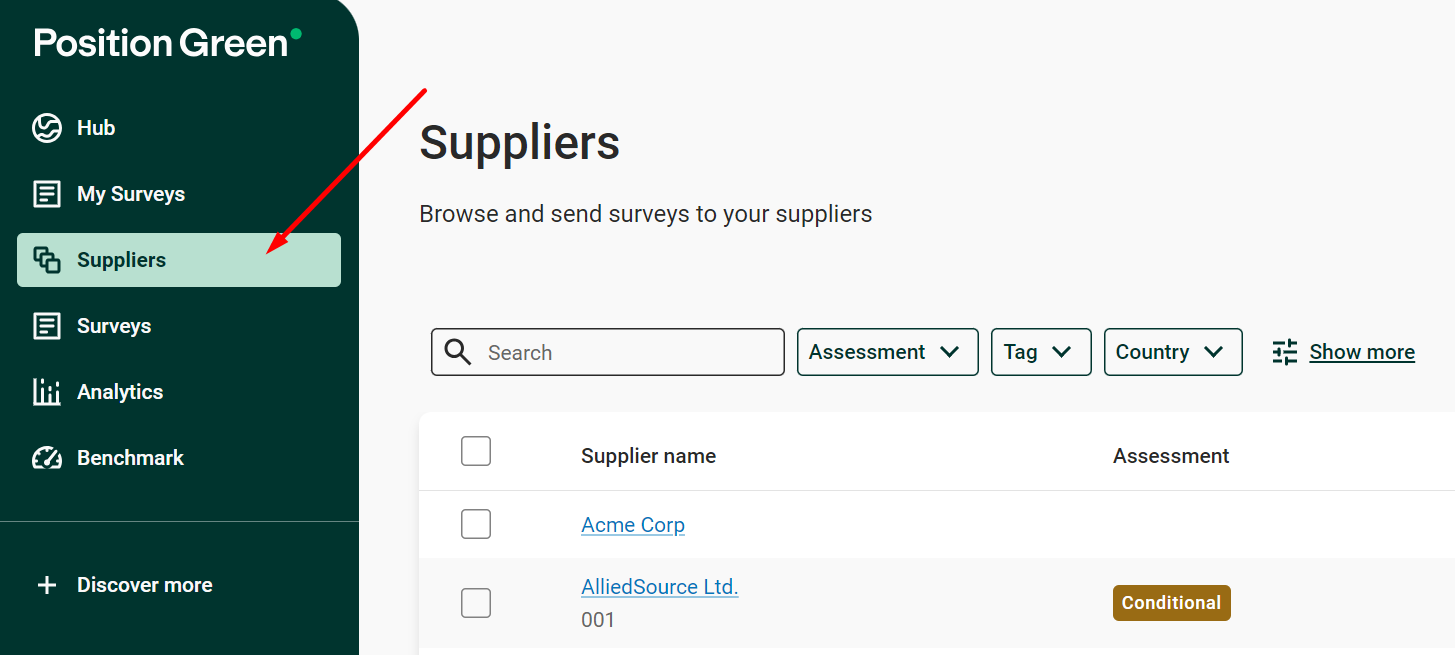
Suppliers in the menu
2. Click the supplier.
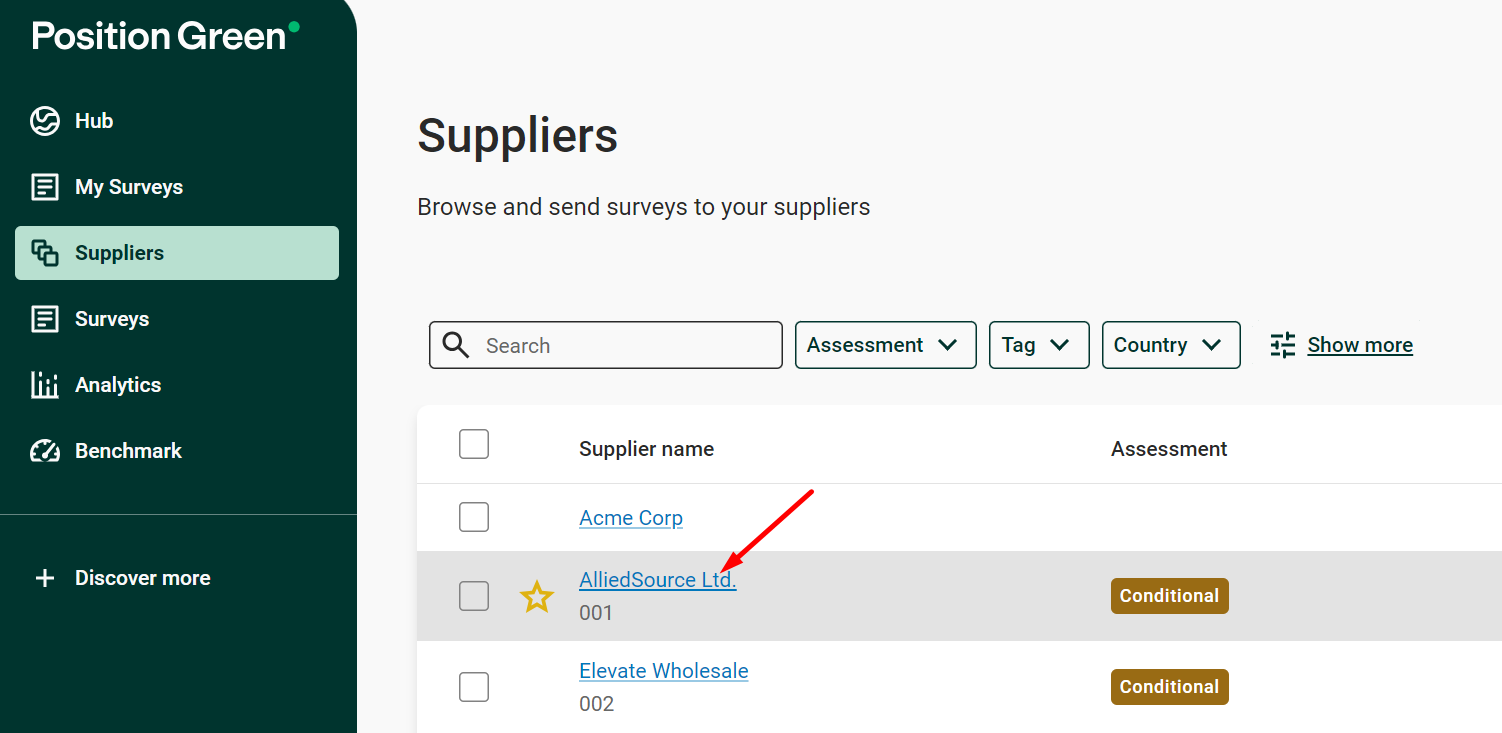
Select a supplier
3. Click “Manage” and select one of the options.
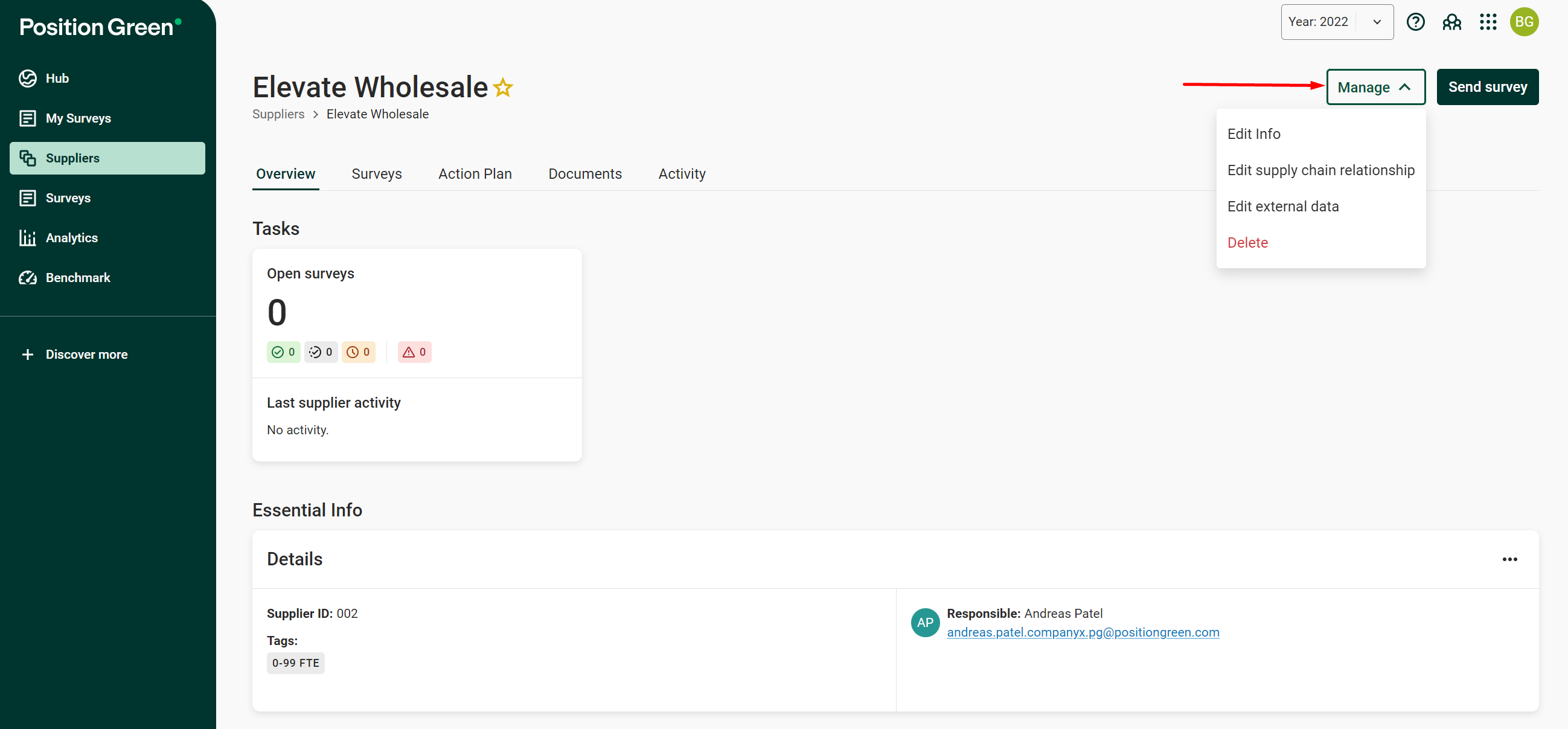
Manage menu on the supplier page
Edit info of a supplier
Select Edit info in the dropdown to edit the supplier name, ID, country and tags.
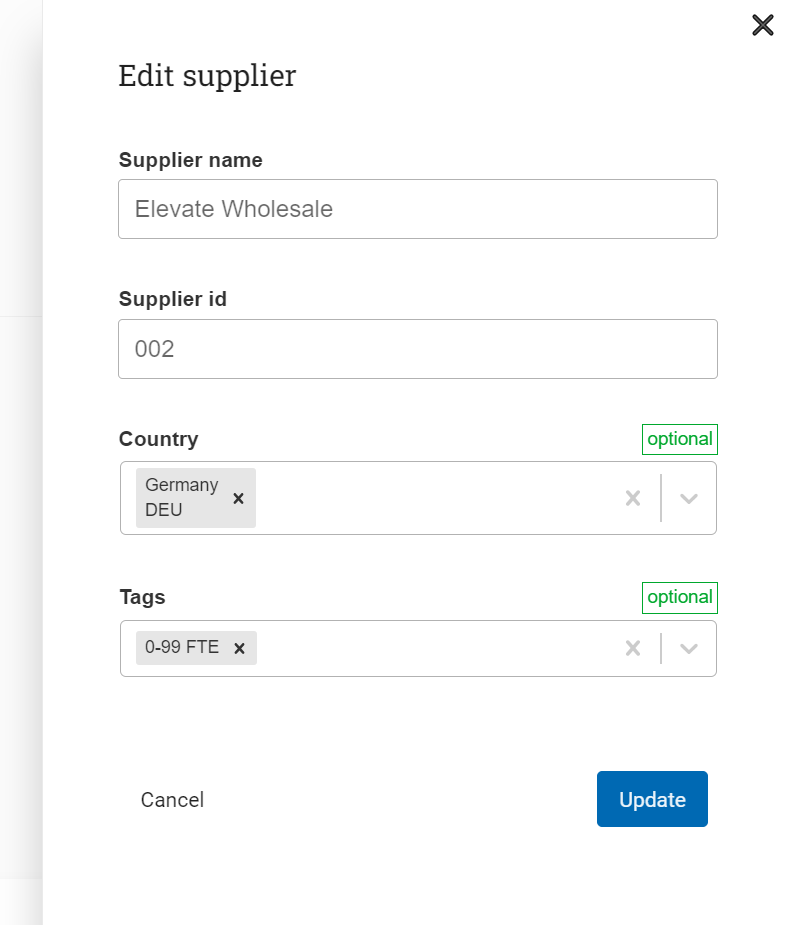
Edit info
Edit supply chain relationship
Select the sub-suppliers of a supplier. The selected companies act as sub-suppliers to the company being edited, which is named in the heading.
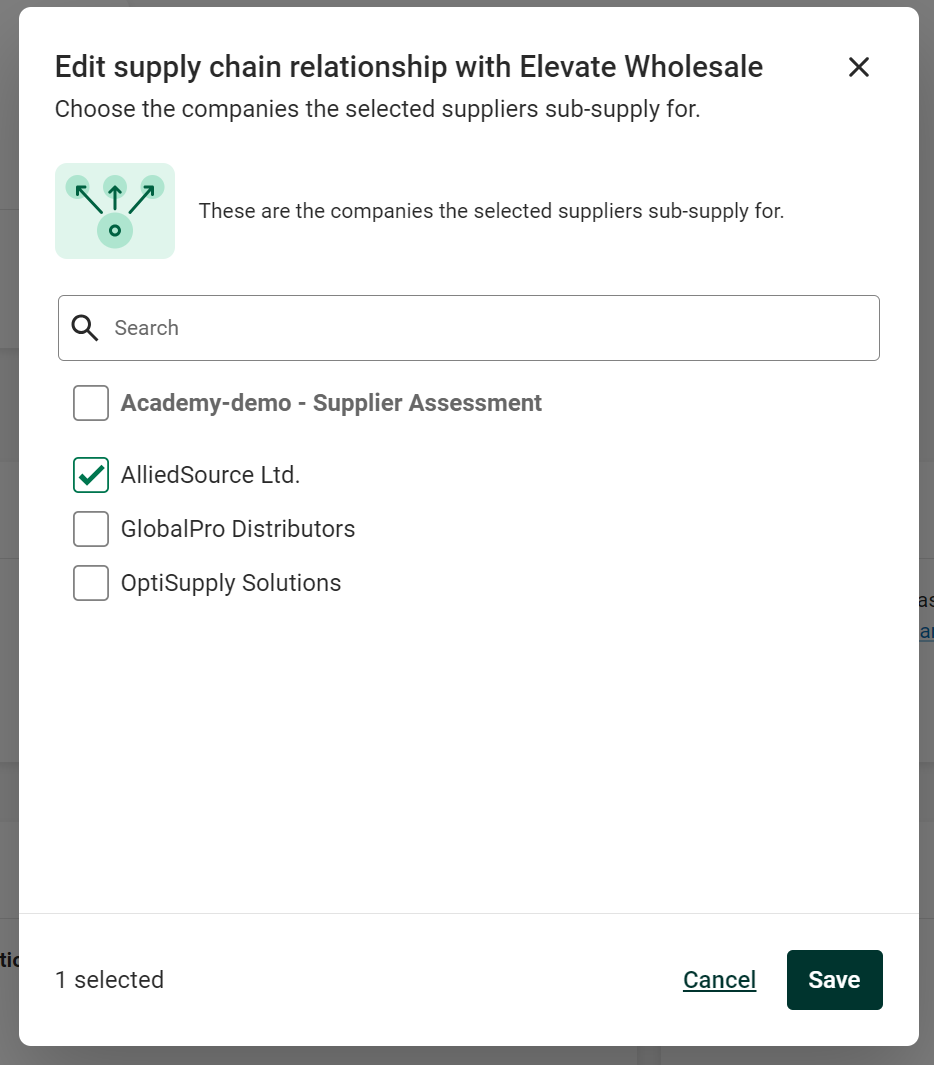
Edit supply chain relationship
Edit external data
Search for a company in the database of listed companies to add more information to the External data widget. The information can include:
- Legal name
- Tax ID
- Sector (SIC)
- Revenue
- Employee count
- Website
- Address
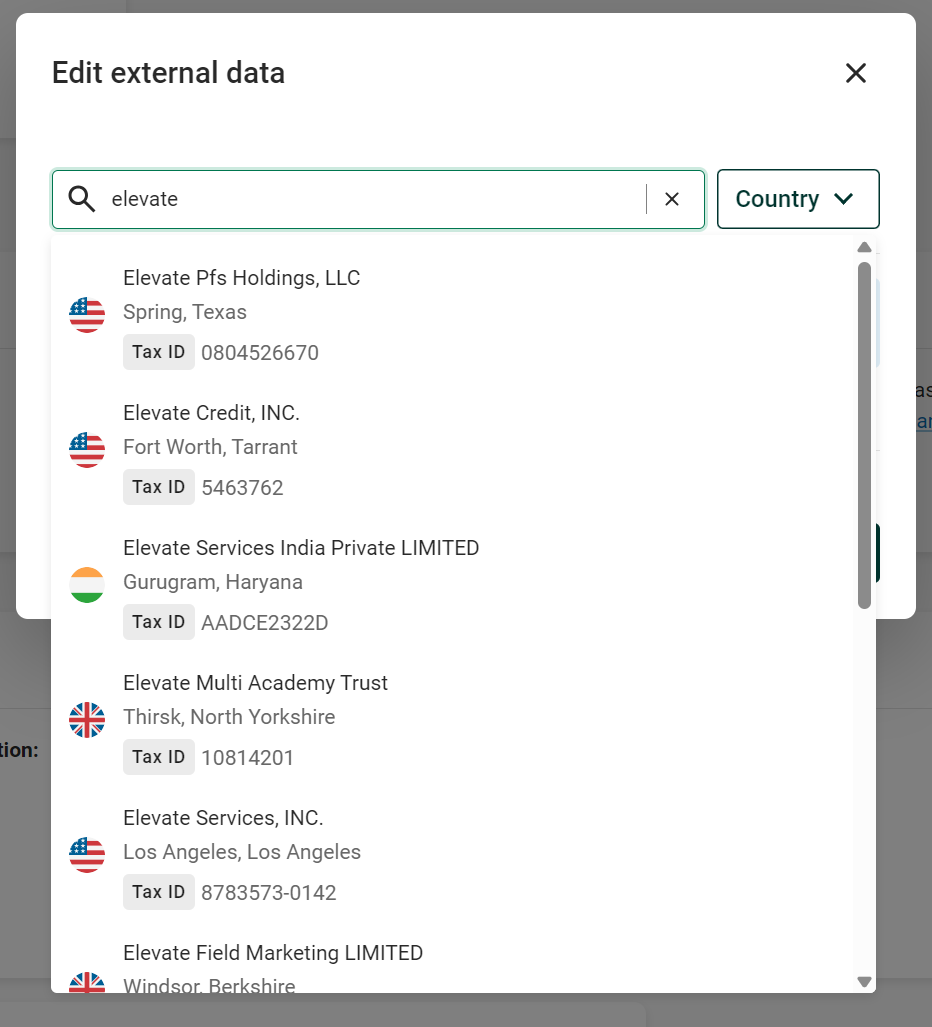
Edit external data
Edit contact for an existing supplier
To change the responsible person for a supplier, read this article.
Was this article helpful?
That’s Great!
Thank you for your feedback
Sorry! We couldn't be helpful
Thank you for your feedback
Feedback sent
We appreciate your effort and will try to fix the article