In standardized ESG modules, measure names are locked to follow an official naming structure. These names can still be overwritten without breaking the automatic updates connected to the measure. Follow the steps below.
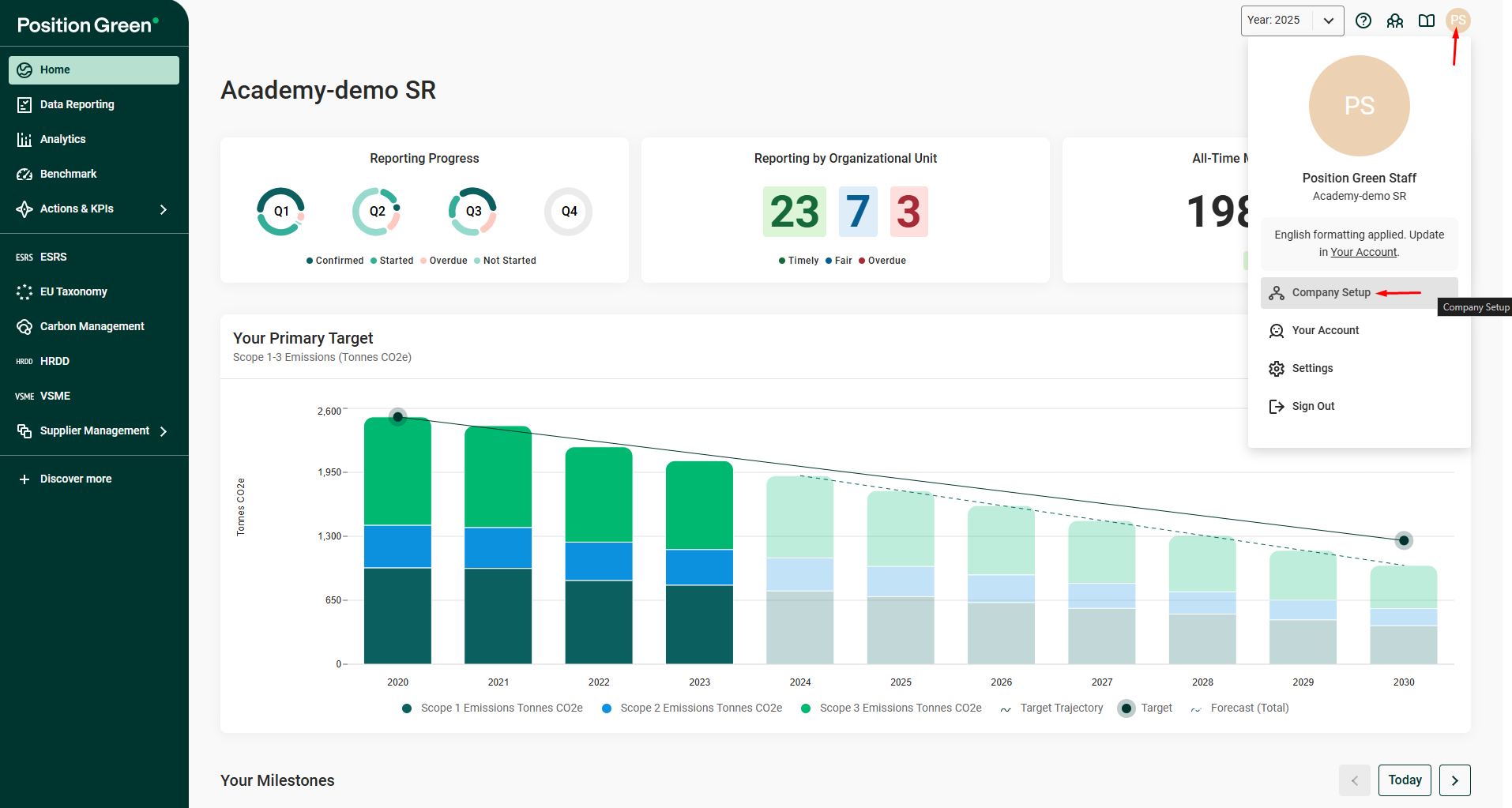
Company Setup in the menu under the user initials
Step 1. Open Company Setup from the menu under the user initials.
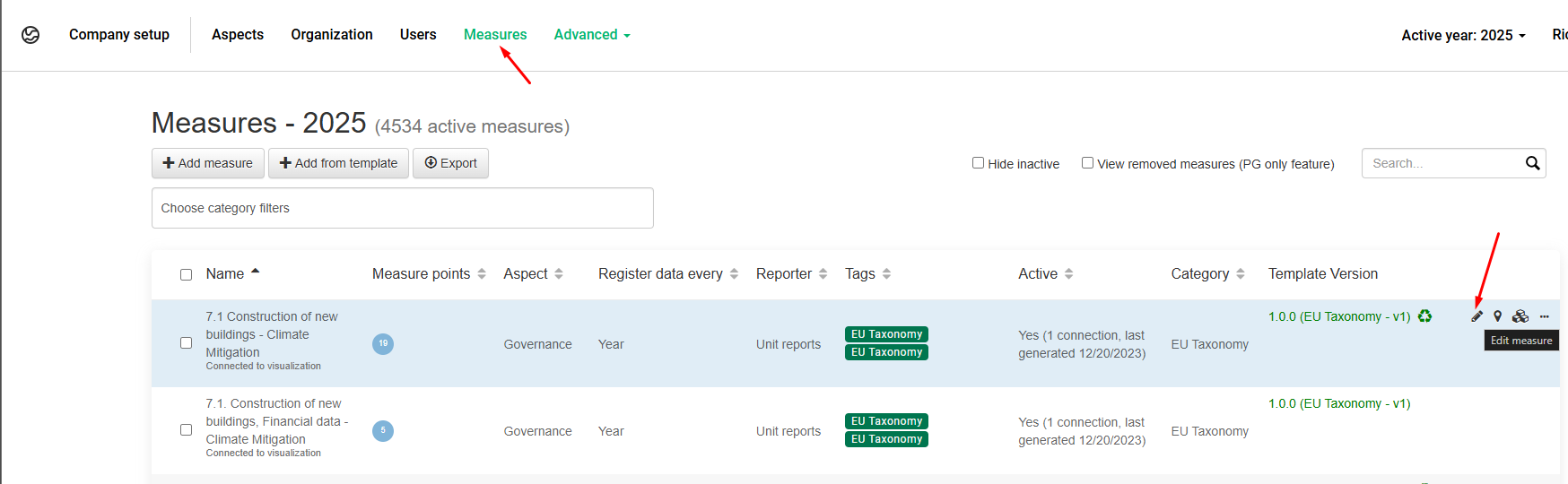
Edit (pen) icon on a measure
Step 2. Go to Measures in the top menu and click the edit (pen) icon on the measure to rename.
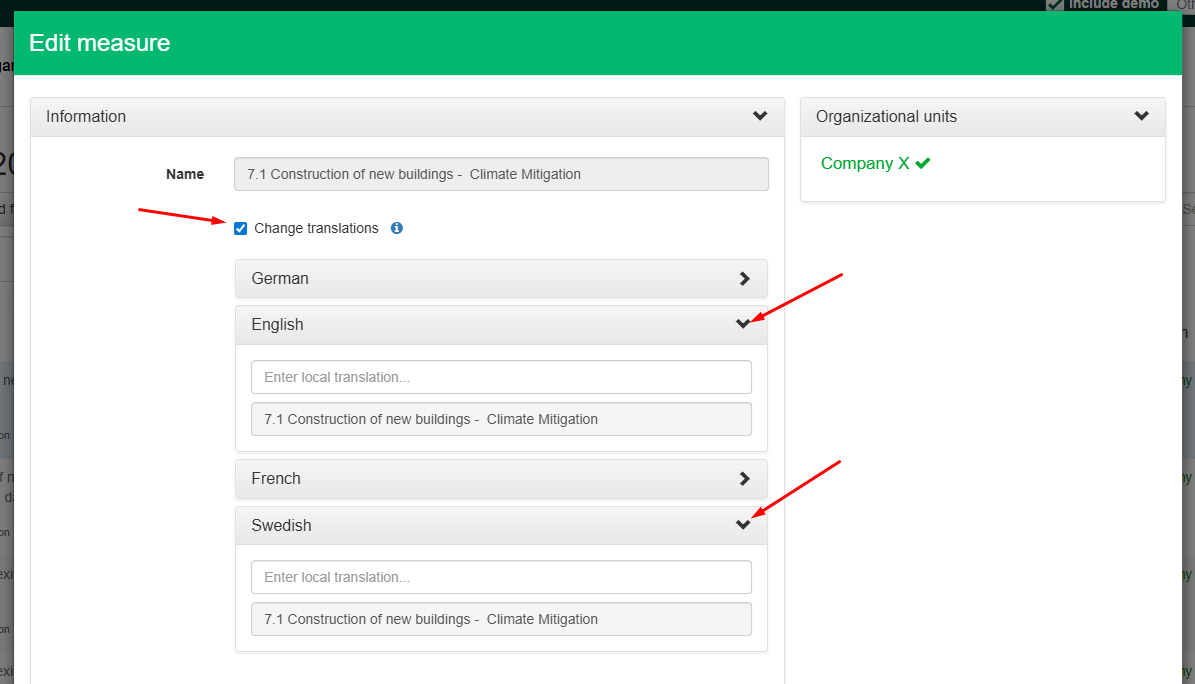
Change translations box
Step 3. Tick the Change translations box and select the language in which to overwrite the standard name.
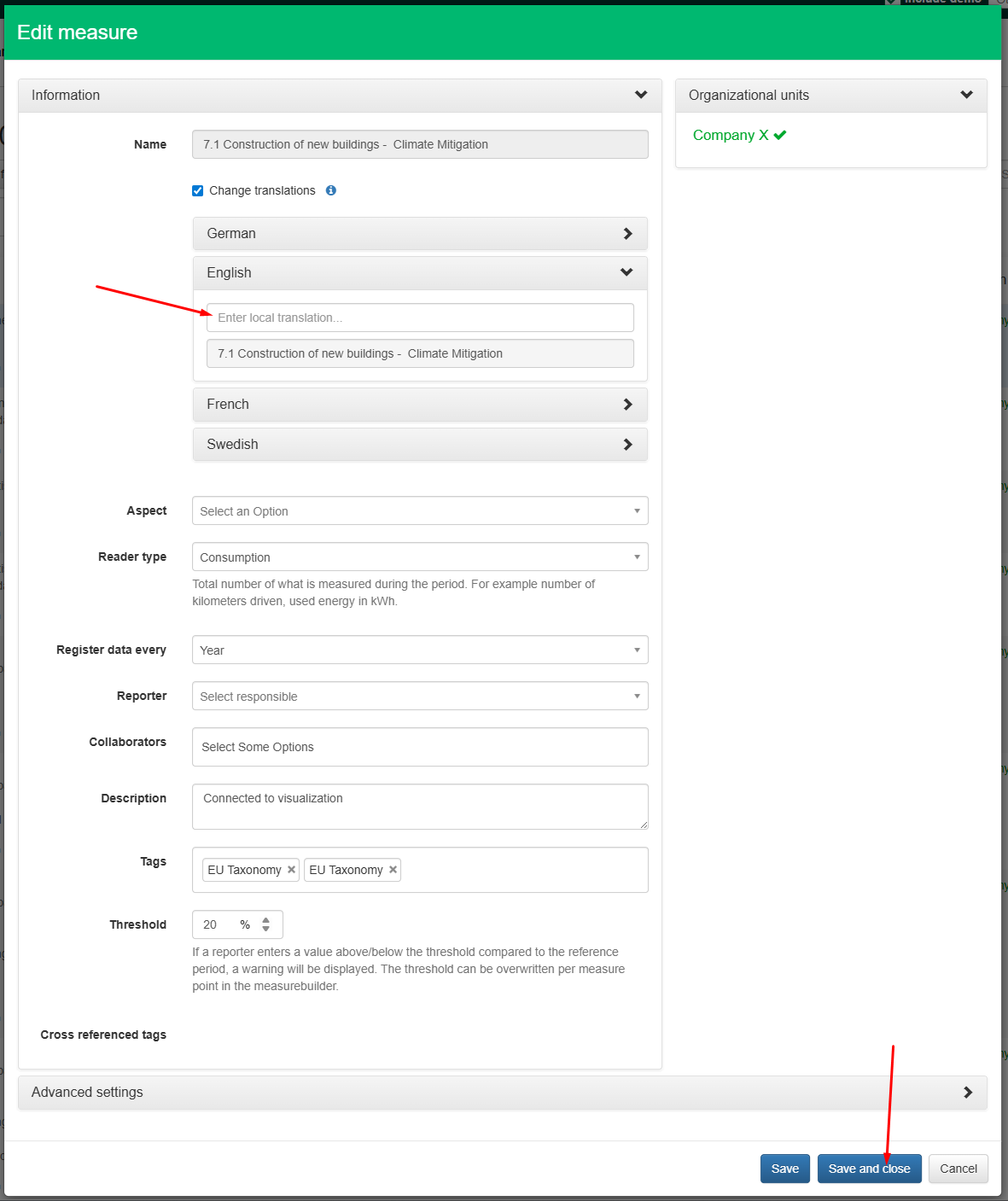
Enter local translation box
Step 4. Type the new measure name in the Enter local translation box and click “Save and close”.
Was this article helpful?
That’s Great!
Thank you for your feedback
Sorry! We couldn't be helpful
Thank you for your feedback
Feedback sent
We appreciate your effort and will try to fix the article