Auditors can view information in Position Green but cannot edit it. This read access can be given for the entire organization or for part of it, that is, one or several org.units.
For example, assurance staff may be given the Auditor role.
Page access
Auditors have access to the following:
Review data - Review deviations in data, compare data between org.units and against reference period data, trace data to the source, add comments, and update the review status.
Data Reporting - only for the part of the organization they have access to
- Analytics
No access
Auditors do not have access to the following:
Configuration - Adding an Auditor
1. Go to Company Setup (via the user initials in the upper-right corner).
2. Click Users in the top menu.
3. Click the “+ Add user” button.
4. Enter the user details. An Auditor normally has the following role group:
Role groups - User.
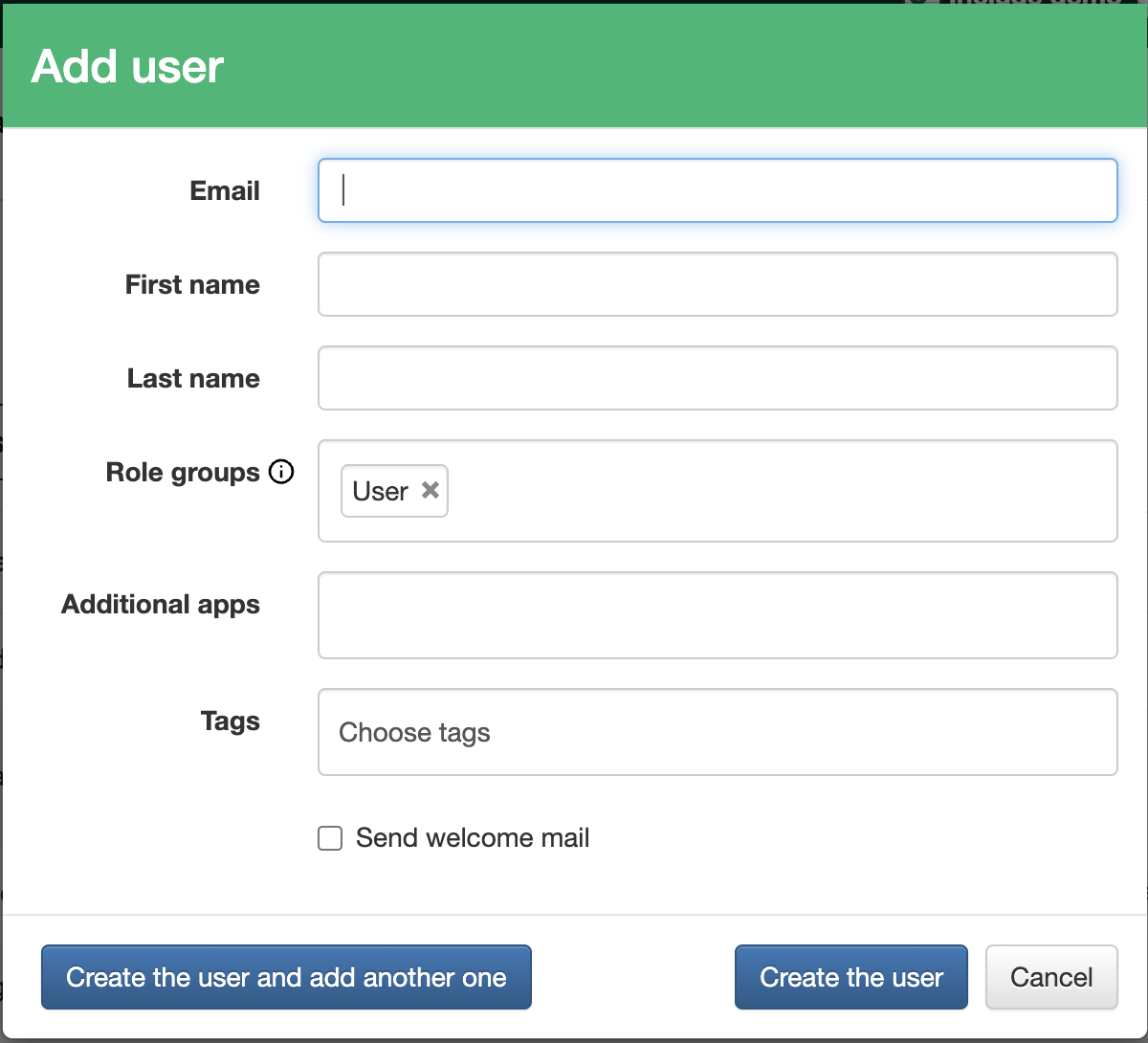
Role group User in the Add user form
5. To make the new user an Auditor for the whole organization or selected parts of it, go to Organization in the top menu.
6. Click the Edit (pencil) icon on an org.unit.
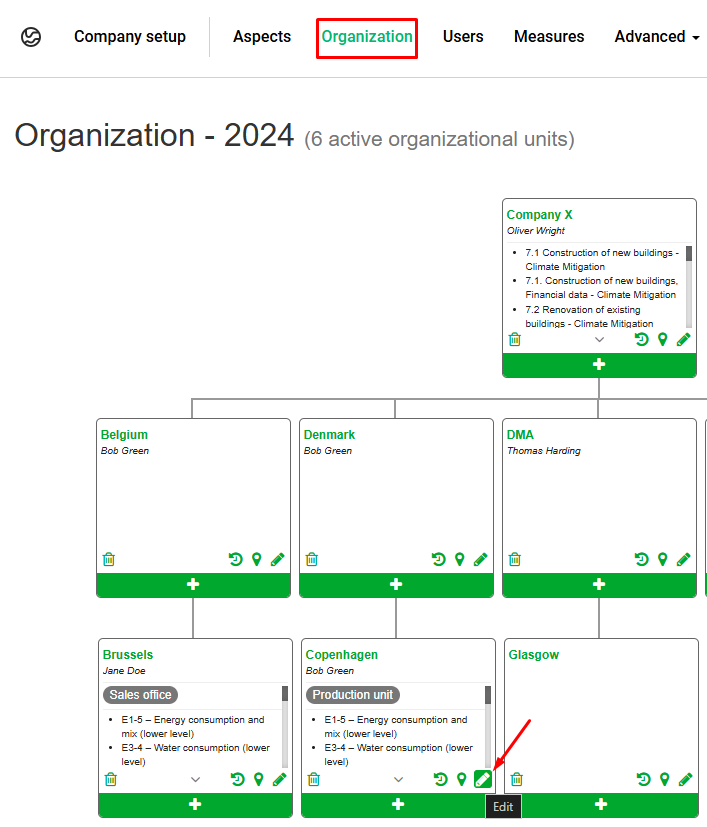
Edit (pencil) icon on an org.unit
7. Click the Auditors box and select the user to add as an Auditor of this org.unit.
A user added to an org.unit gets access to that unit and all its sub-levels.Note that the Auditor must be an existing user.
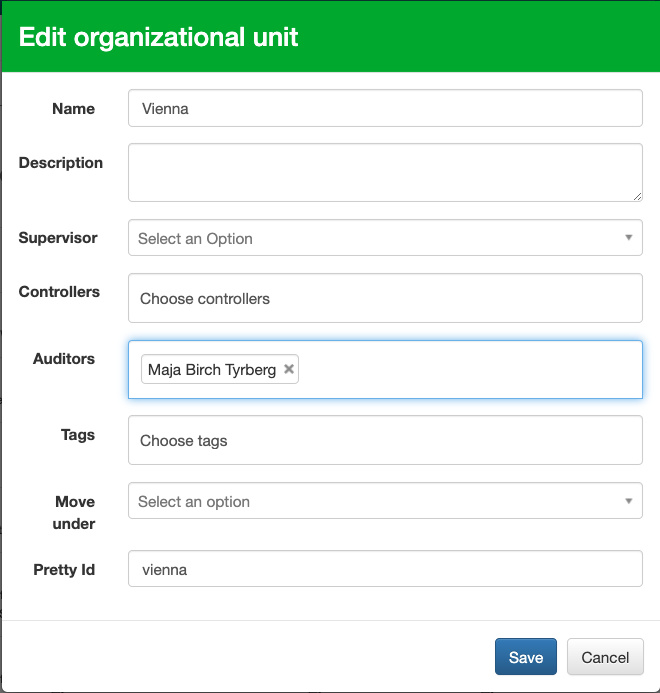
Auditors box in the org.unit settings
Was this article helpful?
That’s Great!
Thank you for your feedback
Sorry! We couldn't be helpful
Thank you for your feedback
Feedback sent
We appreciate your effort and will try to fix the article