Table of contents
Use repeatable rows when the reporter must report a series of data. When there is no fixed limit to the types of data to provide, add repeatable rows in the Measure Builder.
For example, use repeatable rows when logging social initiatives, raw production data, and material use.

Repeatable row in the Measure Builder

What repeatable rows look like in the survey
How to add a repeatable row
Drag and drop to add a repeatable row. Add measures to it as with any other row.

How to add a repeatable row and edit its content
Delete
The delete button is only used on a repeatable row. It lets reporters remove a row they have added.

Delete button on a repeatable row
Example: Social initiatives
The number of social initiatives reporters have worked on is unknown, so reporters need to be able to add a series of initiatives. Add a repeatable row, add the measures for the required data, and include a delete button.
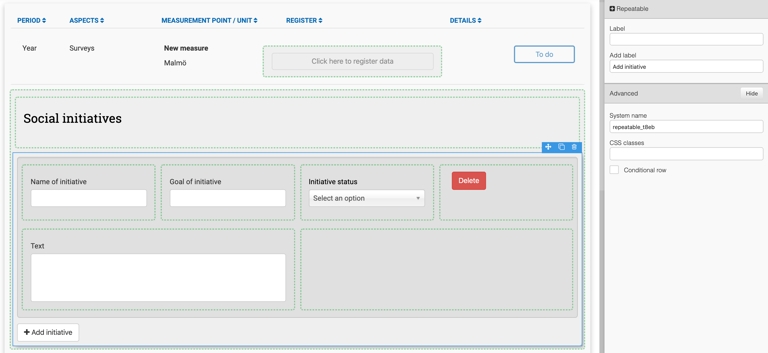
Enable reporting of multiple social initiatives

Example of repeatable rows in the reporter view
Advanced
Row identifiers
A row identifier tells Position Green which field in a repeatable is "the same" row — either across reporting periods, or across org.units when consolidating data in Group Reporting.
For historical data, the row identifier lets reporters see and reuse a row's previous answers instead of re-entering them from scratch. Without a row identifier, the platform can't match this year's rows to last year's, so no historical data is shown for that repeatable, even if reporters filled it in previously.
For group reporting, the row identifier lets rows with the same key value be aggregated into one row instead of listed side by side. For example, if a repeatable reports employee data by country across several org.units, setting the row identifier on the country field means every org.unit reporting "Sweden" is consolidated into a single Sweden row at group level, rather than one row per org.unit.
To enable it, mark one or more controls in the repeatable row as row identifiers when building the measure.
Adding the row identifier
Select the repeatable. The repeatable system name is shown in the format repeatable_XXXX.
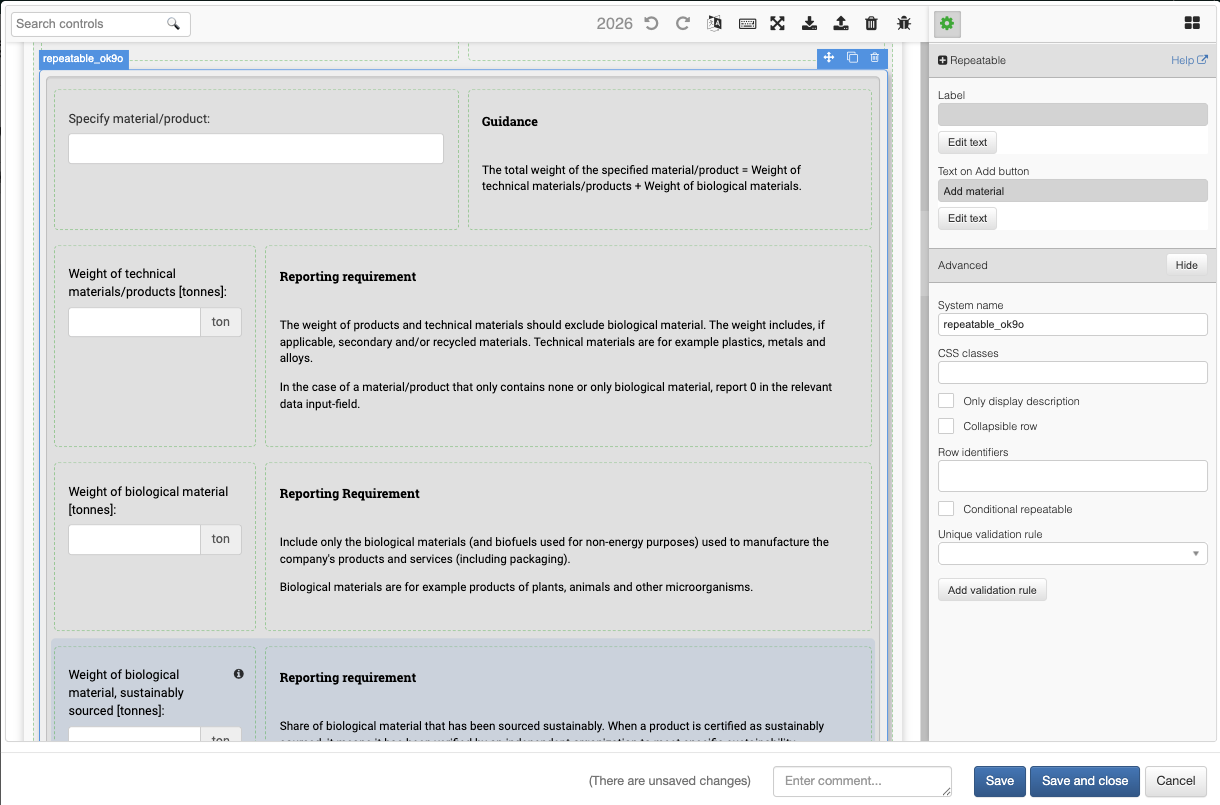
Repeatable system name in the format repeatable_XXXX
Select the row identifier(s):
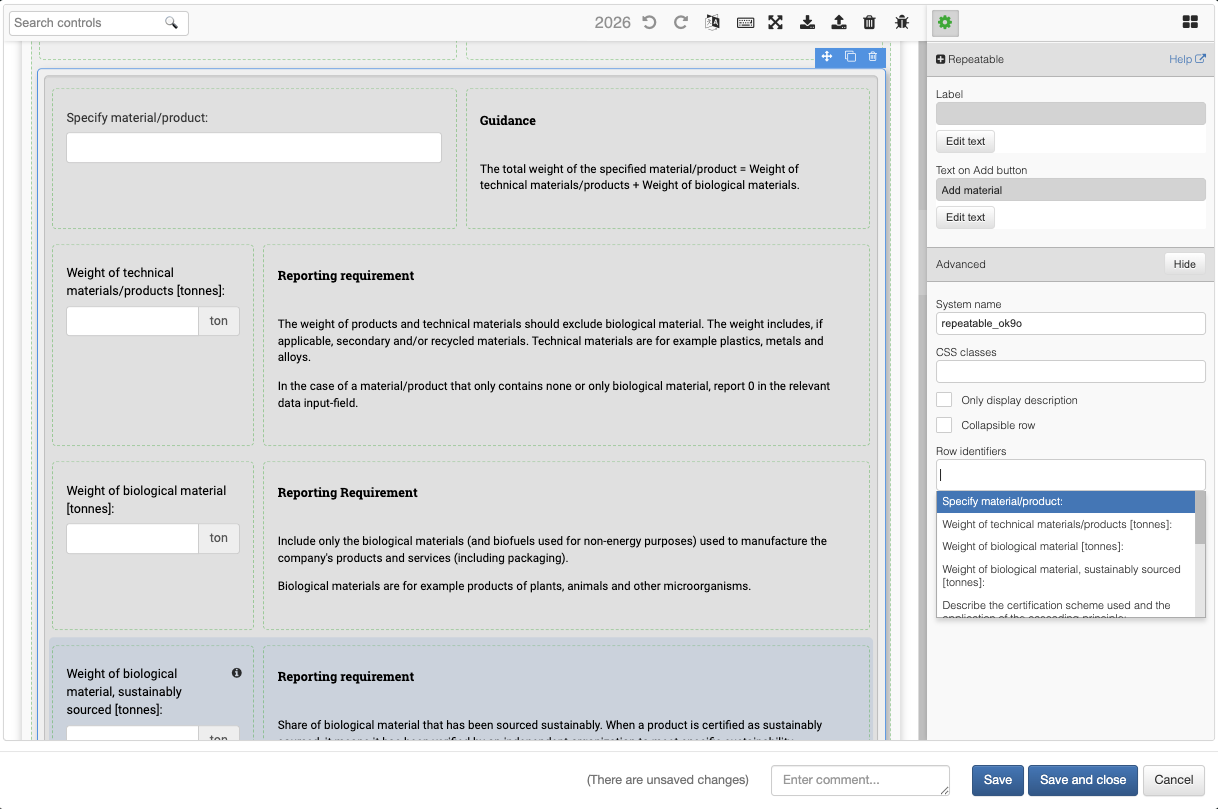
Row identifier selection
This is set per year, not once for all time
Measures are year-specific, so the row identifier needs to be set on each year's version of the measure — it doesn't carry forward automatically. For historical data functionality, at a minimum, set it on the current period's measure and the previous period's, since that's the pair being matched against each other.
Choosing a good identifier
Pick a field whose value will stay consistent — both period over period, and org.unit to org.unit if the measure feeds into Group Reporting. Dropdown fields work best, since reporters are selecting from fixed options. If a free-text field is used as the identifier, matching depends on the reporter typing the exact same text each period — "Scope 1 & 2" and "Scope 1 and 2" will be treated as two different rows, and the historical linkage breaks.
What reporters will see
Once configured, historical values appear beneath each field in a matched row after reporters refresh the page. See historical data for the full reporter-facing walkthrough.
Validation rules
Validation rules can be added for the minimum or maximum number of rows a reporter can add to a survey.
Example: Make it mandatory for reporters to answer at least one repeatable by adding the validation rule >=1.

Select the entire repeatable row

Add the validation rule >=1
Unique validation
A repeatable row can have a unique constraint on its rows, so the reporter can select each value only once.
For example, only one entry can be made for each fuel type.

Create a unique validation rule
Was this article helpful?
That’s Great!
Thank you for your feedback
Sorry! We couldn't be helpful
Thank you for your feedback
Feedback sent
We appreciate your effort and will try to fix the article