A step by step approach to create a Taxonomy report from scratch in Factlines.
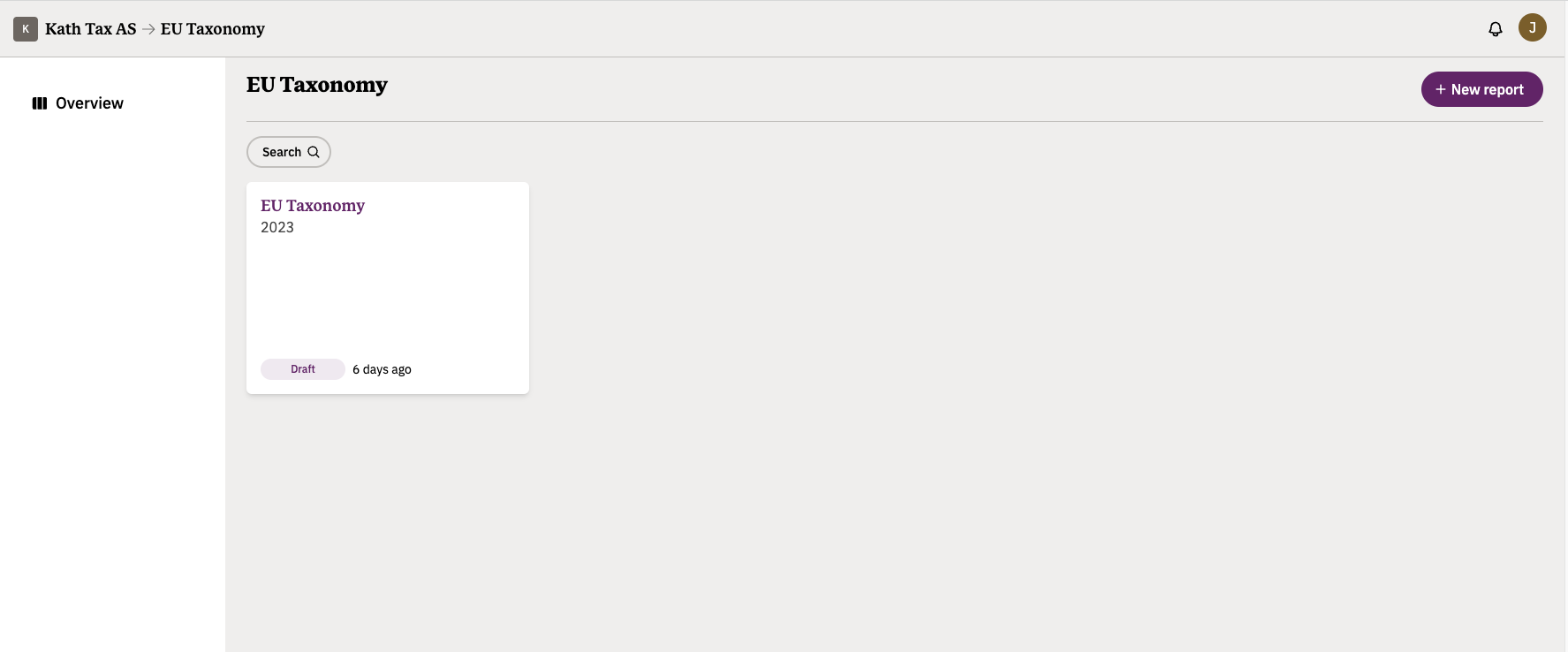
If you wish to create a new report, you only need to click on the purple New report button on the top right corner.
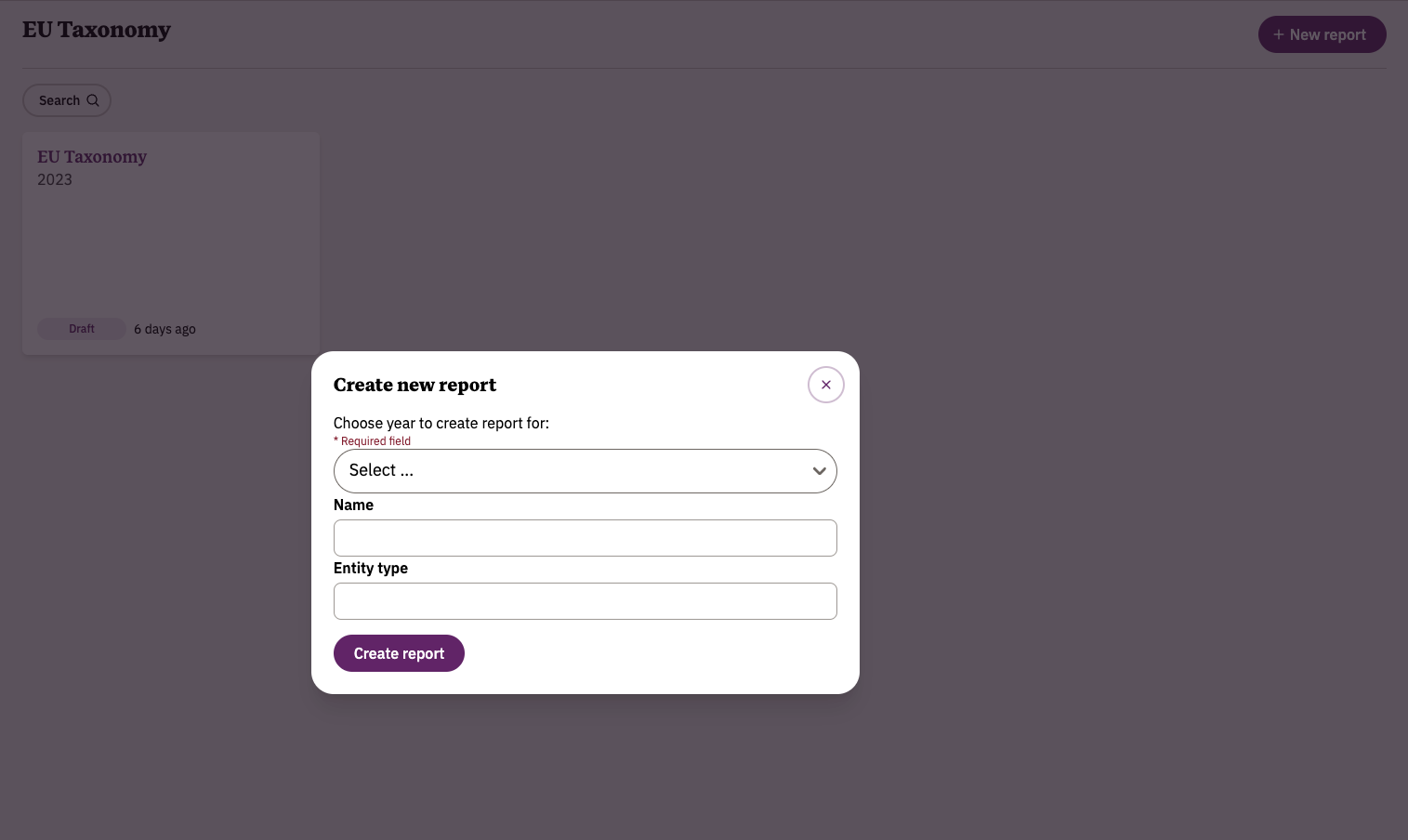
After clicking it, a new pop up window will be displayed, asking you to add some key information about the new report you are about to create.
The year of reporting refers to the time period your report should be concerned with.
The name of the report can follow any format you wish.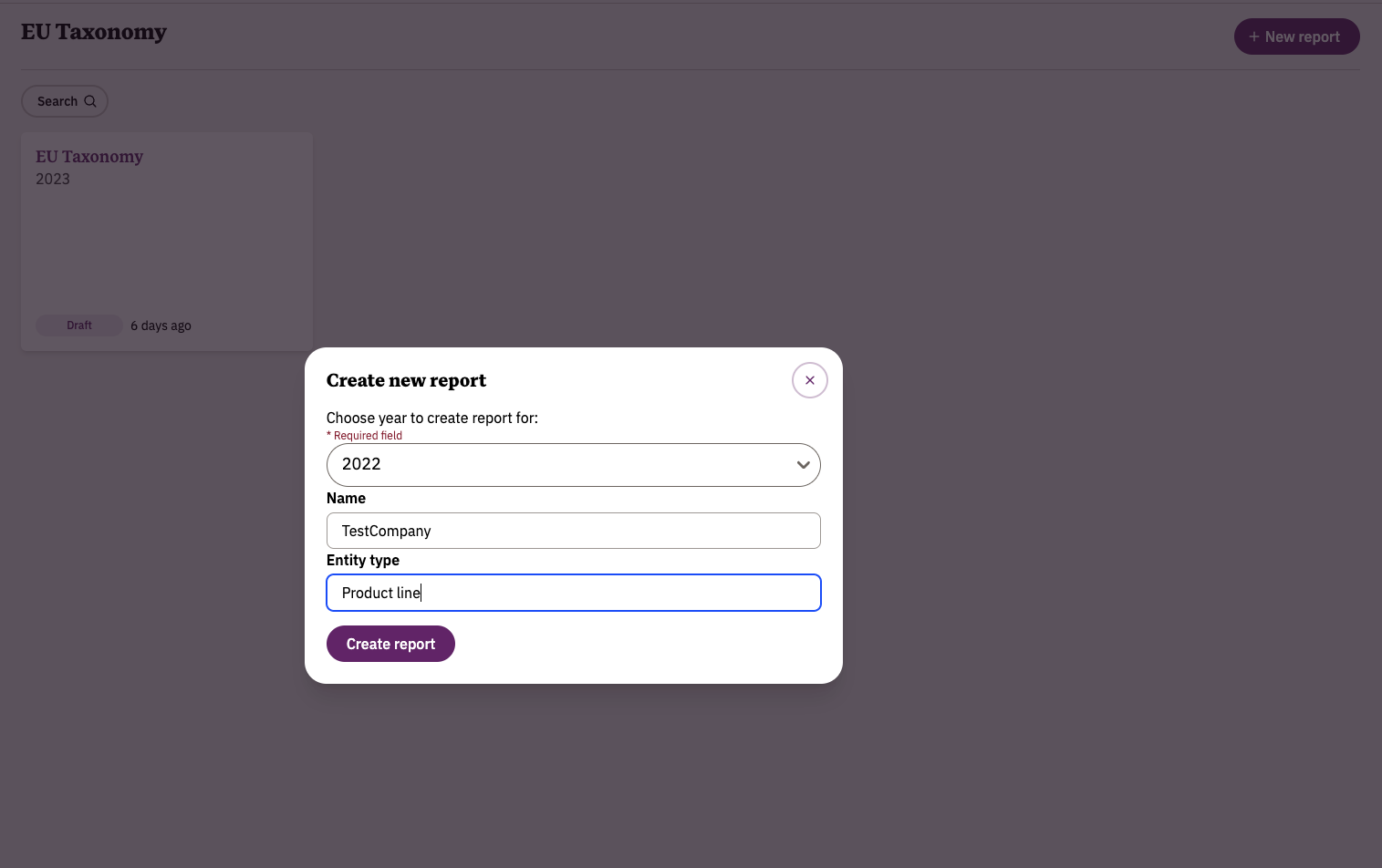
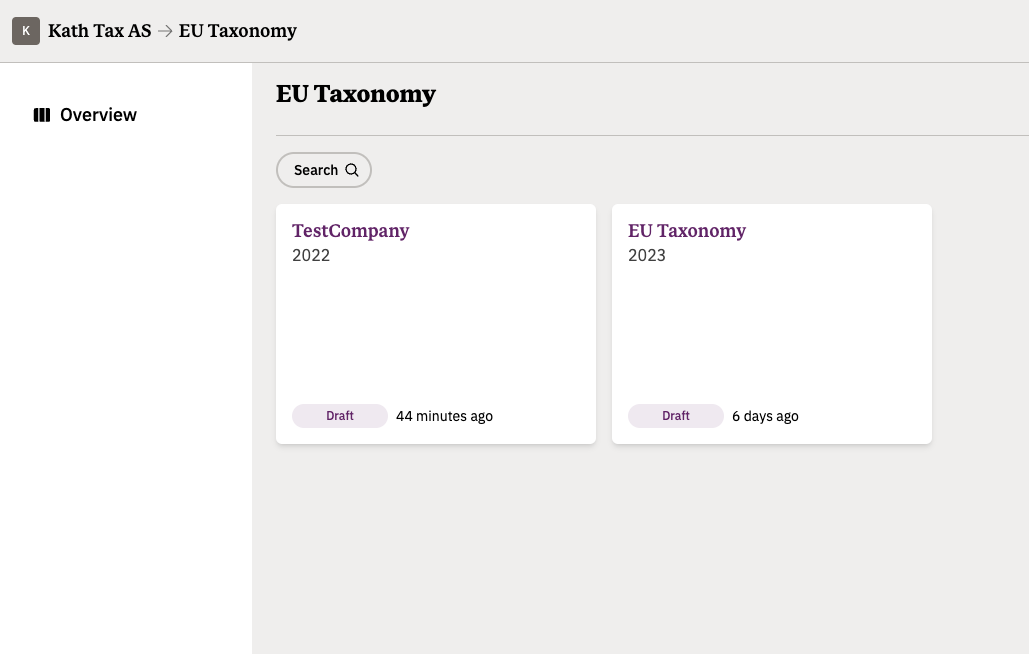
Once you click on the Create report button at the bottom, your overview will reflect this.
On the next screen, you are able to complete the setup of your report.
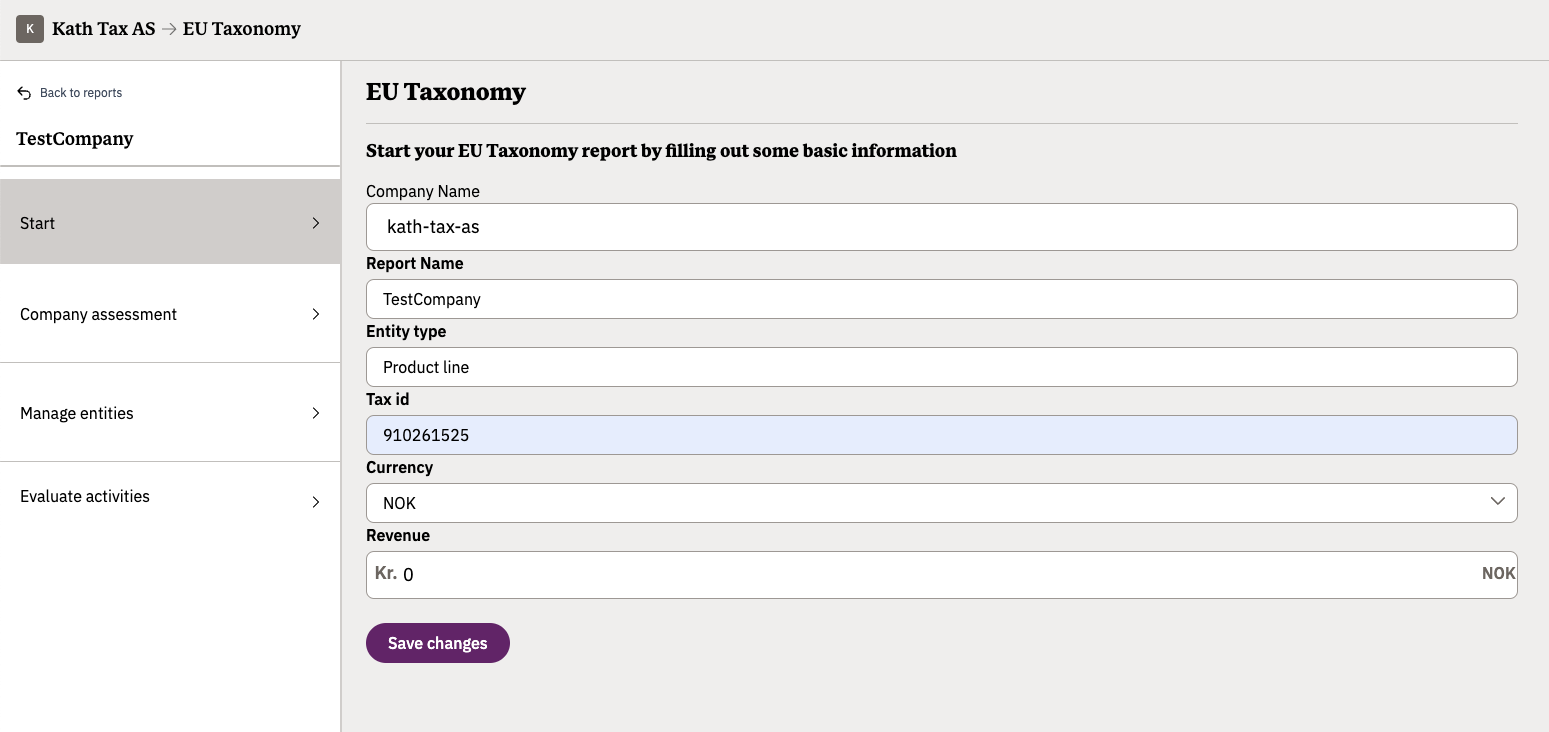
Company Name: we suggest you use your real company's name in this field, as it shows up in the commercial registry, but you are welcome to use an alternative name if you so wish.
Report Name: you can name your report in whichever way you want.
Entity type: here you need to indicate what kind of unit you will be using to structure your Taxonomy report. Examples of different types of entities include Product Lines, Business Units, Assets and Services.
Tax ID: the financial identifier used by the company to conduct its business operations.
Currency: the primary currency in which you wish to do the Taxonomy report.
Revenue: a ballpark number to represent the annual revenue of your company for the year the report refers to.
Was this article helpful?
That’s Great!
Thank you for your feedback
Sorry! We couldn't be helpful
Thank you for your feedback
Feedback sent
We appreciate your effort and will try to fix the article