The Users view shows all users in the Position Green account. To find it, click the user icon in the top right corner, go to Company setup, and select Users.
An unlimited number of users can be created.
To add users in bulk, contact the Position Green team.
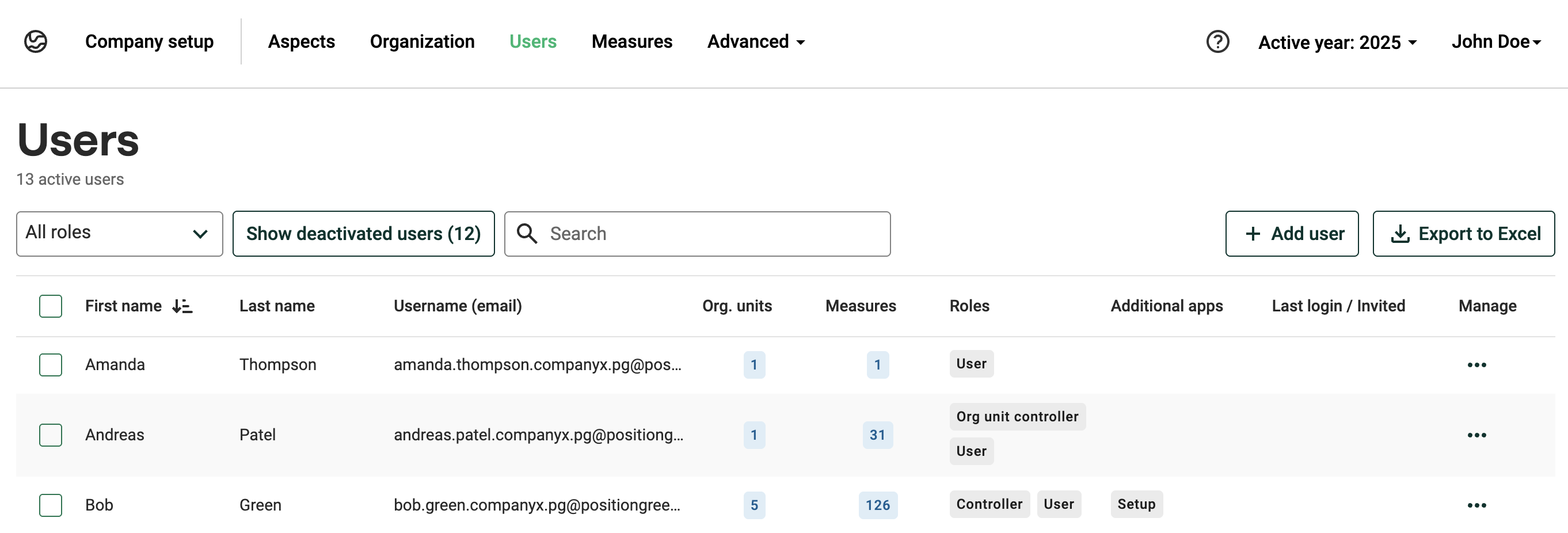
Users view in Company setup
Read more about user management:
When adding a new user, either A) assign the user to org.units and assign responsibilities, or B) transfer an existing user's responsibilities to the new user.
- Add a new user
- Transfer responsibilities from one user to another
- Connect a user to an organizational unit
- Send an invitation to the platform
- Add a role to several users
- User consent collection
- Deactivate a user
Read more about user roles:
Was this article helpful?
That’s Great!
Thank you for your feedback
Sorry! We couldn't be helpful
Thank you for your feedback
Feedback sent
We appreciate your effort and will try to fix the article