In Supplier Management, go to Suppliers in the left-hand menu. The page lists all suppliers in Position Green. Scroll to view more suppliers.
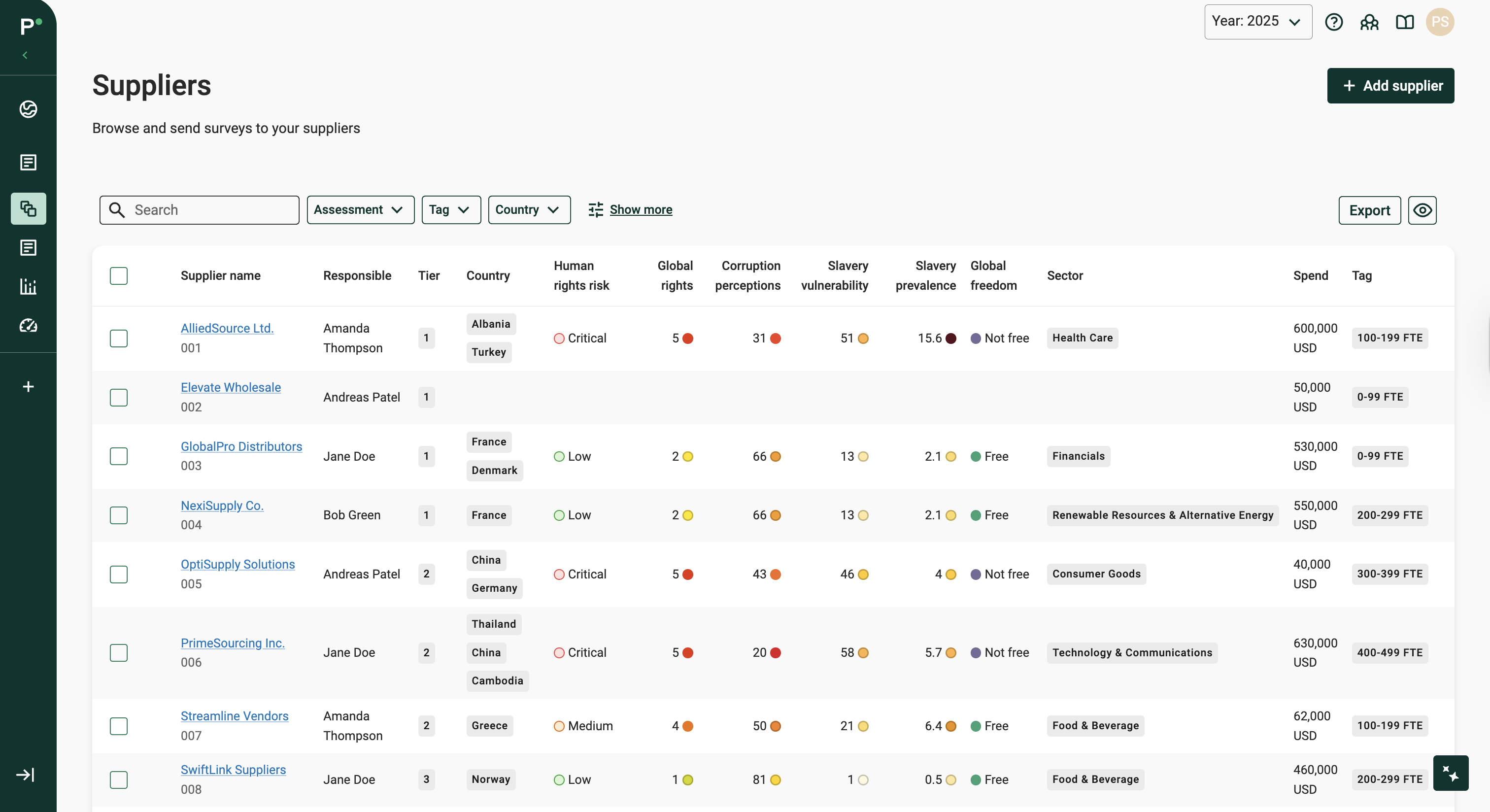
Suppliers list in Supplier Management
Details listed:
- Supplier name
- The supplier contact
- Tier if assigned
- Whether the supplier has been assessed, and the result
- Country of operation
- Tags
- Sector
- Spend
- Global risk indexes
- Flags: if the supplier has overdue surveys or newly submitted surveys to review
Tailor the table
Click the “eye” icon and tick the columns to show in the table.
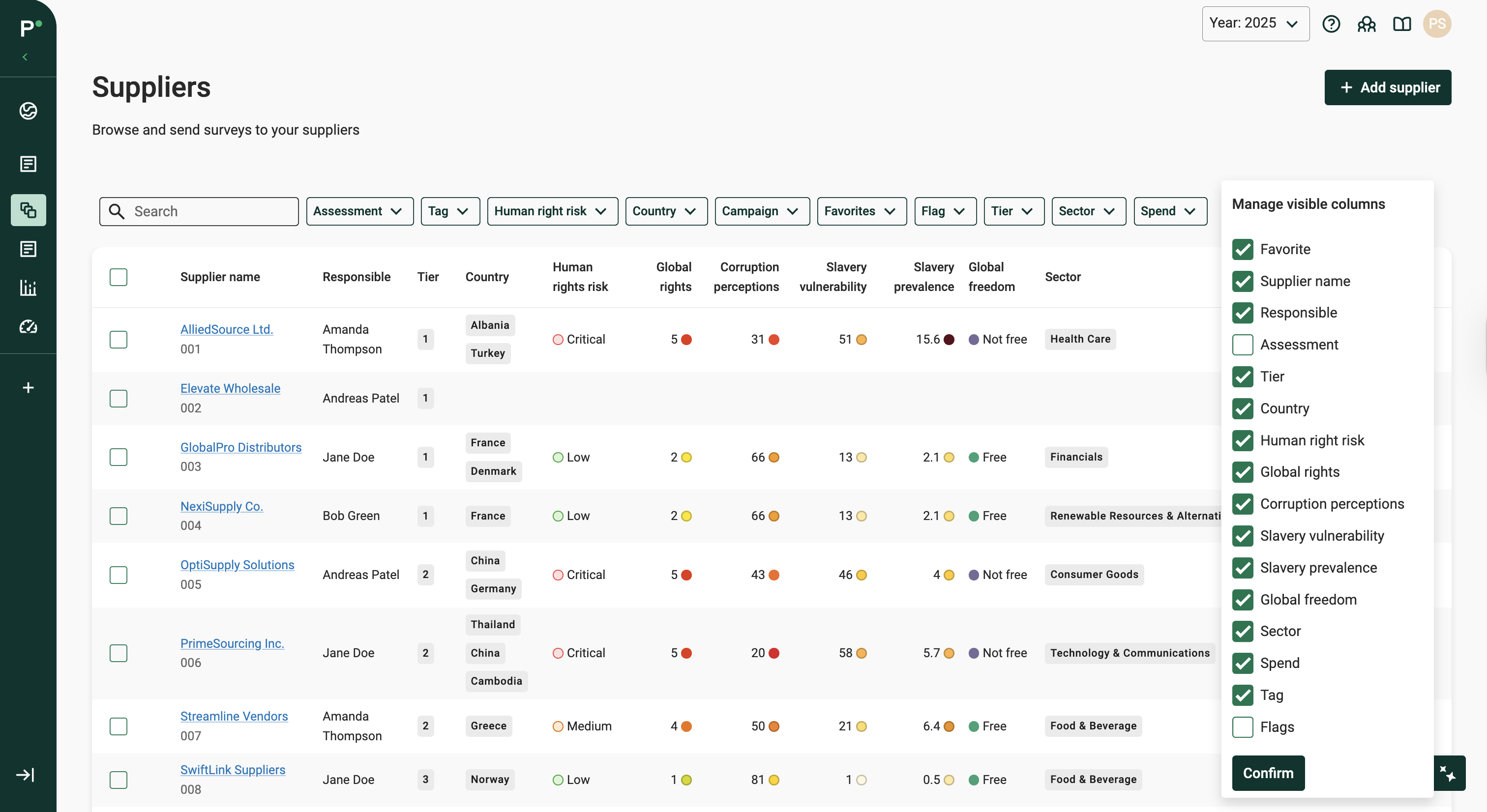
Choose the columns to show with the eye icon
Filters
Filter suppliers by a range of parameters:
- Free text search on name or ID
- Assessment result
- Tags
- Country
- Favorites
- Flags
- and more
Was this article helpful?
That’s Great!
Thank you for your feedback
Sorry! We couldn't be helpful
Thank you for your feedback
Feedback sent
We appreciate your effort and will try to fix the article