Overview
Bulk update DMA measures copies changes made to one DMA measure to all DMA measures. Use it to apply consistent updates across the DMA library, such as calculation logic, labels, descriptions, and other measure settings, without editing each measure separately.
When to use this
Use Bulk update DMA measures after updating a DMA measure to apply the same changes to all DMA measures, for example:
- Updating a calculation or formula
- Renaming a measure label
- Improving or correcting a description
How to use it
- Go to Setup.
- Open Measures.
- Open the edited DMA measure.
- Select Transfer JSON structure to DMA measures.
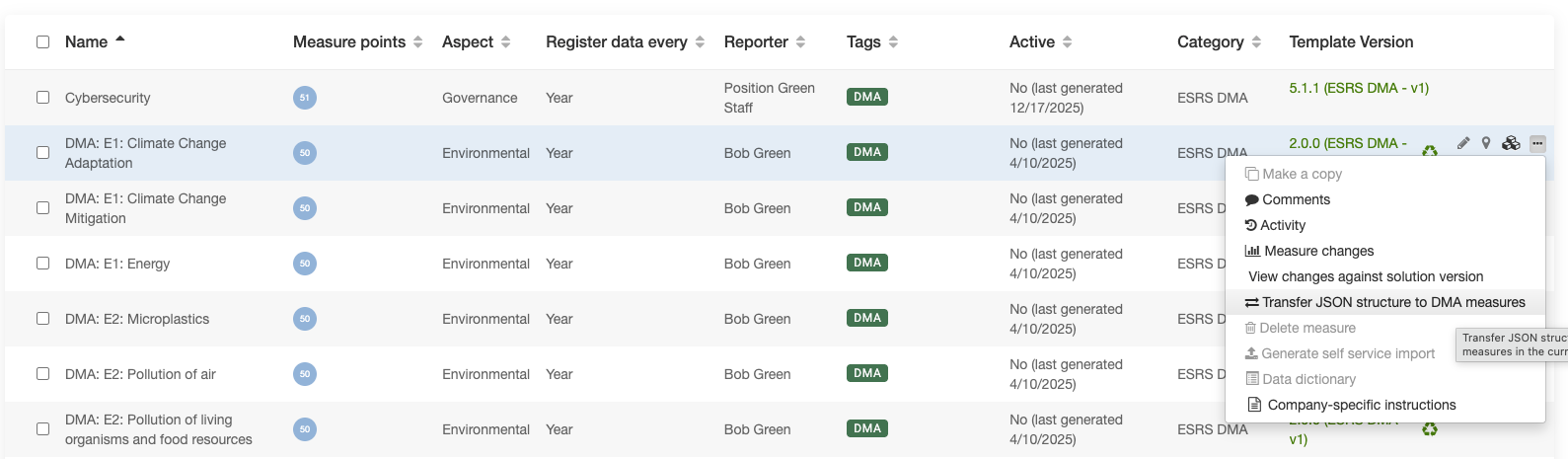
Transfer JSON structure to DMA measures option
5. Click “Copy” to run the bulk update.
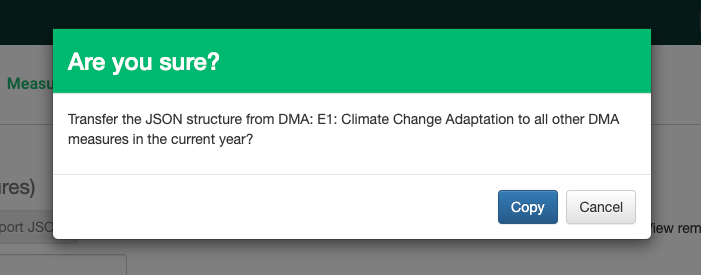
Click “Copy” to run the bulk update
The changes are now applied to all DMA measures.
Was this article helpful?
That’s Great!
Thank you for your feedback
Sorry! We couldn't be helpful
Thank you for your feedback
Feedback sent
We appreciate your effort and will try to fix the article