The Settings section in the Supplier Management module in Position Green allows users and administrators to configure default language of the user interface, email templates and permission settings.
Accessing Settings
To navigate to Settings for Supplier Management, make sure you are in the Supplier Management module, click on your profile initials located at the top-right corner of the screen, then select Settings from the menu.
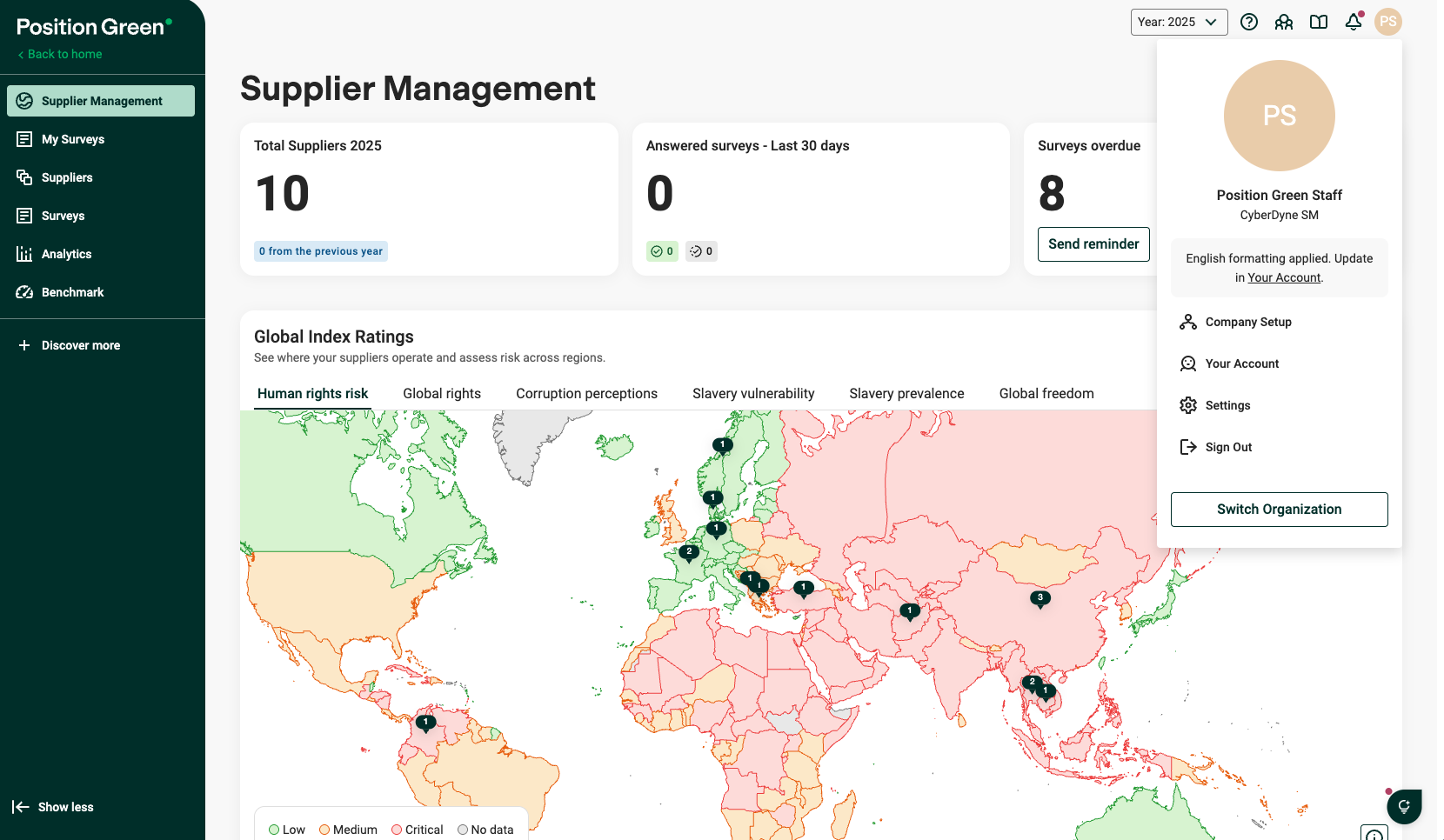
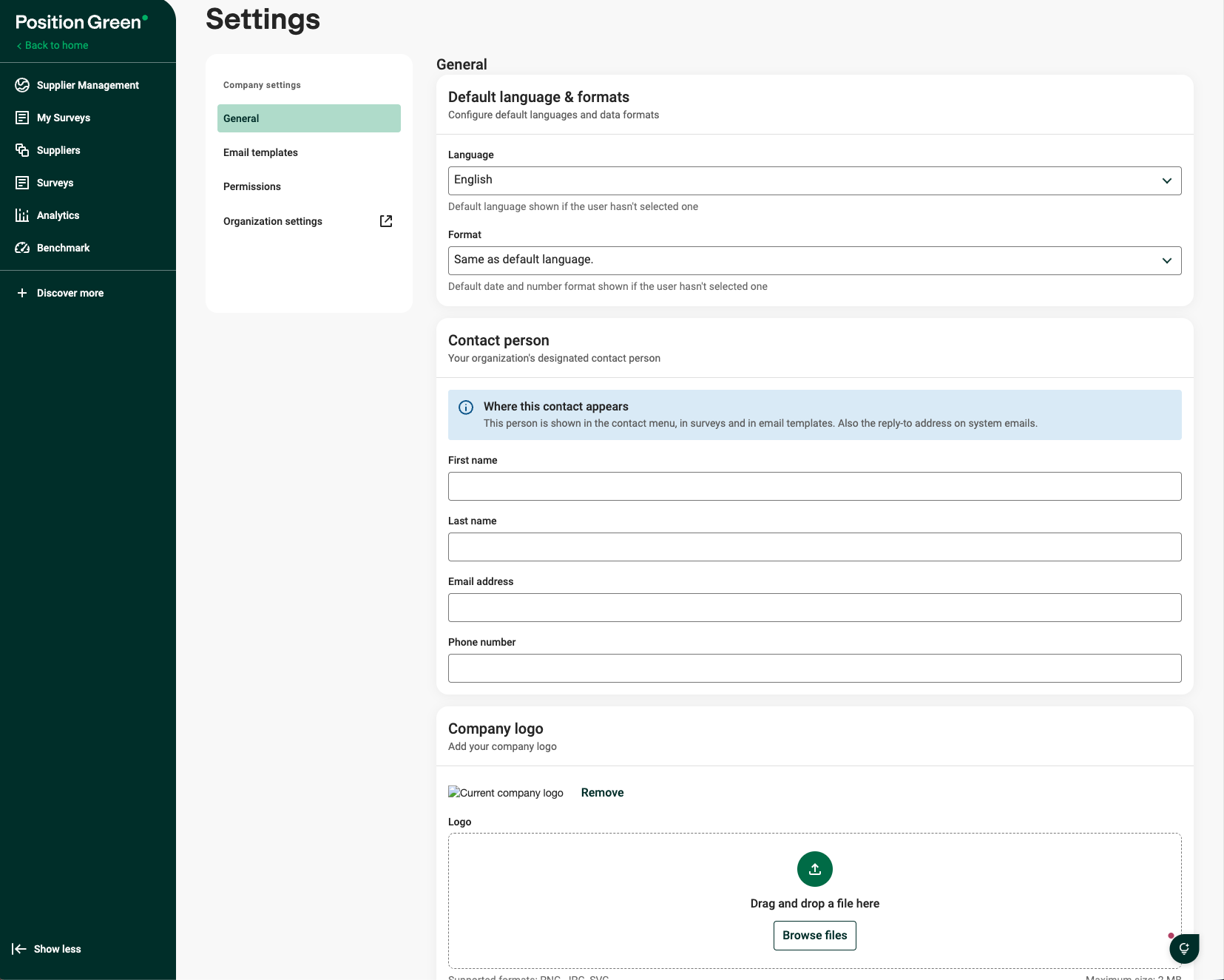
Supplier Management Settings view
Settings
1. General
Set default language, contact person and logo for your organization.
- Language - Default language shown if the user hasn’t selected one: With this setting you can change the default language for your Position Green site, however users will be able to change their profile language in Your account.
- Format - Default date and number format shown if the user hasn’t selected one:
Format for numbers, dates, and time - With this setting you can select the default formatting for your Position Green site, however users will be able to change their preferred formatting in Your account.
- Contact person: Set the designated contact person for your organization
- Company logo: Upload a logo for your organization
2. Email templates
Review and manage standard and custom email communications sent automatically by the platform to users. This section includes notification types such as:
- Questionnaire submitted
- Supplier invite
- Supplier reminder
- Survey reminder
Each template displays its intended description, link expiration period (such as 30 days), and whether a custom override is active. More on email templates in this article.
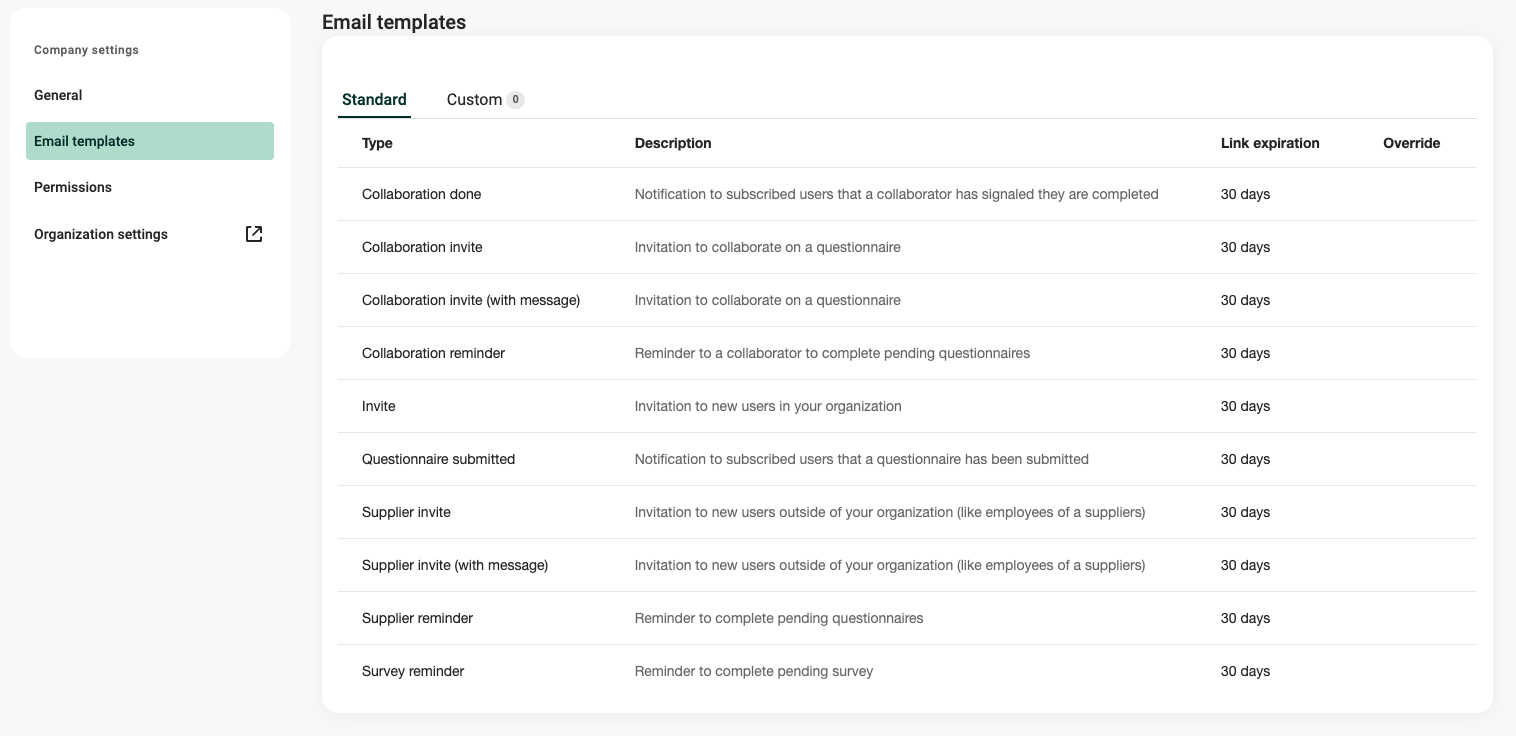
Email templates settings view
3. Permissions
Configure user access in the organization
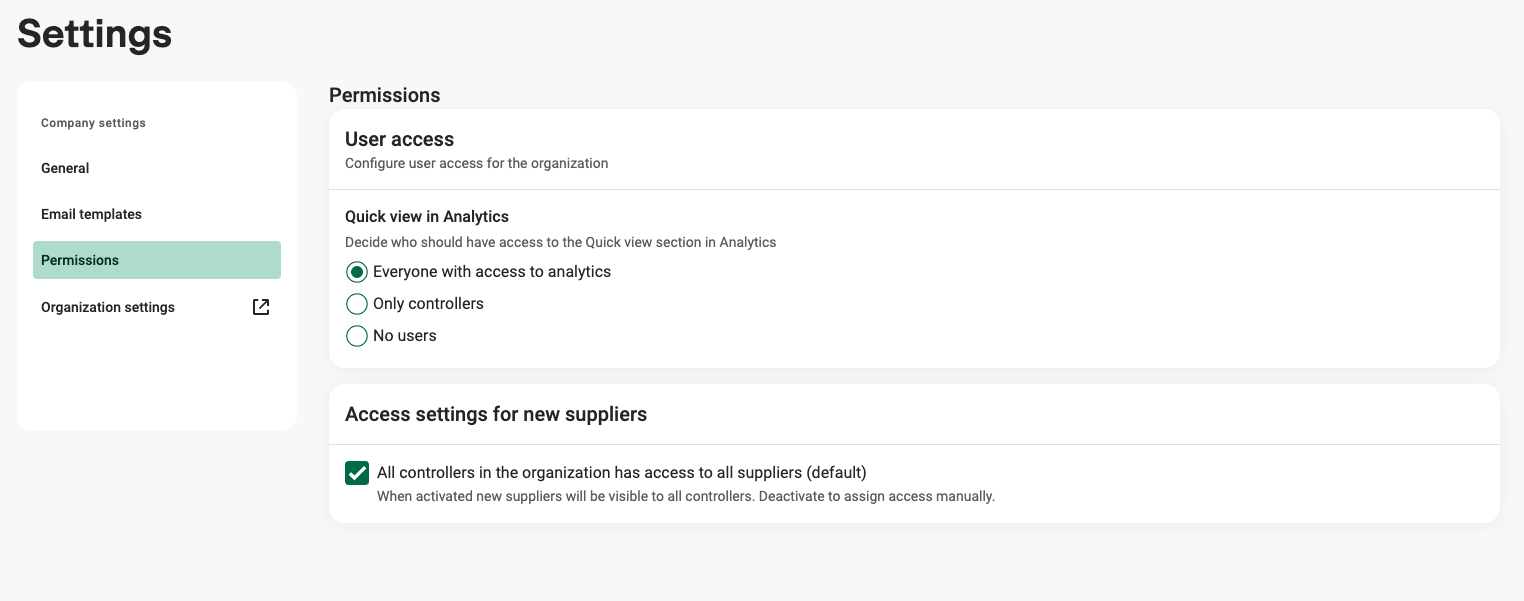
- Quick view in Analytics: This governs which role group have access to quick view in Analytics.
- Access settings for new suppliers: When activated new suppliers will be visible to all controllers.
More on permissions in Supplier Management in this article.
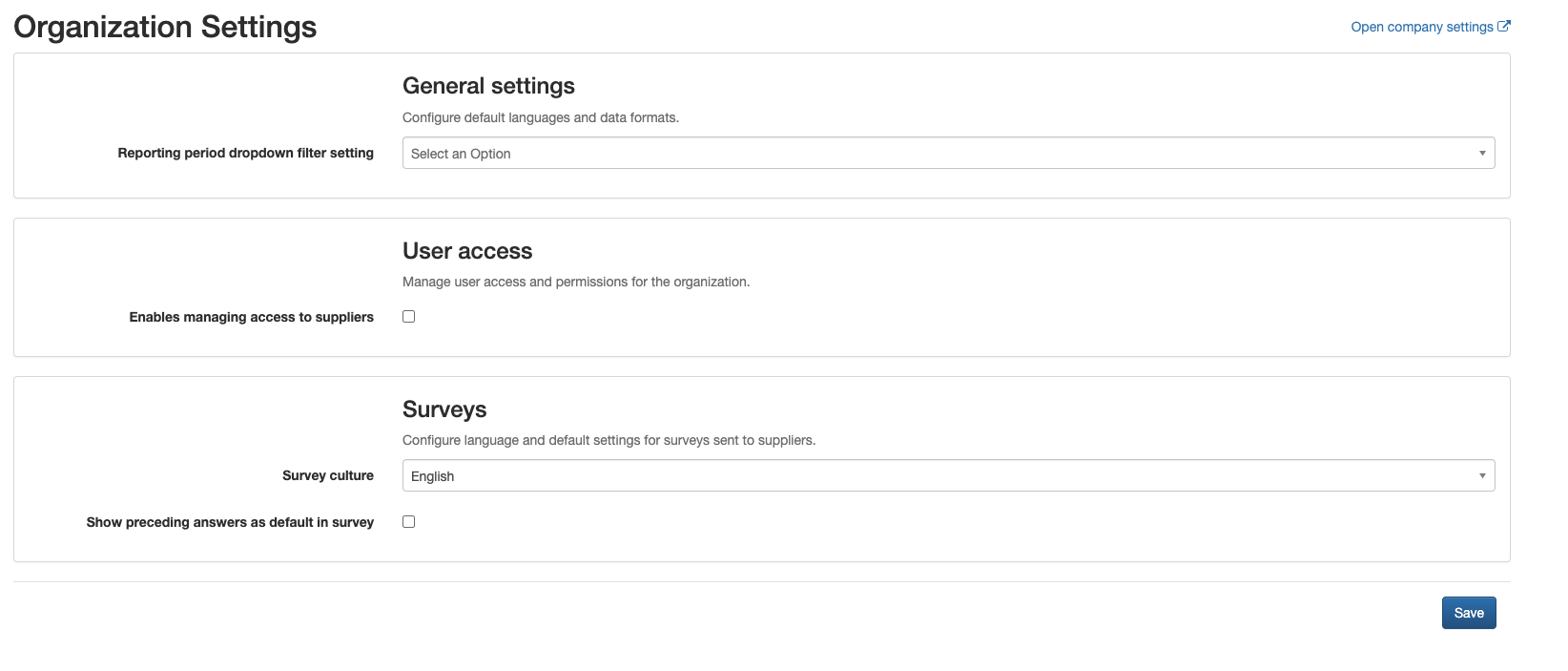
4. Organization settings
Select this option to open the external organization management tool to configure User access and survey language.
Was this article helpful?
That’s Great!
Thank you for your feedback
Sorry! We couldn't be helpful
Thank you for your feedback
Feedback sent
We appreciate your effort and will try to fix the article