The Home screen gives you a quick overview of your setup. Home is available for all users and is a great starting point for a status update.
TABLE OF CONTENTS
- What is the Actionable Home experience?
- Sections of the Home screen
- Configuration of Home screen content
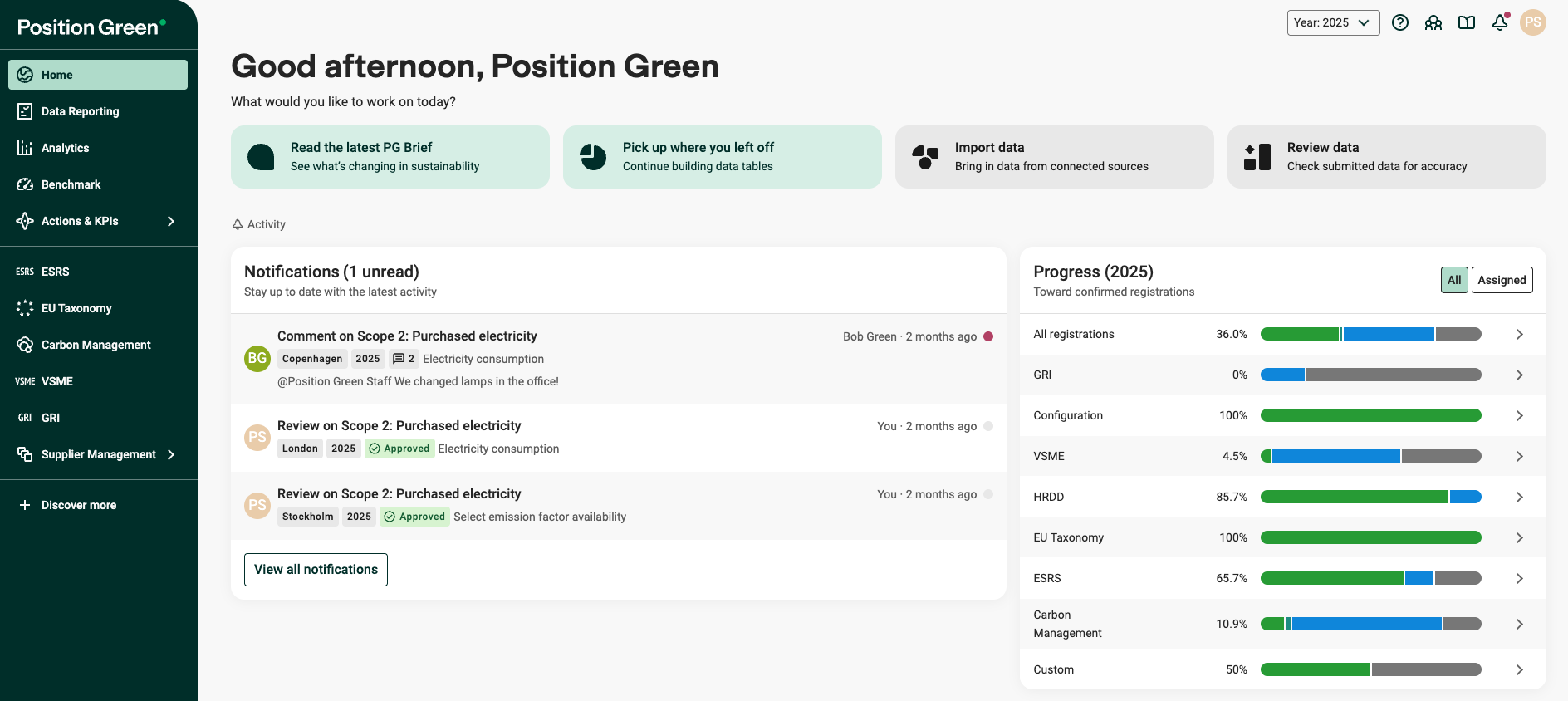
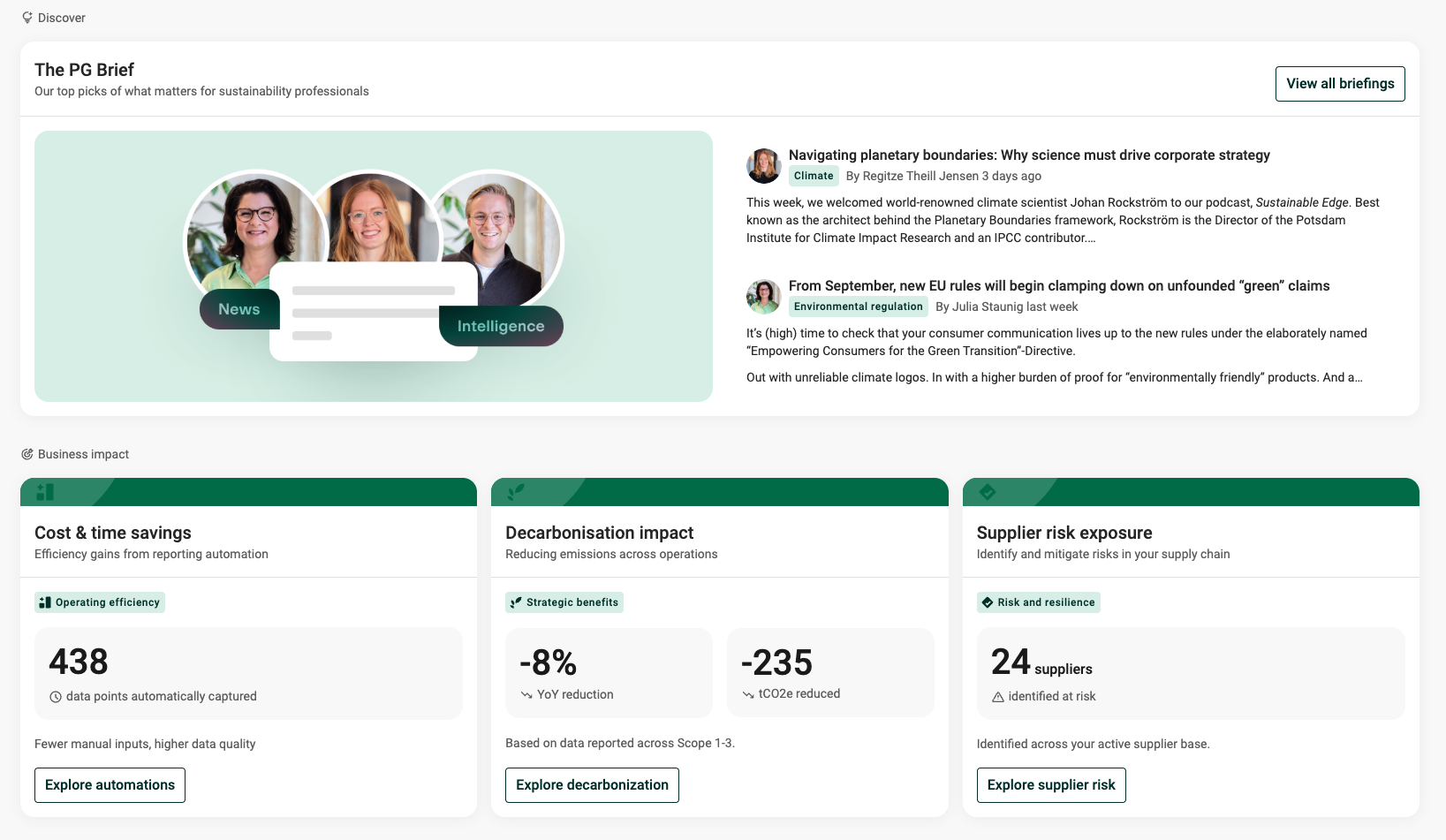
Example of Home screen
What is the Actionable Home experience?
The Home screen is the entry point to the Position Green platform designed to help users:
- understand what needs attention,
- prioritize work,
- access relevant workflows faster.
Over time, the Home experience will evolve toward a more actionable and intelligence-driven platform experience, connecting data, execution, and business impact in one place.
Sections of the Home screen
Depending the user role, different users see sections in the Home screen.
Activity cards
Activity cards help users quickly identify relevant work and navigate directly into important workflows in the platform.
Cards may highlight:
- actions that need attention,
- a “Pick up where you left” card that takes users back to the place where they last worked in the platform, including the same filters and context,
- recommended workflows,
- shortcuts to key modules.

Notifications
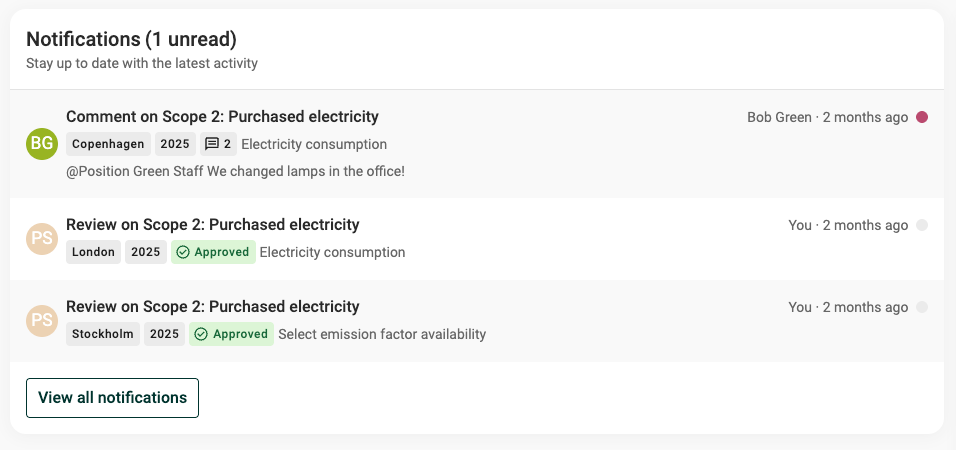
The notification widget helps users stay on top of:
- comments
- review requests
- surveys
- and other actionable events.
Read more about all Notifications types.
Progress
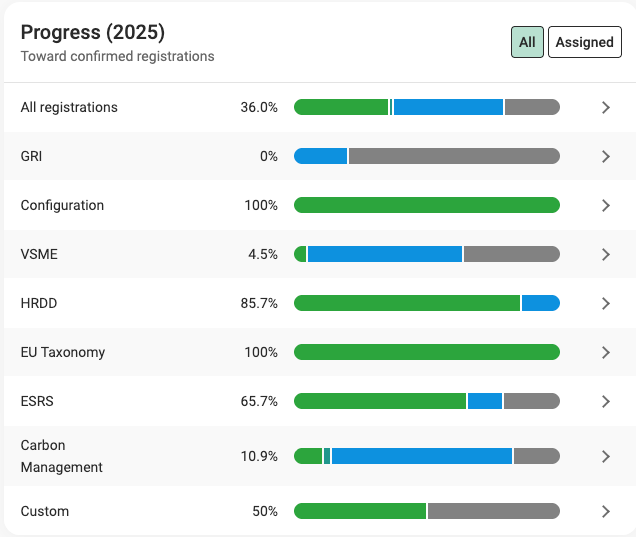
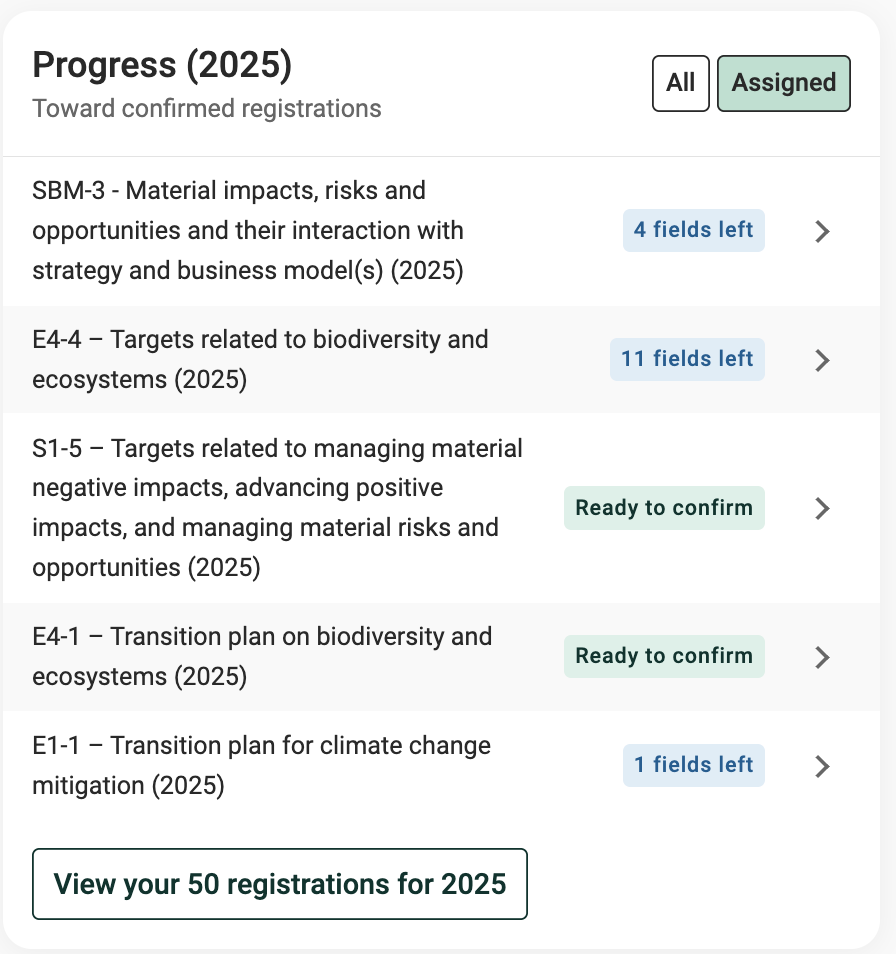
The progress widget shows reporting progress and and links to filtered views of the Data reporting view to support quick action. Progess states are: Not started, In progress, Ready to confirm, Confirmed.
"All" tab
Shows progress for all users per module/framework, for the active year.
Links to filtered views of the Data reporting view.
Is only available for controllers and adminstrators)
"Assigned" tab
Shows progress for the single user per registration, for the active year.
Links to filtered views of the Data reporting view.
Lists up to 5 registrations and links to a filtered overview of the users reporting responsibilites.
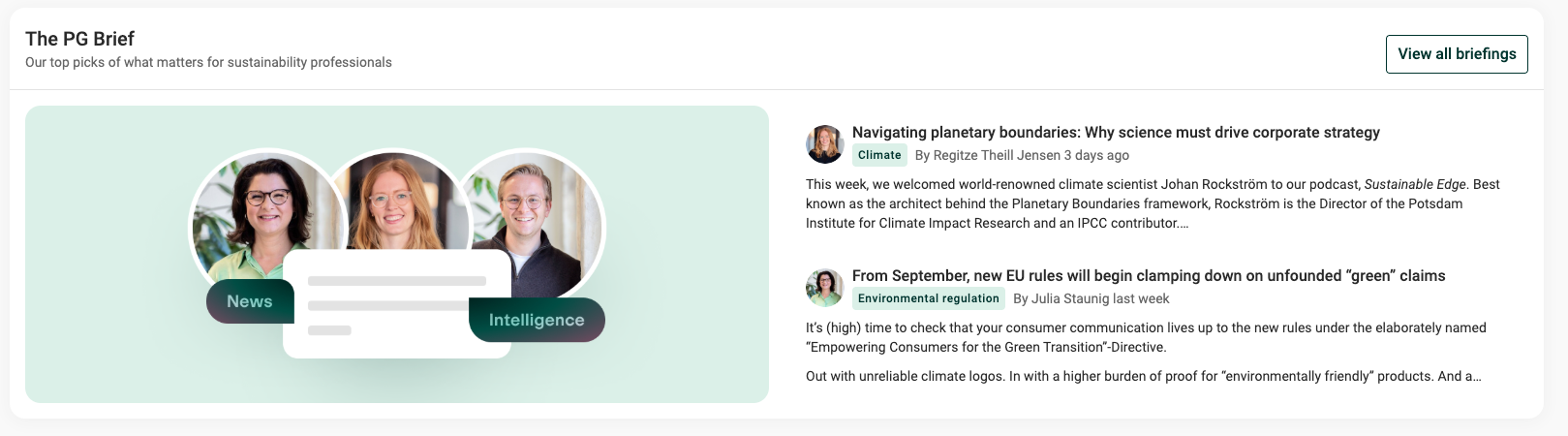
PG Brief (only available for Controllers and administrations)
PG Brief surfaces curated sustainability insights and expert content directly in the platform.
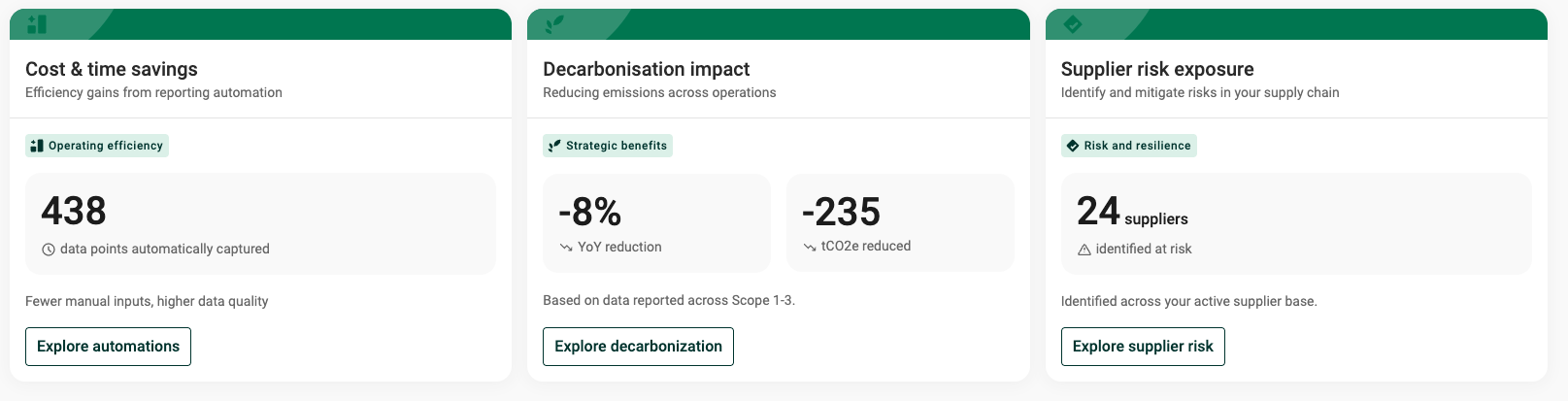
Business impact widgets (only available for Controllers and administrations)
Some pilot customers may also see early business impact widgets that help connect sustainability work to operational and strategic outcomes.
Configuration of Home screen content
The current Home experience is not configurable. Over time, users will be able to personalize and configure parts of the Home experience based on their workflows and priorities.
Was this article helpful?
That’s Great!
Thank you for your feedback
Sorry! We couldn't be helpful
Thank you for your feedback
Feedback sent
We appreciate your effort and will try to fix the article