PowerOffice Go Integration Guide
Set up the PowerOffice Go integration to send transaction data to Position Green.
Retrieve the API token from PowerOffice Go
- Log in to the PowerOffice Go account and navigate to Meny.
- Select Innstillinger (Settings).
- Click Utvidelser (Extensions).
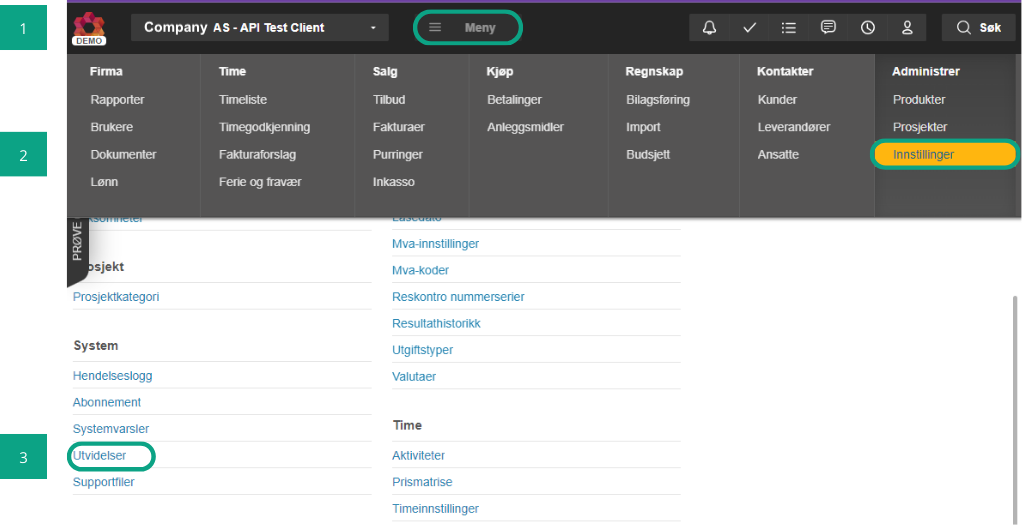
- Click "Legg til utvidelse" (Add extension).
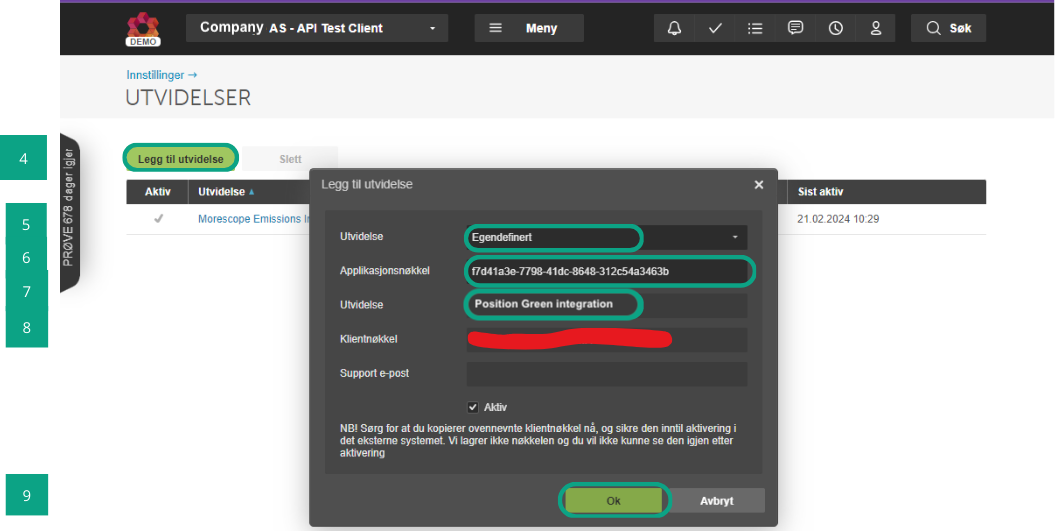
- Choose Egendefinert (Custom) in the dropdown menu.
- Enter the application key in Applikasjonsnøkkel (Application Key):
4d573a97-e8f7-4554-be77-e8b98741eeed - Add a name to the integration, such as "Position Green Integration".
- Copy the value in Klientnøkkel (Client Key). Keep this key safe. It is needed in the next step.
- Click "OK".
If these steps are not available, contact the PowerOffice Go administrator or support to verify that the user account has sufficient access rights.
Set up the connection in Position Green
- Navigate to Data in the left side menu.
- Go to the Integrations tab.
- Find PowerOffice Go and click "Connect".
- Paste the Klientnøkkel (Client Key) retrieved from PowerOffice Go into the credentials field.
- Click "Authenticate and activate integration".
- Wait for the verification check to run. A popup and card status show Authenticating credentials.
- Confirm that the status changes to "Verified Credentials". This usually completes within 30 seconds.
- Confirm that the popup notification shows that the integration setup was completed successfully.
Fetch data to Position Green
- Click "Sync now" or the "?" icon to trigger a historical upload for a custom period, such as the whole previous year or only the previous month.
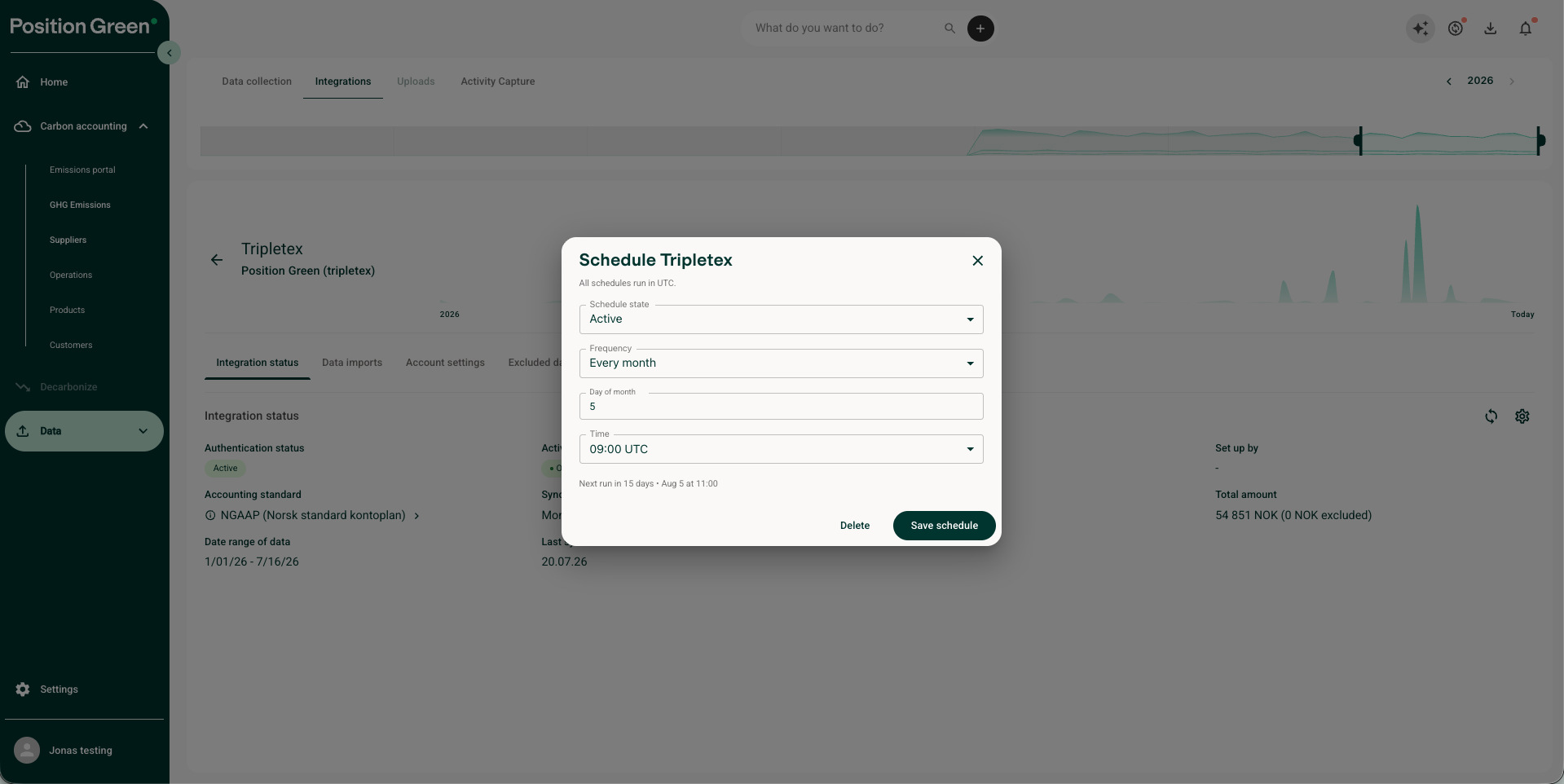
- Set a scheduled integration under Sync frequency, such as the 5th of every month.
- Confirm that the integration is active.
Contact Position Green support
Contact the Position Green onboarding representative for guidance or troubleshooting support.
Was this article helpful?
That’s Great!
Thank you for your feedback
Sorry! We couldn't be helpful
Thank you for your feedback
Feedback sent
We appreciate your effort and will try to fix the article