Before deactivating a user, transfer their responsibilities to another user to maintain continuity in the reporting.
In the Users view:
1. Select the user to deactivate.
2. Click the three dots on the right-hand side, then “Transfer responsibilities”.
3. Once the responsibilities are transferred, click the three dots on the right-hand side again, then “Deactivate user”.
To find deactivated users, click the “Show deactivated users” filter.
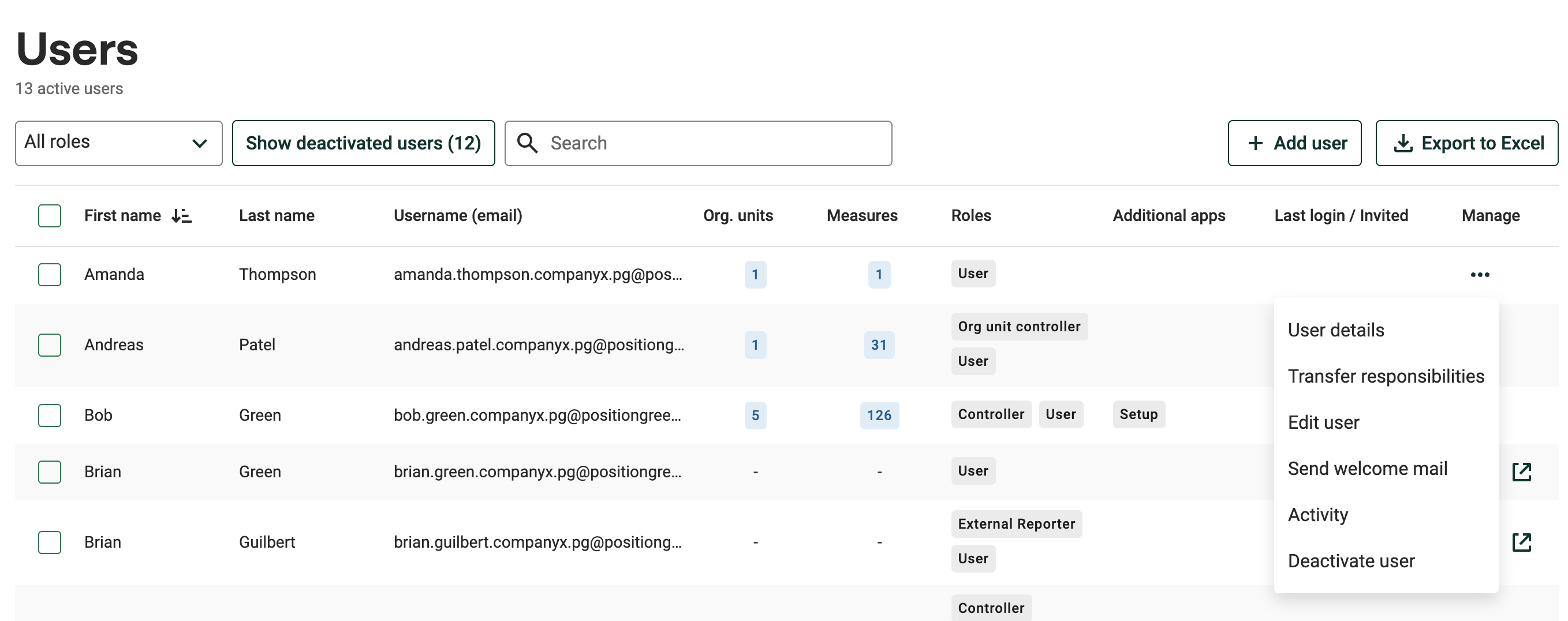
Deactivating a user in the Users view
Users that have the correct roles for a given functionality or access may not receive all access. This depends on the data previously entered. Only the relevant sections will be enabled for that user.Was this article helpful?
That’s Great!
Thank you for your feedback
Sorry! We couldn't be helpful
Thank you for your feedback
Feedback sent
We appreciate your effort and will try to fix the article