TABLE OF CONTENTS
- What is a factor lookup list?
- Built-in signaling for missing org. units
- Steps to add an org. unit to the factor lookup list
- When is a recalculation needed?
What is a factor lookup list?
A factor lookup list is a list that connects each org.unit to the emission factors that apply to it. When data is reported on the org.unit, the calculation finds the org.unit's list item in the factor lookup list and uses the associated emission factor.
The factor lookup list is mainly used by the Scope 2 measures: purchased electricity, heating, cooling and steam, and energy attribute certificates. If an org.unit is missing from the list, no emissions are calculated for it in these measures.
Key aspects of a factor lookup list
- The standard factor lookup list normally has the prettyID
factor_lookup. - Each list item represents one org.unit. The list item and the org.unit are matched by PrettyID, so both PrettyIDs must be identical.
- Each list item refers to an item in an emission factor list, for example, the electricity grid factor that applies to the site.
- Inside each item there are values that are mapped to the emission factors. The values and the prettyIDs of the emission factors must be the same.
- There can be other variations of the prettyID, like
factor_lookup_list,factors_lookup, etc. When unsure, search for the word "look"
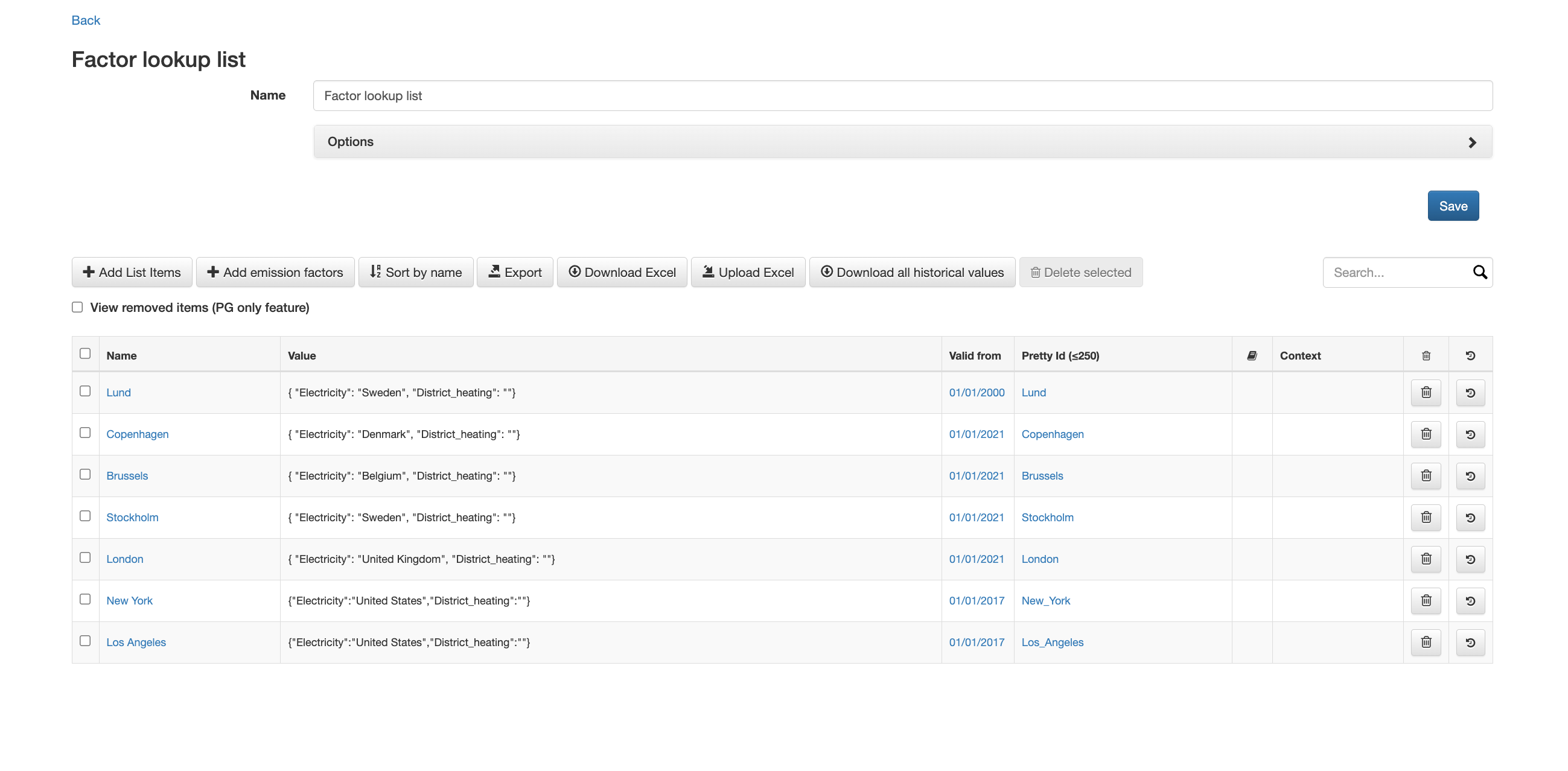
Factor lookup list matching org units to the respective emission factor Electricity.
Example:
The org. unit Copenhagen has the PrettyID copenhagen. Its list item in the factor lookup list refers to the Danish grid factor in the Electricity list. Electricity reported for Copenhagen is calculated using the Danish grid factor, even when the reporter does not select a factor.
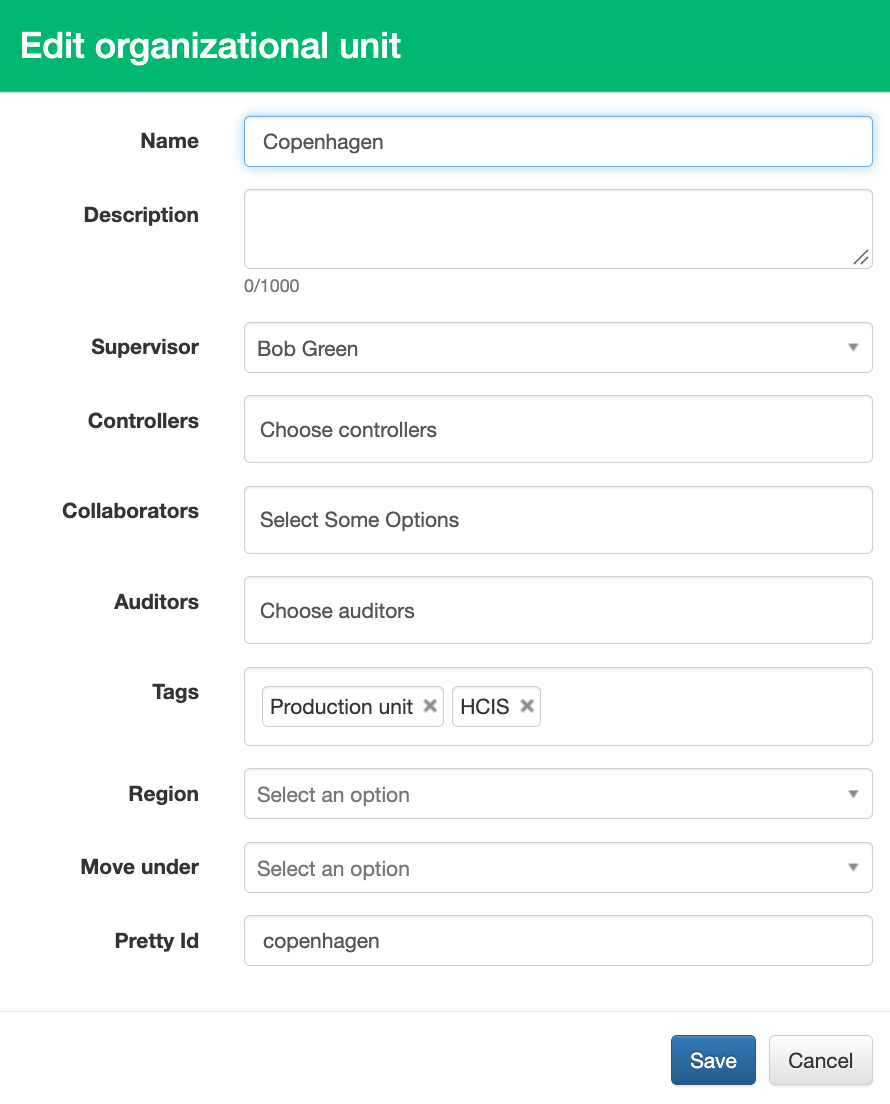
Org. unit Copenhagen under Editor organization unit with prettyID copenhagen
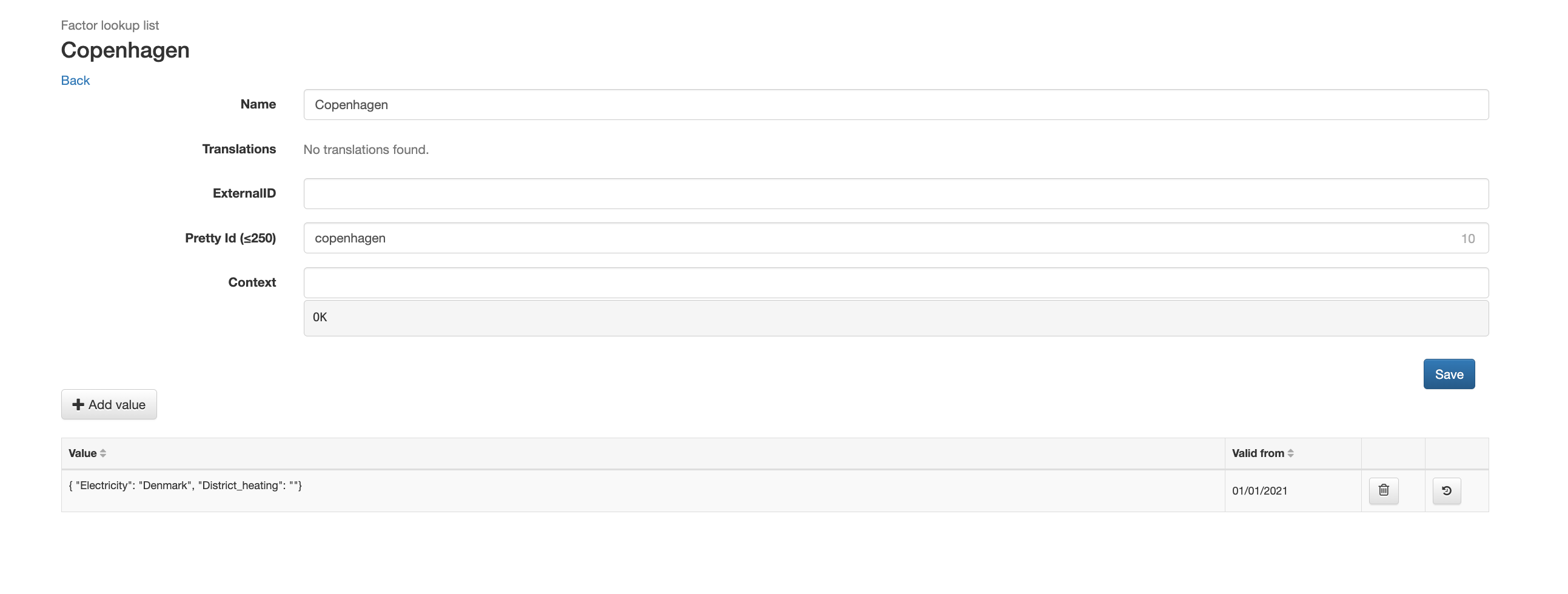
List item Copenhagen in factor lookup list with prettyID copenhagen
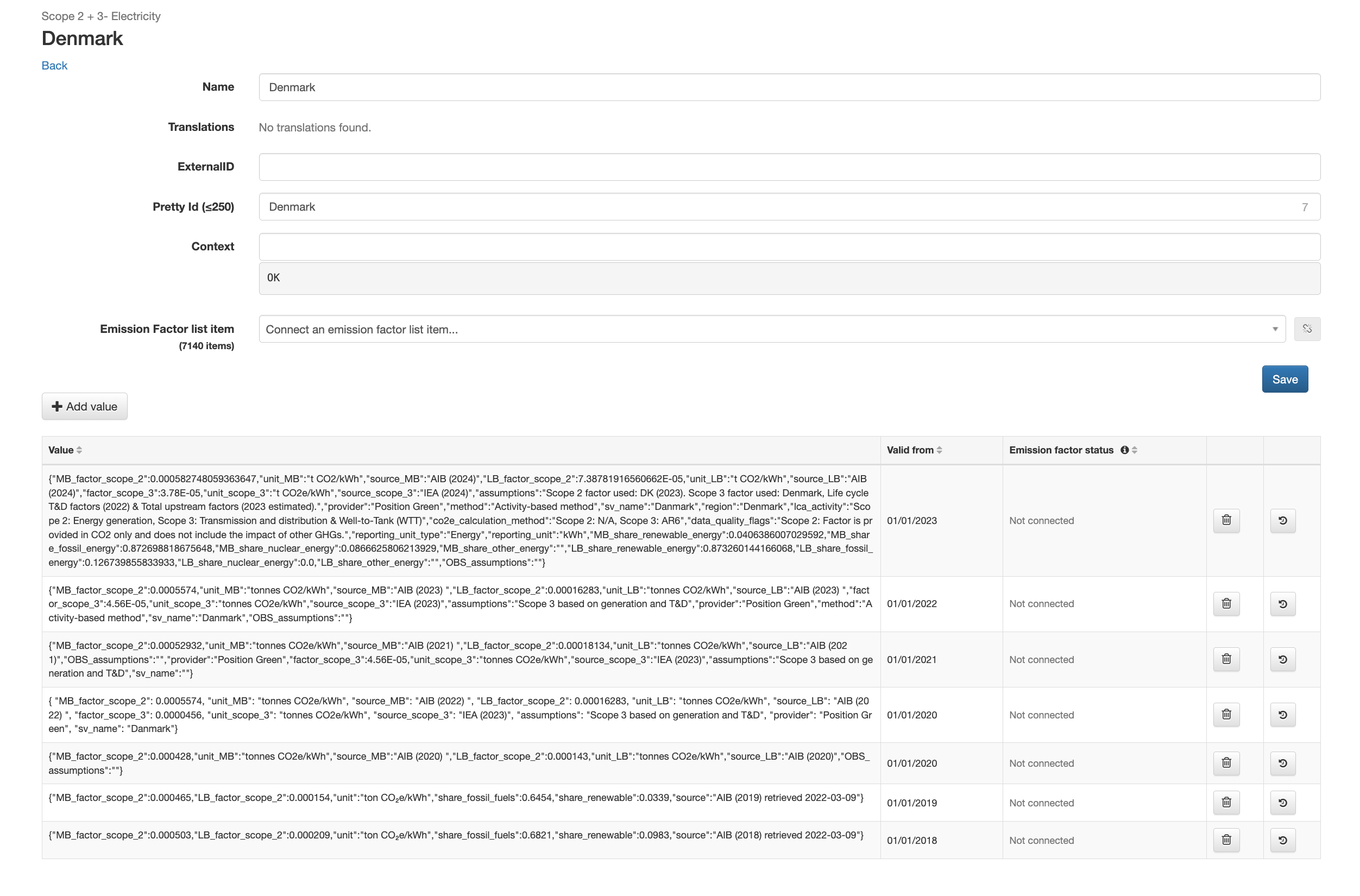
List item Denmark in emission factor list with prettyID Denmark
Built-in signaling for missing org. units
When an org. unit is missing from the list, the following warning is shown when editing the org. unit: "This organizational unit isn't included in the factor lookup list. This is needed when reporting on Scope 2 measures." The warning does not block saving the org.unit.
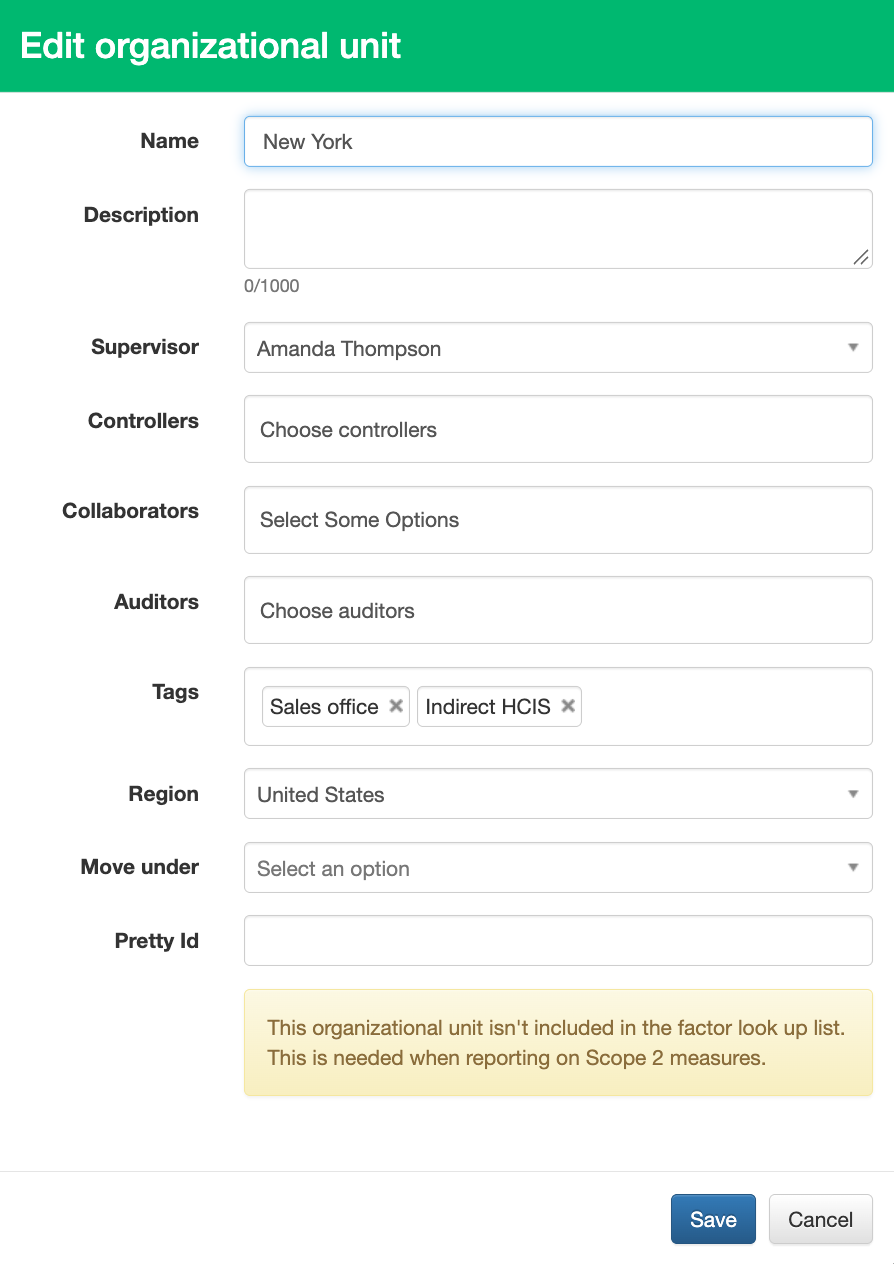
Error message for org. unit missing in factor lookup list.
Steps to add an org. unit to the factor lookup list
Before starting:
Make sure the user has permission to edit the organization and lists in Company Setup.
Never delete a list or a list item. Deleting removes it from all reporting, including data that has already been reported in previous registrations.
Step 1: Find the org. unit PrettyID
- Click the user initials in the top-right corner and select Company Setup.
- Go to Organization in the top menu.
- Click the pen icon on the org. unit.
- Copy the value in the PrettyID field.
- If the PrettyID field is empty, enter a PrettyID and click "Save". Once a PrettyID is set, do not change it. The factor lookup list is matched on this value.
Step 2: Open the factor lookup list
- Go to Lists in Company Setup.
- Search for the list with the PrettyID
factor_lookup(or similar) and open it. - If the setup contains more than one factor lookup list, use factor_lookup. This is the list used by the standard measures and checked by the warning.
Step 3: Download the list
- Click "Download Excel".
- Open the file and find an existing row for a similar org. unit. The filled columns in that row show which columns the new row needs, for example Electricity.
Step 4: Add a row for the org. unit
- Add a new row at the bottom of the file.
- Enter the org. unit name in the Item name column.
- Enter the org. unit PrettyID in the Item PrettyId column. The value must match the org. unit PrettyID exactly, including upper and lower case. Check for extra spaces.
- Enter the date the row applies from in the Item ValidFrom column. It should be the same as that of the existing items.
- In each factor column, for example Electricity, enter the PrettyID of the matching item in the emission factor list, such as the grid factor for the country the site is in.
- Leave factor columns that do not apply to the org.unit empty.
- Leave the Item ExternalId column empty for the new row. Do not change the Item ExternalId or Item PrettyId of existing rows.
- Save the file.
Step 5: Upload the list
- Go back to the factor lookup list in Position Green.
- Click "Upload Excel" and select the saved file.
When is a recalculation needed?
A recalculation is needed when:
- The org.unit already has reported data in the periods the new or changed list item applies to.
A recalculation is not needed when:
- The org.unit has no reported data yet in the affected periods. The list item is used automatically when data is reported.
- To request a recalculation, contact Position Green support. Include the name of the org.unit, the affected measures and the reporting periods. Until the recalculation is done, the change does not appear in calculations, visualizations or reports.
Was this article helpful?
That’s Great!
Thank you for your feedback
Sorry! We couldn't be helpful
Thank you for your feedback
Feedback sent
We appreciate your effort and will try to fix the article