If you use an ERP or accounting system that does not currently have a direct API integration with Position Green, you can easily export and upload your financial data using standard file formats.
Option 1: SAF-T File Export (Preferred)
SAF-T (Standard Audit File - Tax Financial) is an international XML-based standard for exchanging accounting data. Most modern accounting systems allow you to export a SAF-T file containing financial transactions, supplier details, and company information.
Data Privacy & GDPR: SAF-T files may contain employee data that Position Green does not use. Handling of this file is fully covered under our Data Processing Agreement (DPA) and GDPR data security compliance.
Common ERP systems with SAF-T export functionality include:
Option 2: Excel / CSV File Export
If SAF-T export is not available, you can export your transaction data (such as a Supplier Ledger Account or General Ledger) to Excel or CSV format.
- Download your Supplier Ledger or General Ledger from your ERP system.
- Format the columns to match the Position Green Transaction Template.
- Save the formatted spreadsheet as an
.xlsxor.csvfile.
How to Upload Your File in Position Green
- Log in to Position Green and navigate to the Data module.
- Under "Data collection", choose "Financial accounting" and "Upload file"
- Select your file (SAF-T
.xml, Excel, or CSV) and confirm the upload. - Follow the upload guide for validation and review.
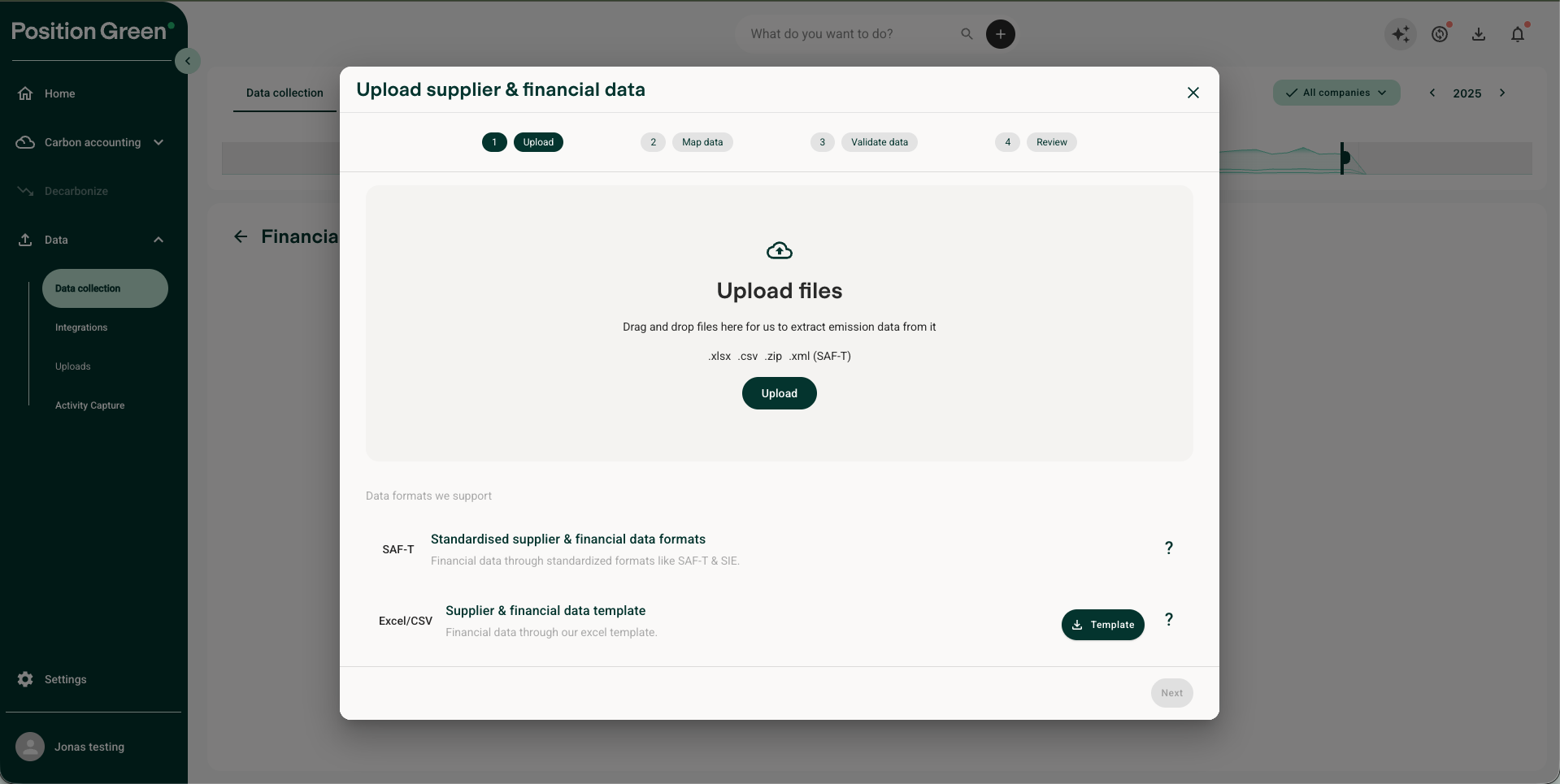
Position Green will process your transaction file and calculate the carbon footprint and impact of your purchases automatically.
Contact Position Green Support
If you need assistance formatting your transaction file or locating the export feature in your ERP system, contact your Position Green onboarding representative for support.
Was this article helpful?
That’s Great!
Thank you for your feedback
Sorry! We couldn't be helpful
Thank you for your feedback
Feedback sent
We appreciate your effort and will try to fix the article