Lock registrations
When a registration is locked, its data cannot be amended.
- Select one or more registrations in the "Manage data entries" table
- In the floating bar, click "Lock"
- Tick "Notify users" to email affected users about the change. Click "Edit before send" to change the message first
- Click "Lock" to finish, or "Cancel" to close the drawer without locking
To lock every registration for an entire reporting year at once, see locking a year.
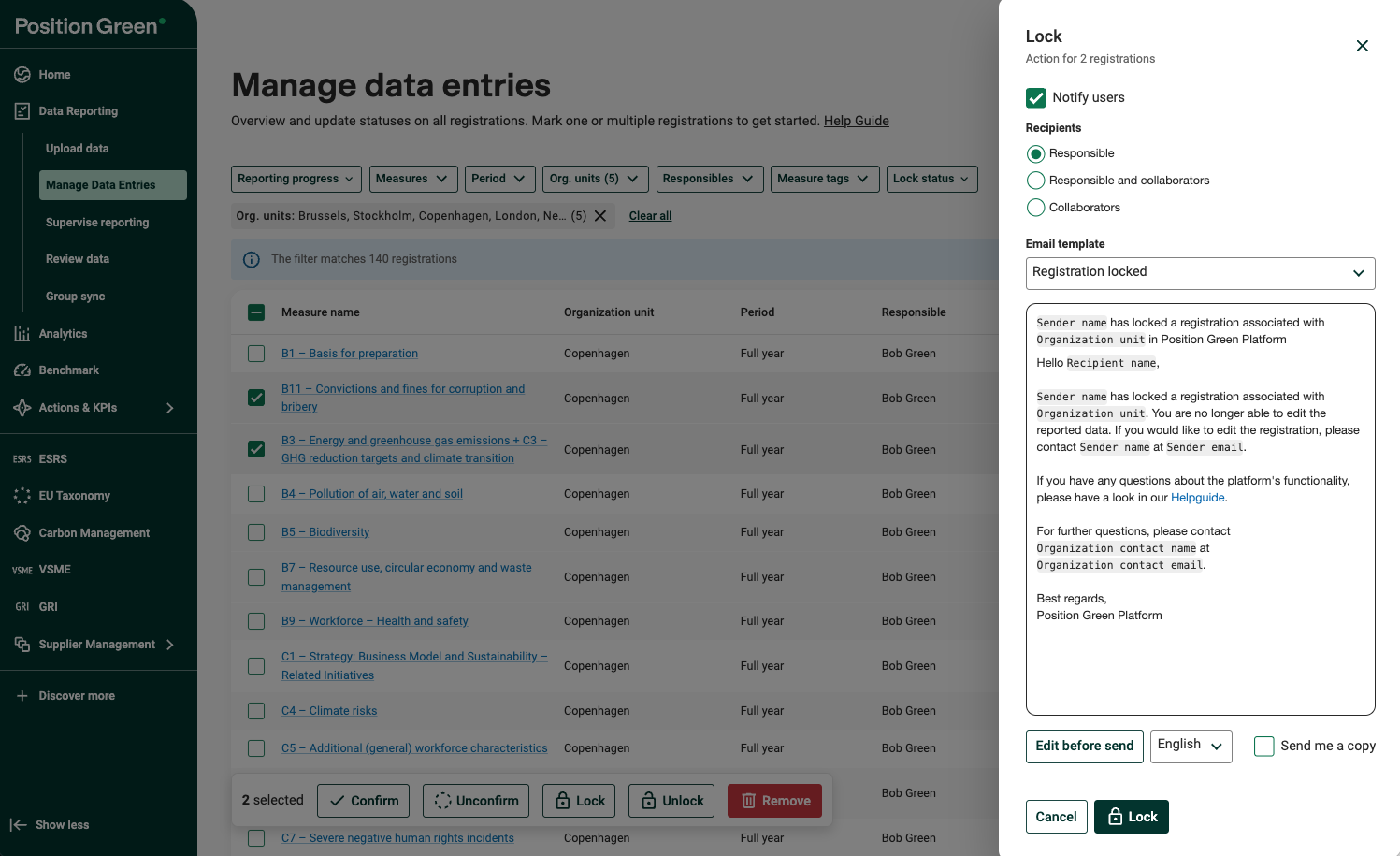
Example: Lock registrations
Unlock registrations
When a registration is unlocked, the responsible user can edit it again.
1. Select one or more registrations in the "Manage data entries" table
2. In the floating bar, click "Unlock".
3. Tick "Notify users" to email affected users about the change. Click "Edit before send" to change the message first.
4. Click "Unlock" to finish, or "Cancel" to close the drawer without unlocking.
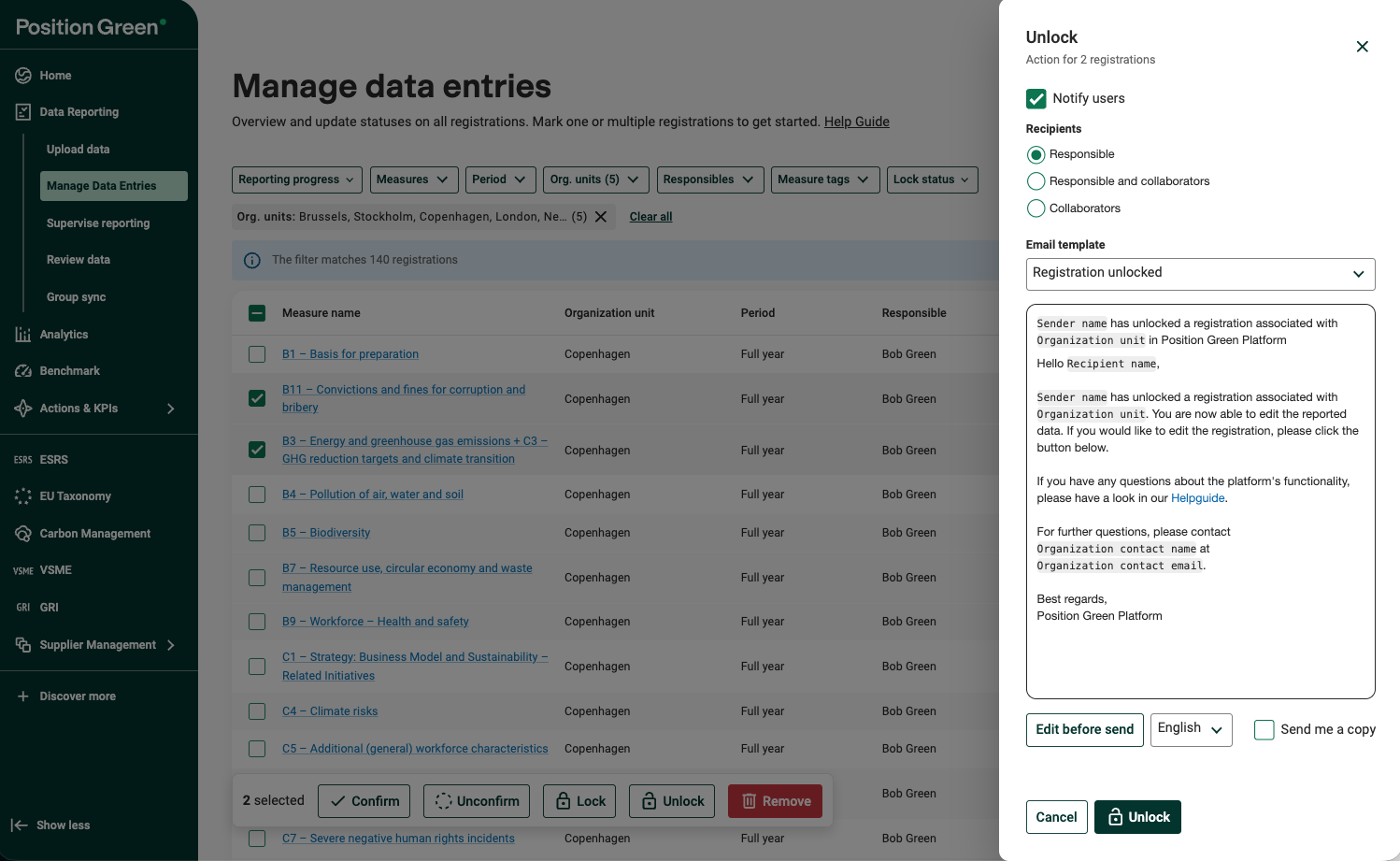
Example: Unlock registrations that have previously been locked
Was this article helpful?
That’s Great!
Thank you for your feedback
Sorry! We couldn't be helpful
Thank you for your feedback
Feedback sent
We appreciate your effort and will try to fix the article