User management
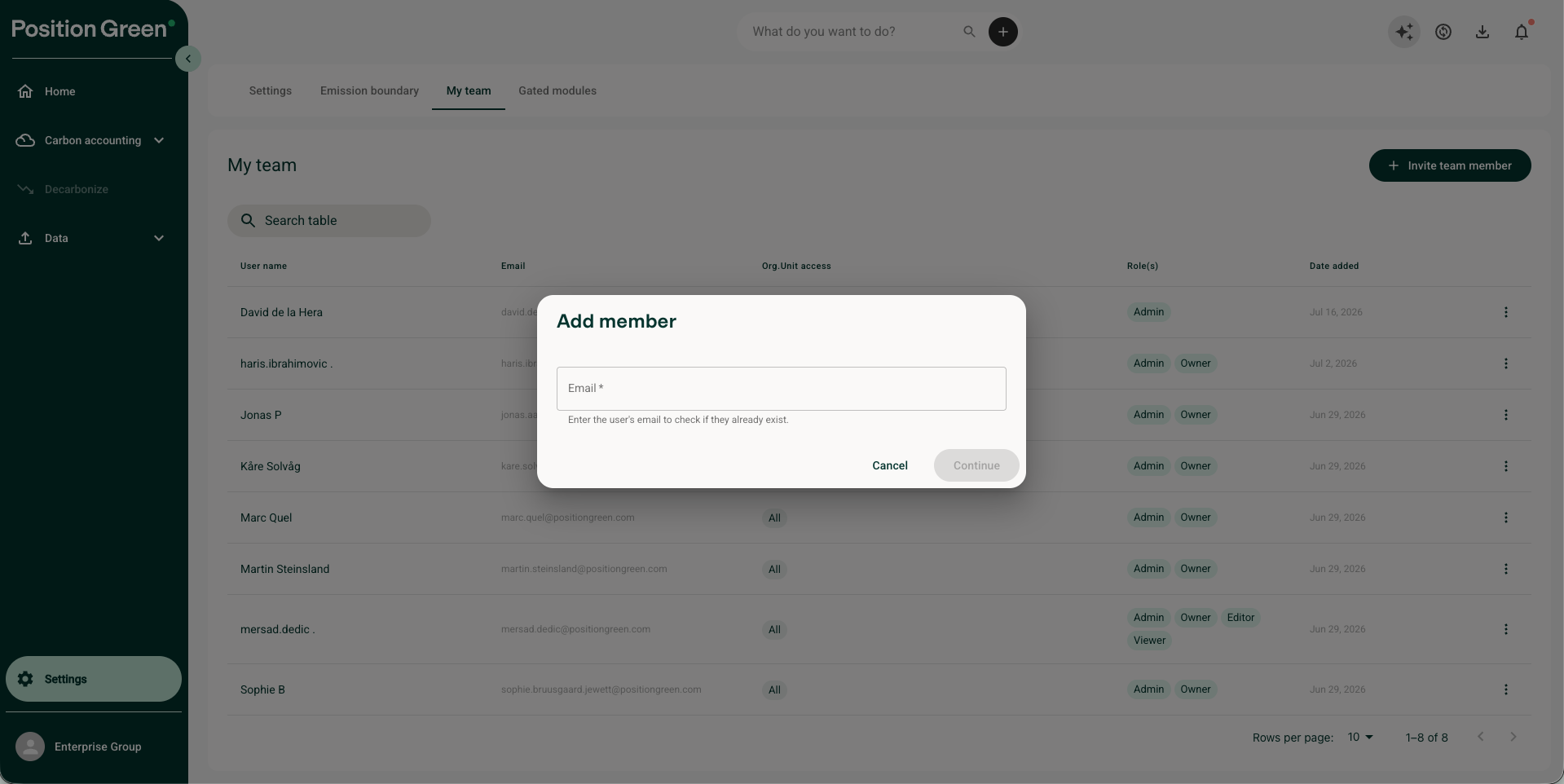
You can manage who should have access to Carbon Management module separately from who can access the other Position Green modules. You will find User Management under Settings and My team. Here you can add and remove members of your company structure.
To add users, click on "Invite team members", add their email and select their roles
To remove users, click on the three dots by the user in question and select "Revoke roles" or "Revoke member"
User roles
You can also manage their roles. Roles includes:
- Owner: The superuser of your company. The owner have access all data within the customer, including organizational units and users with access.
- Partner: A partner might be an external consultant or your accountant. He has the same access as an owner, but can also manage your Position Green license.
- Editor: An editor have access to view and change all data within an organizational unit, but cannot change or add organizational units or users.
- Viewer: Read-only access to a specific organizational unit. They can see all data in that organizational unit but cannot change or add anything. Good option for auditors, your board, or other stakeholders that only need to view the carbon accounting.
You might also see some users with an "Admin" role. Those are Position Green admins with some extended access.
Was this article helpful?
That’s Great!
Thank you for your feedback
Sorry! We couldn't be helpful
Thank you for your feedback
Feedback sent
We appreciate your effort and will try to fix the article