Summary
The Notifications feature provides updates about activity related to registrations, data points, surveys, comments, etc. Notifications help you stay informed about discussions and updates that require attention.
Here you find the notifications:
- in the top right of each page (see the bell icon)
- in the home screen (for certain user roles)
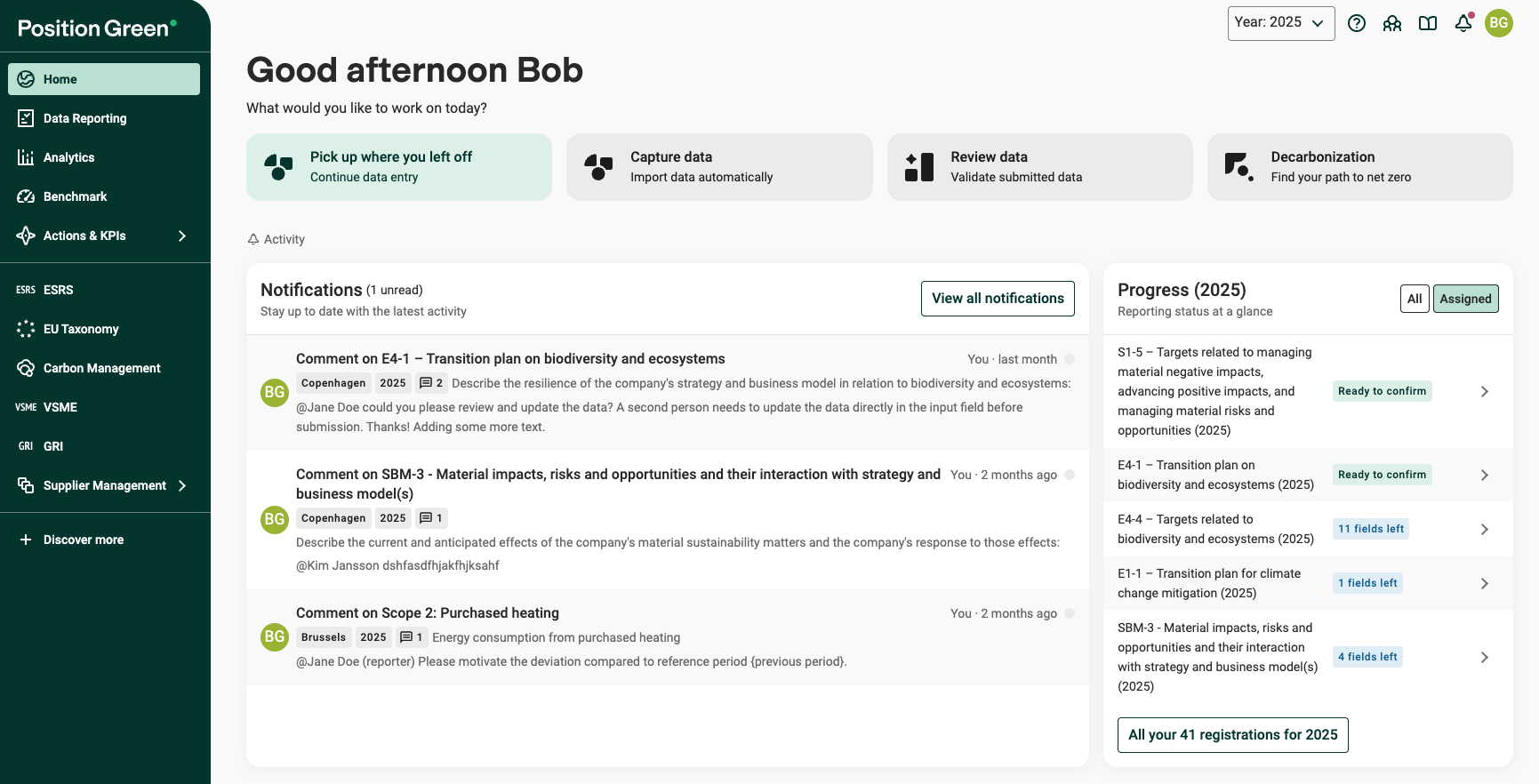
Example: Home screen with latest notifications.
Notifications are displayed on your personal Notifications page and link directly to the relevant event, e.g. a specific comment or a recent change.
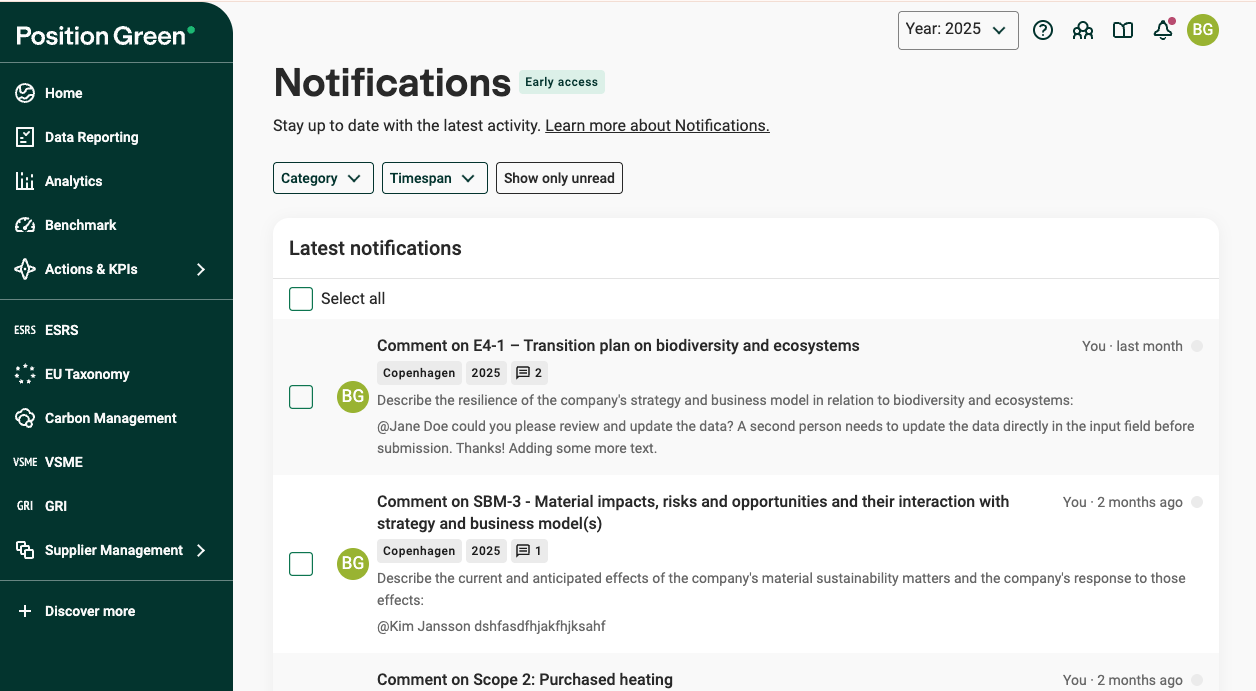
Example: Notifications page
Each notification
- Shows Who performed the action which triggered the notification and When.
- Details on Where the update was made (e.g. The related registration, data point, reporting period and organizational unit)
- Is linked to the related page (e.g. a comment, registration, survey or data point). Click it for quick access and follow up on the topic.
- Shows, depending on notification type, additional details when relevant, e.g. a preview of comment text, which org unit was affected.
What triggers a notification - A list of notification categories
You will receive notifications for the following categories:
1. Comments
Notifications about new activity in comments.
If you are responsible for a registration, survey, or materiality assessment, you will get notifications for both:
- comments on the registration/survey/materiality assessment
- comments on any data point/answer in the registration.
Updates in comments:
- Where you have written a comment
- When you received a reply
- Where you have been mentioned (@yourname)
2. Review statuses
Notifications when a review status changes on data you’re responsible for.
- If you are responsible for a registration, you will get notifications when, any data point/answer in the registration gets an updated review status.
- Collaborators do not automatically get notifications about review status. The responsible reporter can notify them by mentioning them in a comment.
- If you update the review status on a data point, you will get notifications when someone has updated that status.
Learn more about Review status and reviewing
3. Registrations
Notifications when something makes a registration require action before it can be confirmed (or re-confirmed).
- Four-eyes principle approval. Only applies when the registration setting for Four eyes principle validation is enabled. When someone asks for another person to review/approve as part of the four-eyes workflow:
- A reporter sends a request for controller for approval/confirmation.
- A reporter clicks "confirm anyway” (self-confirms) in a setup where controllers should be alerted
- Note: reporters asking other reporters or collaborators to review and update datapoint are made with comments, which triggers a notifaction.
- Registration needs validation. A change/update causes validation to fail, meaning the registration needs to be checked and confirmed again (e.g., after calculations/rebasing)
- Materiality Assessment updated and needs validation.
4. Consolidations
Notifications when consolidation-related processes finish and results are ready.
- A consolidation run completes. For example, when consolidated data is updated and becomes available for follow-up work like statement/rsegistration needs validation).
5. Surveys
Notifications related to your surveys in Supplier management.
- Survey submitted. If you are the supplier owner of a supplier you will get notifications when that supplier submits a survey.
6. Sustainability statements
Notifications related to your Sustainability statement, when
- a sustainability statement is ready
- generation of a sustainability statement has failed
Filter on category and timespan
Use the filters at the top to find the notifications you need faster:
- Category: filter by type of notification. For details on categories, see above.
- Timespan: show notifications from a selected period (e.g. last 30/90/180 days or the full year).
- You can combine both filters to narrow the list further.
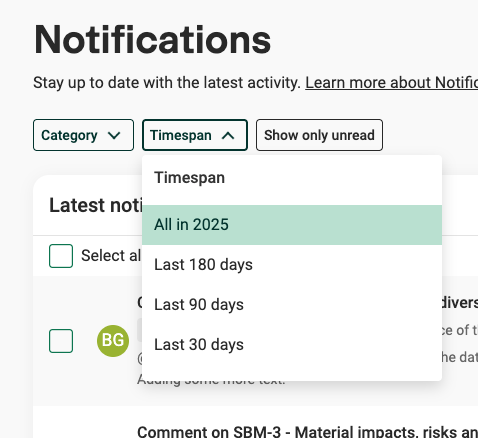
Example: Filters in the Notifications page.
Read and unread notifications
A dot at the end of each notification indicates whether it has been opened or not.
- Unread notification: Shown as a colored dot.
- Read notification: Once the notification has been opened (clicked) the dot turns grey.
If a notification receives a new update, it will be marked as unread again.
You can show only unread notifications, by clicking the Show only unread filter.
If you want to mark multiple notifications as read/unread, use the checkboxes and then select "Mark as read" or "Mark as unread".
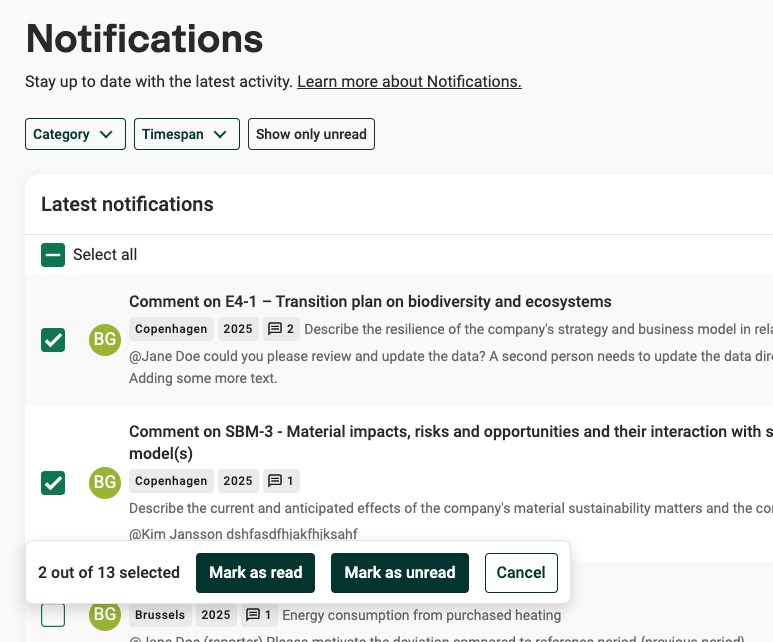
Example: Mark notifications as read/unread.
Feedback - Which notifications would you need?
Have suggestions or feedback on Notifications? Send us your feedback.
Was this article helpful?
That’s Great!
Thank you for your feedback
Sorry! We couldn't be helpful
Thank you for your feedback
Feedback sent
We appreciate your effort and will try to fix the article