Table of contents
- Viewing historical data
- Reuse data from previous periods
- Access comments and involved users on previous values
- Historical data in repeatable rows
Viewing historical data
To make changes to registrations for another year, change the active year in the upper right corner.
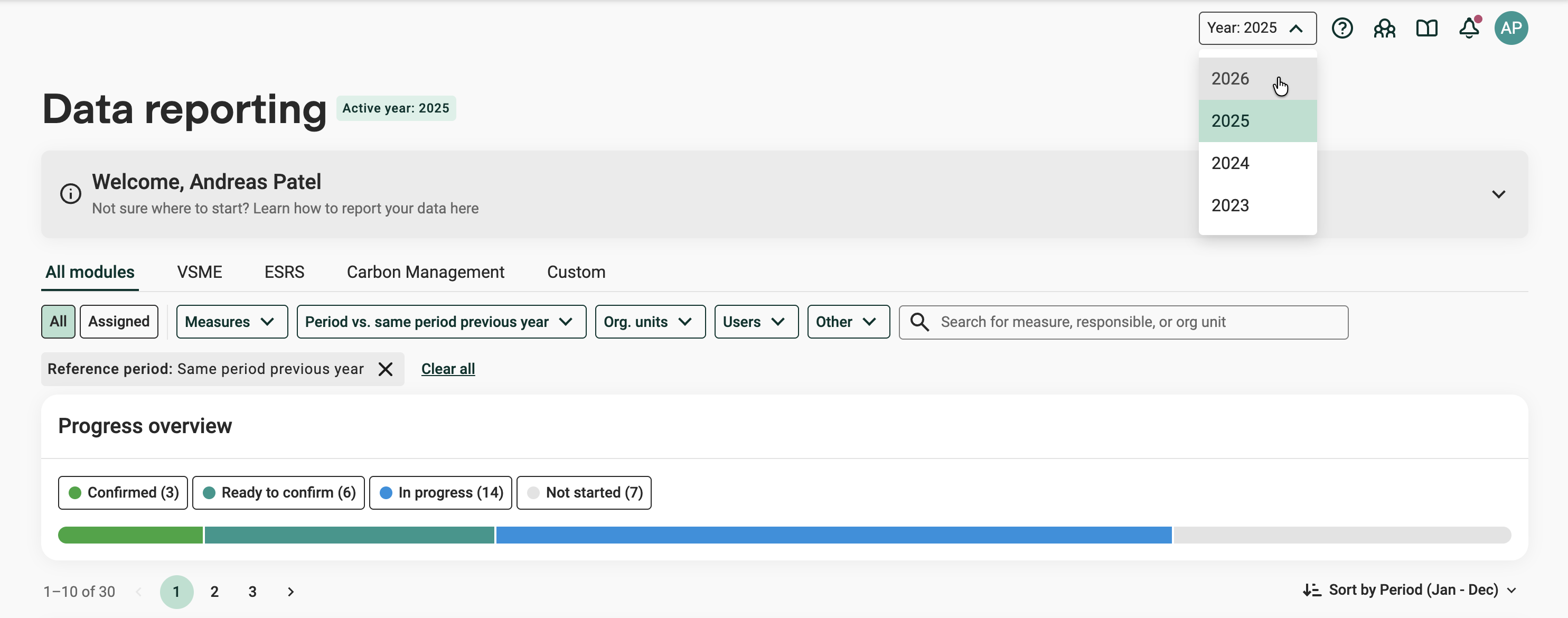
Select the active year
View data from a previous year while reporting current data to flag and check deviations. Select the reference period in the period filter.
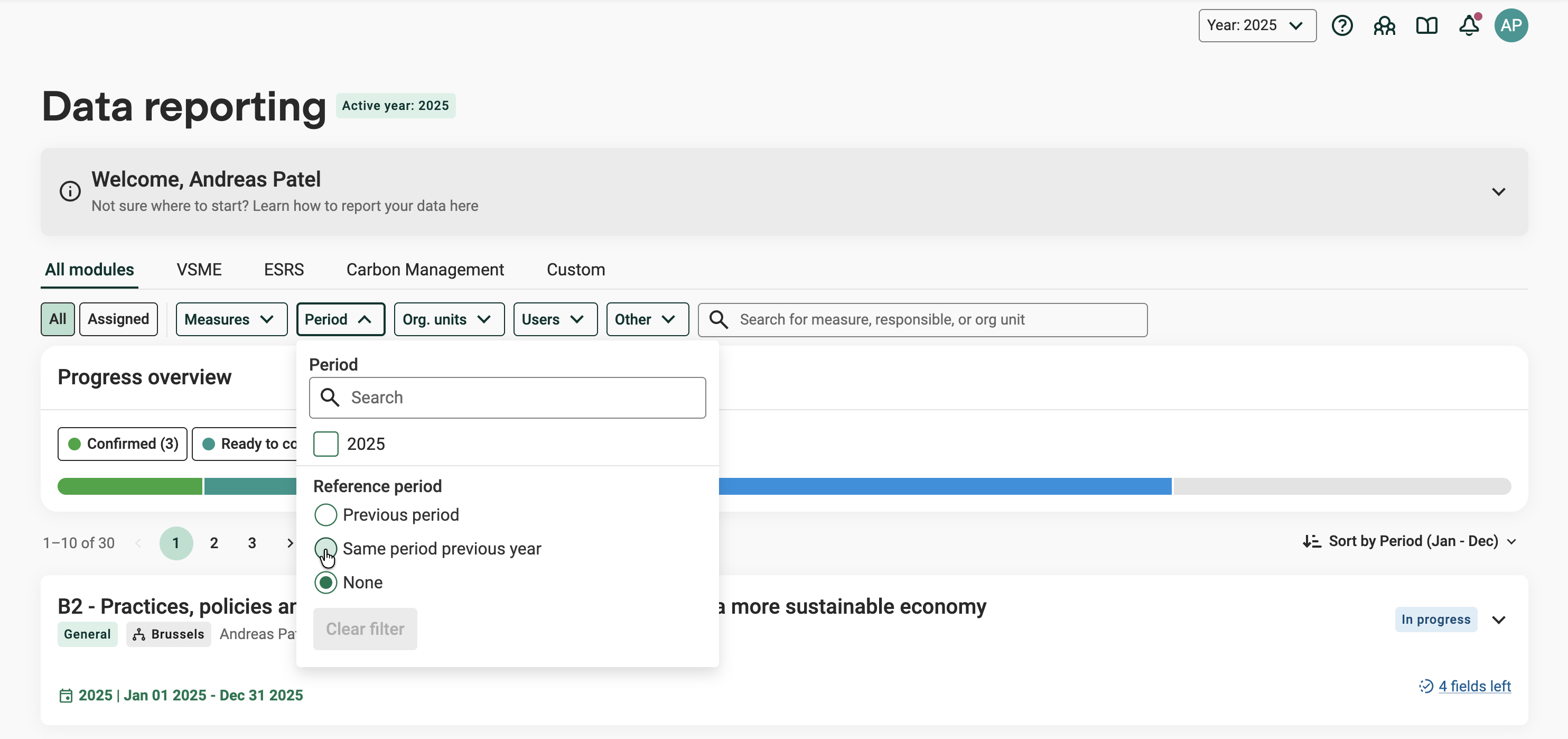
Reference period in the period filter
Data from the previous year is shown beneath the input fields. Click the historical data to show all recorded data.
Reuse data from previous periods
1. Click the historical data beneath an input field to show all recorded data.
2. Click "Copy" to copy a value from a previous period to reuse it in current period.
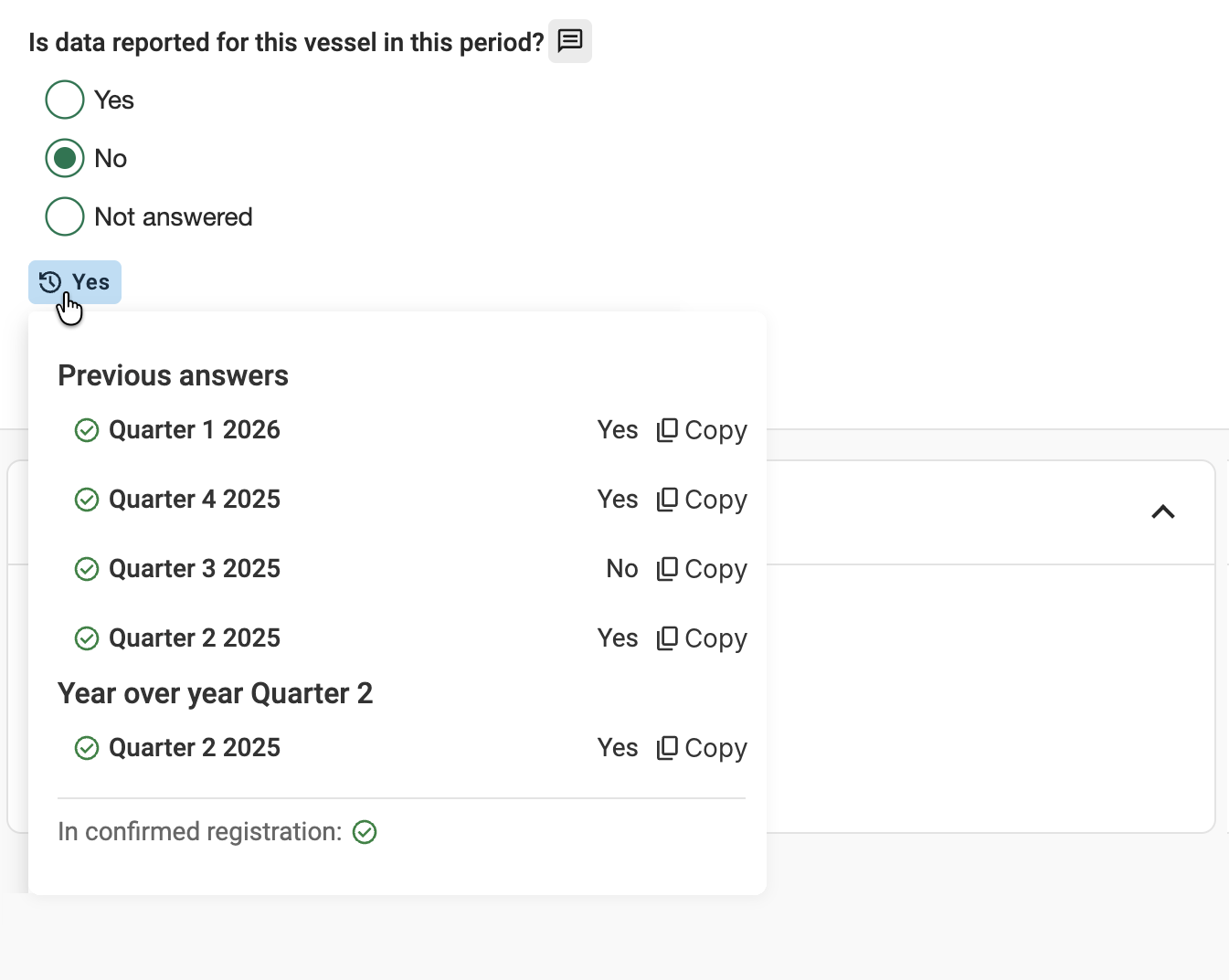
Previous answers and year-over-year data for a question
In the example above, the user is reporting on Quarter 2 in 2026. Previous answers shows all previous answers to this question. Year over year shows the answers for the same period (Q2) in previous years.
Access comments and involved users on previous values
After accessing historical data beneath an input field:
1. Click the comment icon next to the historical value. Comments will be shown in the overlay together with involved users.
Note: Comments for previous values are read-only, and Review status is not available here.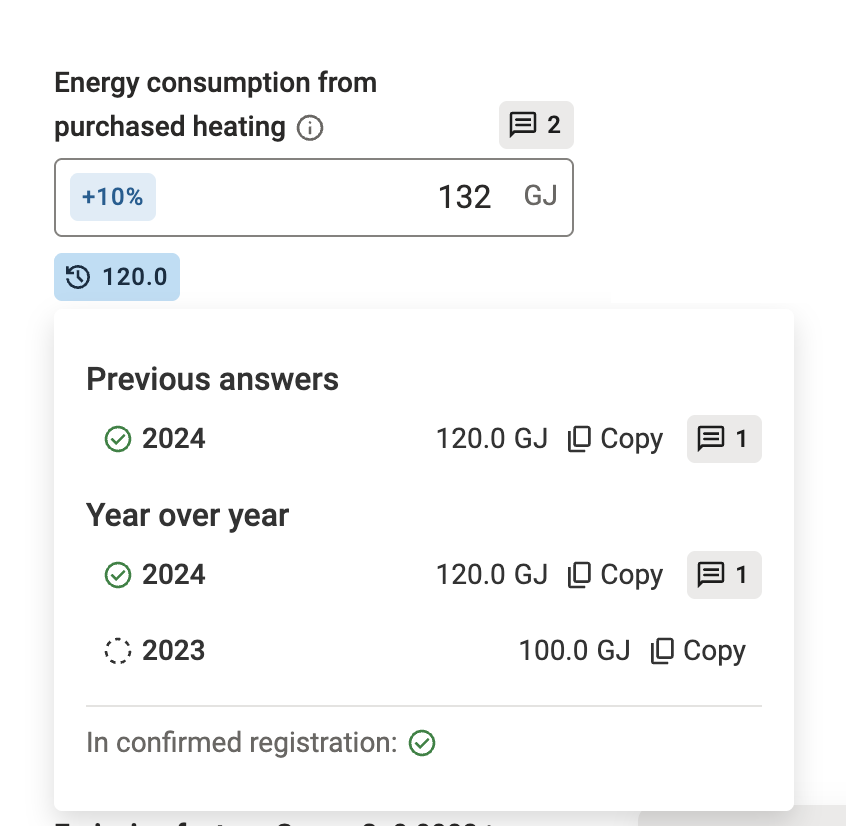
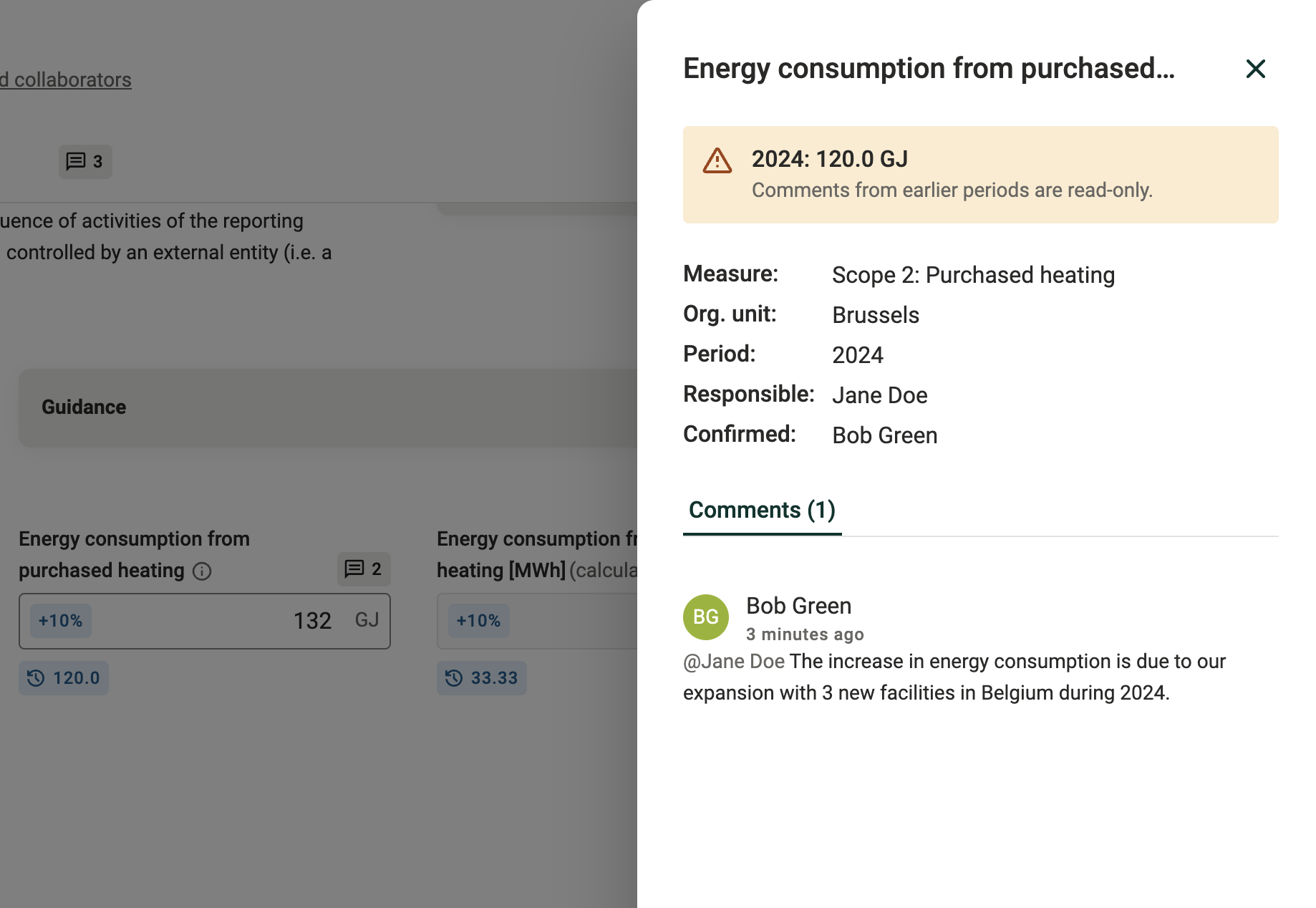
Example of comments available on historical values - opens a read-only view of comments.
Historical data in repeatable rows
Repeatables (where multiple rows can be added, e.g. targets, materials, investments) work the same way, but only if a row identifier has been set up for that measure. This is usually the first field in the repeatable.
1. Add a row and fill it in as usual. If the first field is free text, keep the wording consistent with the previous period. Small differences (e.g. "Steel" vs "steel") stop the row from being recognized as the same one.
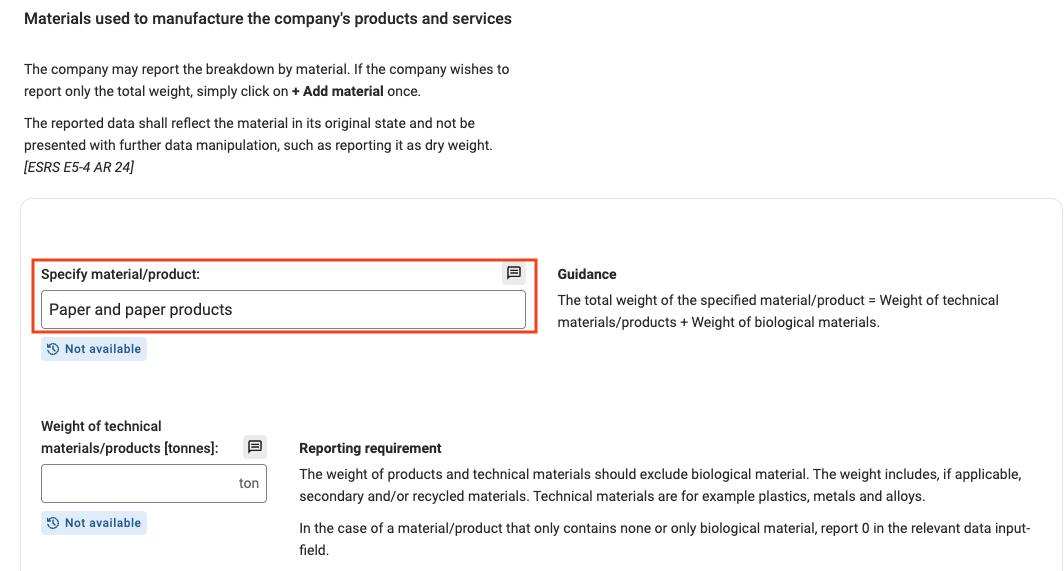
New row in a repeatable, with the row identifier in the first field
2. Refresh the page. Historical data does not show in the row until the page is refreshed.
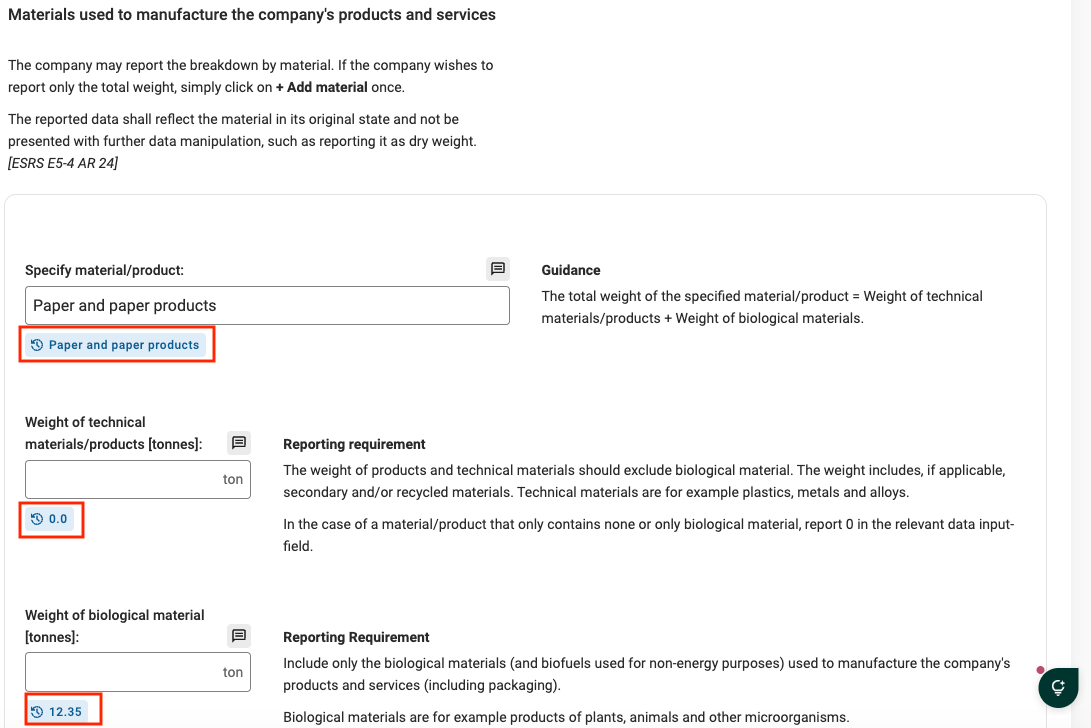
Historical data in a repeatable row after refreshing the page
From there, it works just as described above: click the historical data beneath a field to see previous answers and year-over-year data, then click a value to reuse it.
If historical data does not appear after a row is filled in, either the measure does not have a row identifier configured, or the wording does not exactly match the previous period. If it should be working, check with the tenant administrator.
Was this article helpful?
That’s Great!
Thank you for your feedback
Sorry! We couldn't be helpful
Thank you for your feedback
Feedback sent
We appreciate your effort and will try to fix the article