Introducing Decarbonization
Most companies measure their emissions. Far fewer know what to do next. Targets get set and reports get filed, and then the hard part starts: which measures to take, when, and at what cost.
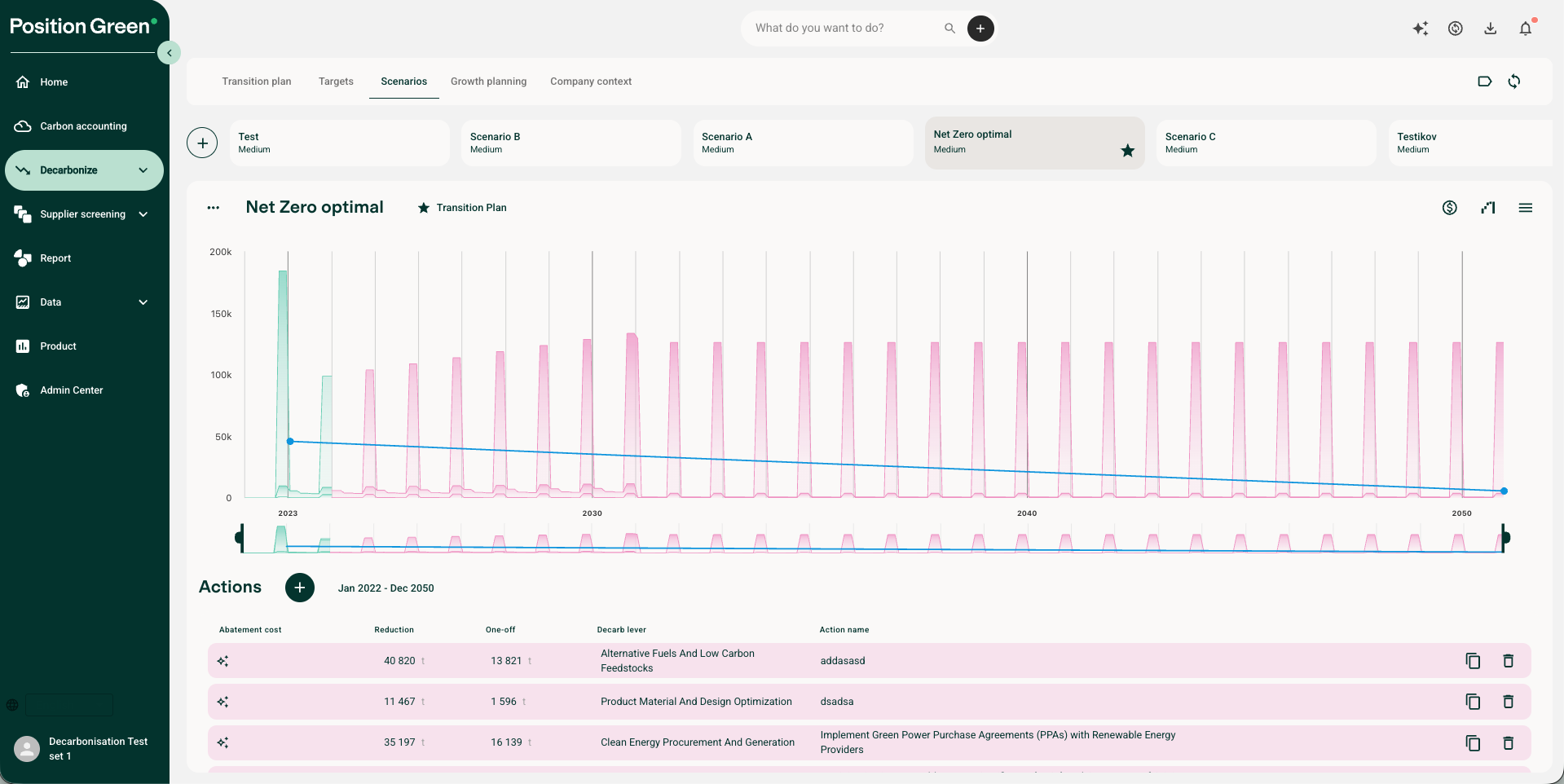
Decarbonize turns your carbon accounting into a plan for cutting emissions over the next 1, 3 and 10 years.
Who has it
Decarbonize is part of the Decarb+ plan. Without Decarb+, it shows in the main menu as an upgrade. Ask your Customer Success Manager if you want to add it.
What you can do
- Find your reduction levers. See which sites, categories, suppliers and activities have the biggest reduction potential, ranked by impact.
- Model scenarios before you act. Test measures such as switching fuels, changing suppliers, retrofitting buildings or changing travel policies, and see the effect on emissions and timelines.
- See the cost. Compare pathways by operating cost (OPEX) and investment (CAPEX).
- Build your transition plan. The actions you select add up to your plan, in one place instead of spread across slides and spreadsheets.
How it works, step by step
- Add context. Describe your business, operations and regions. Better context gives better suggestions.
- Check your targets. Decarbonize uses the targets you set under Carbon accounting → Targets, so you can see whether your plan is enough. No targets yet? See Targets.
- Explore scenarios. See suggested reduction actions for your main sources, with their impact and cost.
- Build the plan. Pick the actions that make sense for your business. Together they form your transition plan.
You can filter Decarbonize by label, to plan for one site or project at a time.
Where AI helps, and where it doesn't
AI agents suggest reduction levers and turn them into concrete actions, with written reasons. They also look up the parameters an action needs, such as costs and quantities, starting with your own historical data. Every suggested field is editable, and you can see where each input comes from.
The scenario numbers are not calculated by AI. Once the inputs are in place, the calculation engine works out the trajectory, the impact of each action and the totals. The AI fills in the model. It does not run it. Read more in Use of AI in Carbon Management.
Get the most out of it
- Use activity data for your biggest sources. Decarbonize works best on activity-based data, such as kWh, liters and km. Spend-only data gives a weak base for reduction planning. See Add activity data.
- Organize emissions in groups. The factor says diesel. The group says whether it runs a company car or a backup generator, and those need very different actions. See Organize your data: groups and labels.
- Get your baseline solid first. Decarbonize builds on your carbon accounting and uses its existing data and settings. If you are new to Position Green, set up carbon accounting first. See Getting started with Next-gen carbon management.
Built for busy sustainability teams
A transition plan usually takes many people, a lot of expertise and a lot of time. Many companies outsource it, and end up with a static report that nobody owns.
Decarbonize is for teams that want to own their plan but are short on time or specialist skills. Typical uses:
- Turning a high-level target into a concrete roadmap
- Comparing technology or supplier choices before you invest
- Coordinating reduction work across business units
- Showing management clear scenarios and trade-offs
Good to know
Business growth is modeled as a percentage today.
Was this article helpful?
That’s Great!
Thank you for your feedback
Sorry! We couldn't be helpful
Thank you for your feedback
Feedback sent
We appreciate your effort and will try to fix the article