TABLE OF CONTENTS
The ESRS module guides ESRS reporting from the double materiality assessment to the Sustainability Statement. This article gives an overview of the ESRS Hub and the reporting flow for the Original ESRS, with a product walkthrough and links to detailed guides for each part.
ESRS Hub
Go to ESRS in the main menu to open the ESRS Hub. The Hub shows the Compliance Milestones and the progress for the selected year:
- Double Materiality Assessment - Shows how many sustainability matters are material, not material or not yet assessed, per environmental, social and governance topic. Click “Continue Assessment” to pick up where the assessment left off.
- Disclosure Reporting - Shows the reporting progress per standard, from ESRS 2 to G1. Click “Continue Reporting” to pick up where reporting left off.
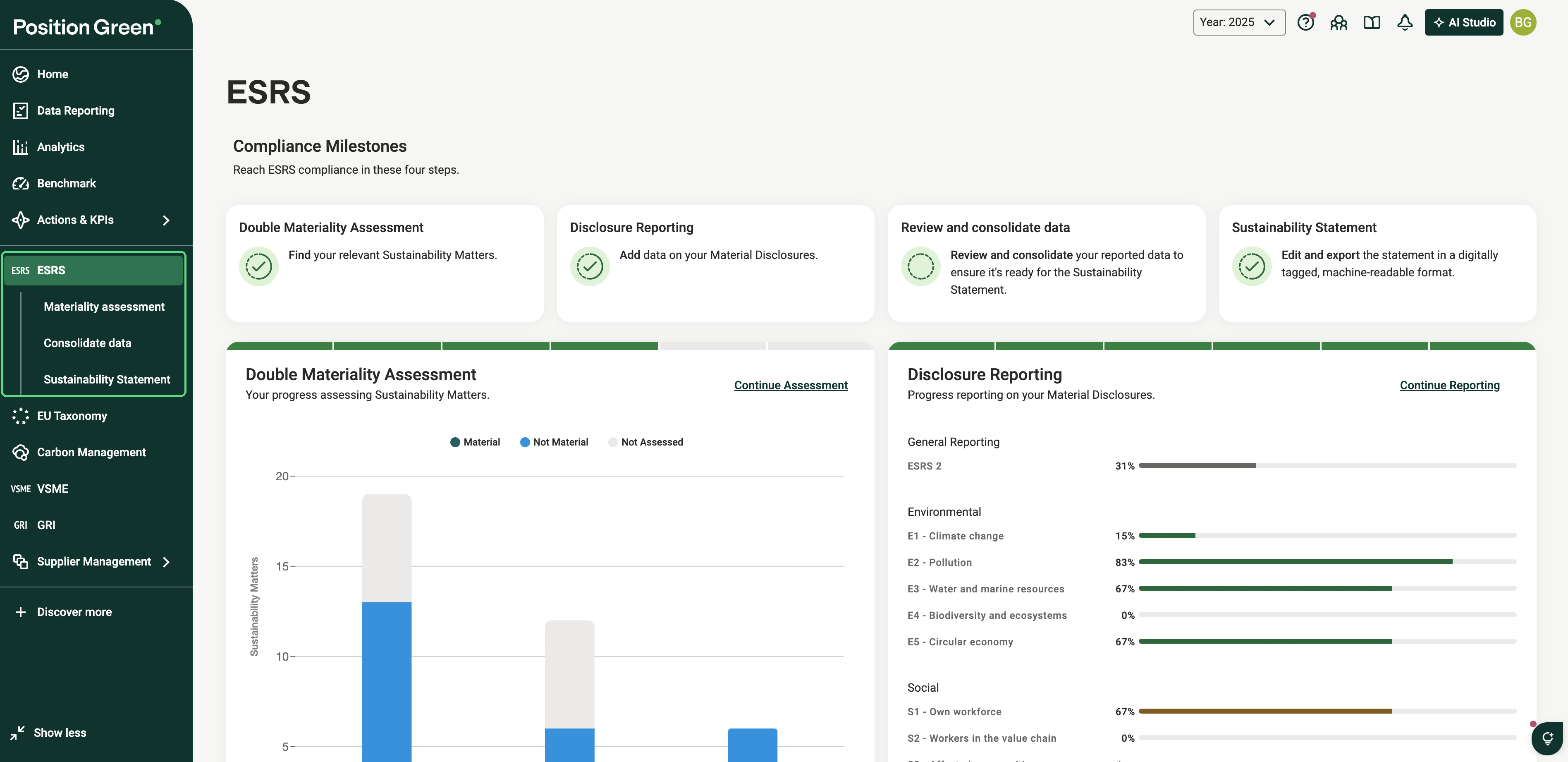
The ESRS Hub, with the ESRS menu highlighted
Reporting flow
ESRS reporting follows these steps:
- Materiality assessment - Assess the sustainability matters and confirm the results. Then, on the results page, update the material disclosures based on the assessment results. Go to ESRS > Materiality assessment. For details, see Materiality assessment.
- Disclosure reporting - Add and confirm data on the material disclosures in the Disclosure Registrations. Go to Data Reporting in the main menu, or click “Continue Reporting” in the ESRS Hub.
- Consolidate data - Review and consolidate the confirmed reporting data before using it in the Sustainability Statement. Go to ESRS > Consolidate data. For details, see Consolidate data.
- Sustainability Statement - Review and edit the Sustainability Statement in the Statement Editor, then export it to Word. Go to ESRS > Sustainability Statement. For details, see The Sustainability Statement Editor.
Other sections
- Analytics - Analyze the reported ESRS data in the ESRS visualizations. Go to Analytics in the main menu and open the ESRS visualizations. For details, see ESRS Dashboards: Original ESRS.
Product walkthrough
The walkthrough below shows the reporting flow in the platform, from the ESRS Hub to Analytics.
This article applies to the Original ESRS (Delegated Regulation (EU) 2023/2772). For the Revised ESRS, see Product walkthrough: Revised ESRS.
Was this article helpful?
That’s Great!
Thank you for your feedback
Sorry! We couldn't be helpful
Thank you for your feedback
Feedback sent
We appreciate your effort and will try to fix the article